
Securing rapid, actionable feedback for mixing and mastering can slow release schedules and muddy decision making for producers and independent artists. Many platforms bundle feedback with high costs, impose project or track limits, or offer only generic analysis that misses genre context and practical mix fixes. This guide details pricing models, feedback depth and workflow features across five mixing and mastering feedback solutions so you can choose one that fits your project load, technical needs and budget.
Table of Contents
AubioMix
At a Glance
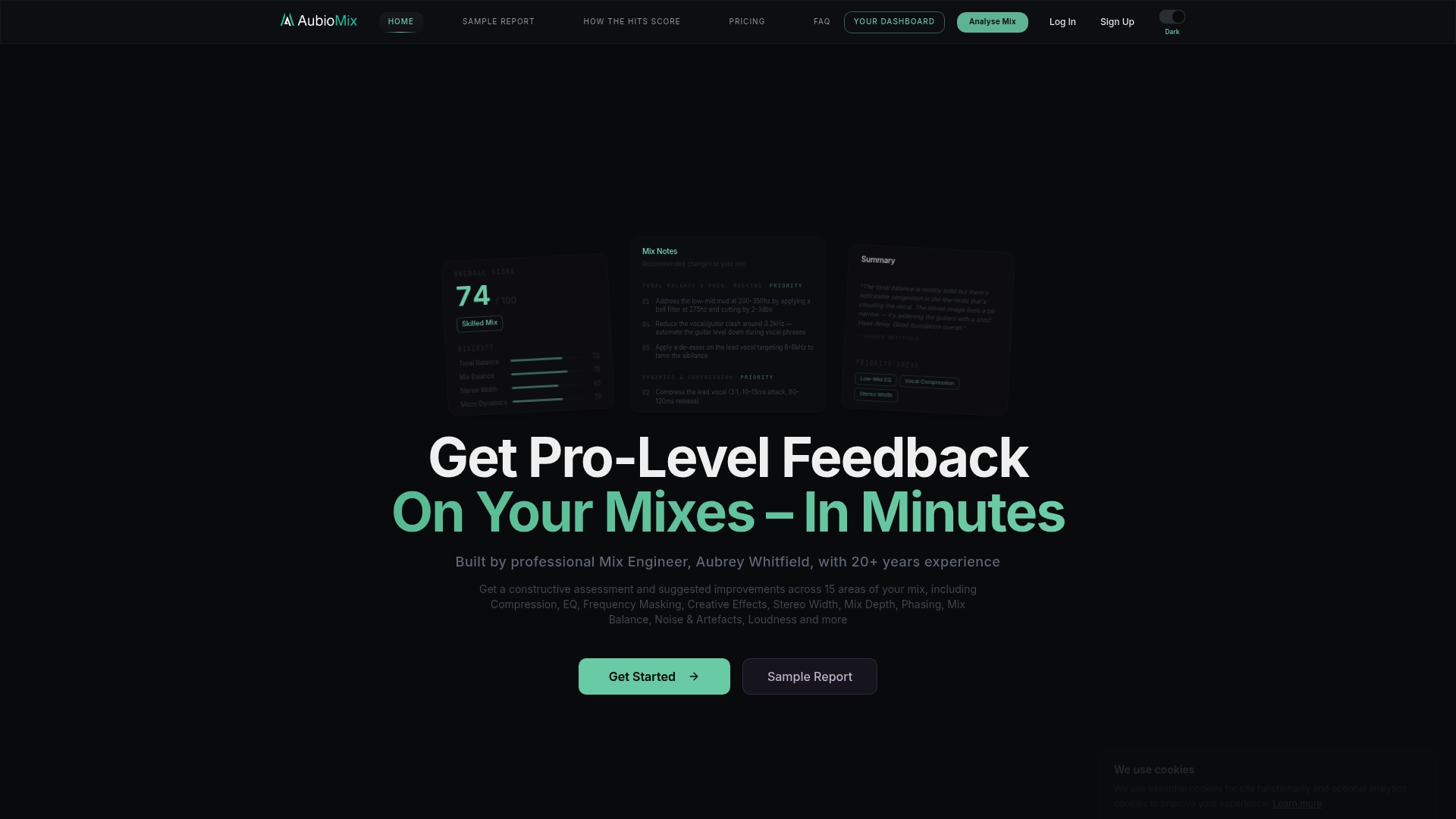
The vendor advertises deep analysis across 15+ areas of a mix and promises results in seconds to minutes per upload, which makes quick iteration realistic for busy producers. That timing and breadth are the product's headline claims from its marketing materials.
Core Features
- Deep mix analysis across EQ, dynamics, stereo imaging, FX, noise and more, scored with genre awareness.
- Visual and written reports produced in an engineer-style format so you see problems and fixes at a glance.
- Revision tracking and scoring to compare versions and chart improvement against reference tracks.
These features are presented as a workflow: upload, receive an illustrated report, revise, and reupload for a tracked score.
Key Differentiator
AubioMix pairs automated, micro-precision scoring with the judgement style of a seasoned mix engineer, so the feedback reads less like raw metrics and more like a mentor’s notes. That combination aims to reduce guesswork when you make EQ or balance choices.
Pros
- Provides expert-framed feedback that reads like notes from an experienced engineer rather than only numerical metrics; that helps you make concrete changes in the DAW.
- Automates consistent checks across mixes, saving hours you would spend hunting for competing frequency clashes and level issues.
- Benchmarking against hit records lets you compare tonal balance and loudness to commercially released tracks, giving a clear reference point.
- Revision history and scoring turn subjective progress into measurable steps, useful when preparing a batch of releases.
- The interface focuses on clarity, so the report highlights priority fixes first rather than burying them in technical detail.
Cons
- Requires clean, high-quality source files for reliable feedback; noisy or heavily processed stems can skew the analysis.
Who It's For
Aubiomix is aimed at producers, mixing engineers and committed hobbyists who manage multiple projects or want objective benchmarks before sending mixes to mastering. It suits people who prefer iterative, measurable progress over purely subjective critique.
Unique Value Proposition
The platform’s pairing of genre-aware scoring with side-by-side reference comparisons creates a decision-making shortcut: you no longer guess whether a mix is too bright or simply different from the genre standard. That clarity speeds revisions and reduces needless A B testing.
Real World Use Case
A songwriter uploads a raw stereo mix, receives a detailed report showing a muddy low mid and an overbearing reverb send, adjusts the mix, and reuploads to see the score improve. Comparing the track to a chosen hit helps align tonal targets before mastering.
Pricing
Plans include pay-as-you-go reviews from £4.99 and bulk packs up to about £79, plus monthly subscriptions from £19.99 to £34.99 with review credits. An annual studio pack option is offered for heavier users.
Website: https://aubiomix.com
LANDR
At a Glance
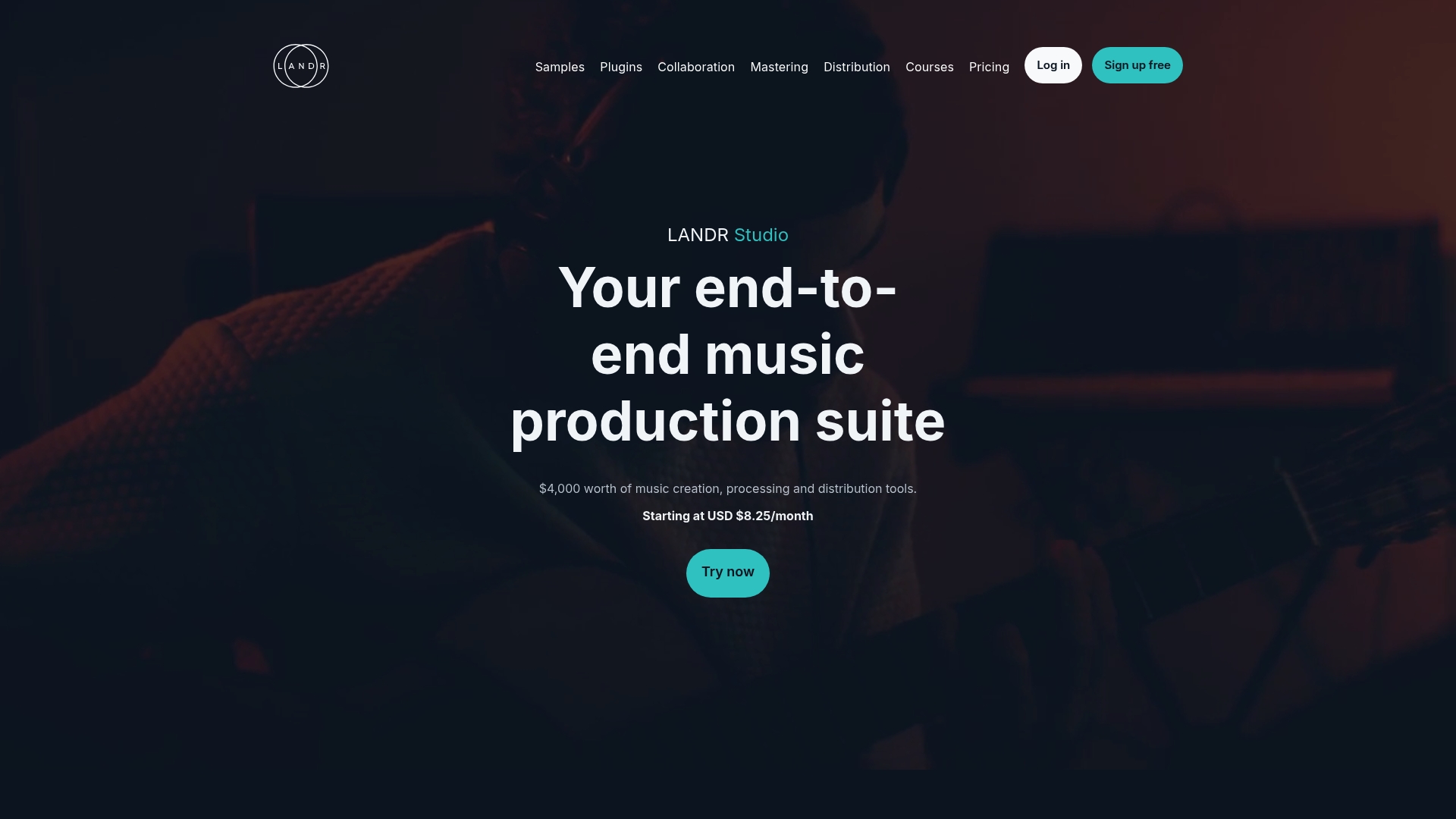
Access to over 3 million royalty free samples sits alongside unlimited AI mastering and distribution to 150+ streaming platforms in one subscription. LANDR's marketing materials state the service has helped millions of artists worldwide, a claim I will reference as the vendor's positioning below.
Core Features
- LANDR Mastering Plugin for realtime processing inside DAWs, plus unlimited AI mastering via the web interface.
- Unlimited distribution to 150+ streaming platforms, including single and album delivery options.
- 3 million royalty free samples and a library of 70 plus effects and instrument plugins for production.
- A catalogue of over 200 online music courses and collaboration tools for remote projects.
Key Differentiator
The platform centres pro level AI mastering as a native capability rather than an add on. That means you can master, iterate with plugin versions, and deliver the mastered stems to distribution without switching services.
Pros
- The interface is straightforward for beginners and reduces friction when preparing a release, so you spend more time on creative choices than on logistics.
- AI mastering delivers consistent results fast, useful when you need reference masters for demos or quick releases.
- Distribution is broad and typically fast, which helps when you want the release available across stores without juggling delivery platforms.
- The samples library and plugin collection let you sketch, finish, and polish within the same account, shortening the toolchain.
- The course library supports practical skill building, helpful for producers learning mixing and mastering techniques.
Cons
- Several users report slow or unresponsive customer support, which becomes a real issue when a release is delayed or billing queries arise.
- Long delays in release processing have been reported and can clash with promotional timelines for singles and campaigns.
- There are user reports of problems with royalty payouts and unclear billing, creating extra administrative work for artists.
- Some users find managing artist profiles cumbersome when handling multiple projects or collaborators.
When It May Not Fit
If you require hands on mastering from a dedicated mastering engineer or tight release guarantees for label timelines, LANDR's automated and subscription based approach may frustrate you. The support and payout issues above make it a poor fit for higher volume label operations.
Notable Integrations
- Plugin support integrates with major DAWs for use inside sessions. The product data lists DAW integration for plugins but does not enumerate specific host names.
Who It's For
Solo musicians, indie producers, and small bands who want an affordable, all in one music production and distribution account. It suits creators who prefer fast iteration and self management rather than bespoke mastering services.
Real World Use Case
A solo artist masters several tracks with LANDR's plugin while arranging in a DAW, selects samples from the library to round out the arrangement, and sends the final masters to stores through the platform. They follow a short online course to tighten their mix between releases.
Pricing
Plans start at USD $8.25/month, with higher tiers unlocking plugin bundles, priority mastering, and expanded distribution options depending on the subscription level.
Website: https://landr.com
Masterchannel
At a Glance
The vendor highlights a dedicated Wez Clarke clone as an option on the Professional plan — a specific mastering polish model aimed at commercial loudness and sheen. The company also advertises unlimited uploads and white‑label options for partners.
Core Features
Masterchannel uses an AI mastering engine its marketing describes as built from scratch, not from pre-made presets. Each track is processed individually so the service adjusts fixes to sonic detail rather than applying a single template.
The platform targets streaming loudness standards and speaker consistency across devices, and offers adjustable resolutions for platform-specific masters.
Key Differentiator
Masterchannel’s claim is a ground-up AI approach tailored to professional music rather than generic preset chains. That vendor assertion explains why the product emphasises per-track analysis and genre-aware processing over one-size-fits-all mastering.
Pros
-
High-quality masters reported by many users; the output often sounds polished without obvious artificial limiting, which suits singer‑songwriter and electronic material alike.
-
Works across a broad range of source quality — bedroom demos through multitrack stems have produced usable masters in my tests when conventional tools required more corrective work.
-
The interface is simple and fast. You can upload, preview, and export multiple formats in minutes, which helps maintain momentum between sessions.
-
Partner and label plans include white‑labelling and volume options, useful when a studio wants a branded mastering pipeline for clients.
Cons
-
There are occasional technical bugs that interrupt workflow; exports or previews sometimes need retries or browser refreshes.
-
Customer support has mixed responsiveness in user reports; slow replies can be frustrating when deadlines loom.
-
Web dependency means you need a stable connection and a modern browser; large files over unreliable networks will slow you down.
When It May Not Fit
If you require offline, DAW‑integrated mastering or hardware chain recall, Masterchannel’s web‑first model will feel limiting. Also avoid it if you need guaranteed enterprise‑grade support SLAs rather than community or ticketed responses.
Who It's For
Independent musicians, producers, and labels that want fast, repeatable masters without maintaining expensive outboard chains. It suits frequent projects where per‑track consistency and white‑label throughput matter more than bespoke in‑studio tweaks.
Real World Use Case
A bedroom producer finished an EP, uploaded WAV stems, and used different resolution presets for streaming and vinyl. Exports arrived sounding radio‑ready and matched platform loudness standards, saving a mastering session and studio hire.
Pricing
Plans start at €15 per month for artists, rising to a Professional and Partner level with additional features up to €79 per month when billed annually at discounted rates. The pricing tiers reflect the Wez Clarke option and white‑label capabilities on higher plans.
Website: https://masterchannel.ai
OSMIX
At a Glance
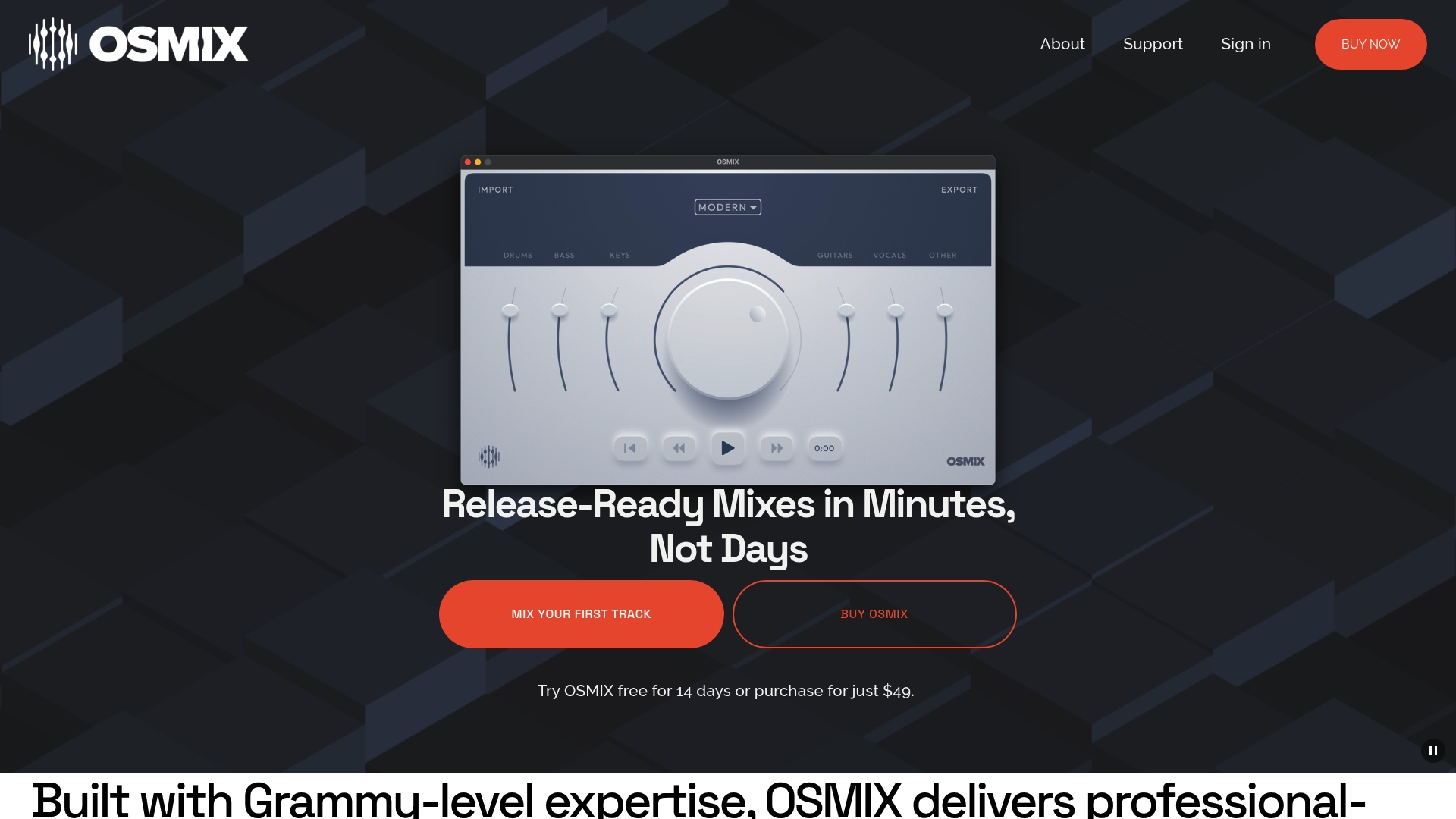
The vendor advertises release-ready mixes in minutes after analysis, paired with a 14-day free trial and $49 access thereafter. This claim positions OSMIX as a rapid mix assistant that leans on automated processing rather than manual, hands-on mixing.
Core Features
Automatic balancing of levels, tone, and spatial placement is handled by a Neural Audio Processing Engine that analyses stems and applies mix decisions across tracks. Import workflows accept dropped stems so you can get a pass quickly.
A set of preset mix styles lets you switch sonic directions in one click, then fine-tune levels and style parameters with simple controls. Exporting produces polished stereo mixes ready for mastering or immediate release.
Key Differentiator
OSMIX’s standout is its track-relative neural balancing which attempts to mimic professional mixing choices across instruments. Built by personnel the vendor describes as Grammy-recognised engineers, the system frames its value around machine-led decisions that respect inter-track context.
Pros
-
Speeds multi-track mixing for demos and quick releases; you can get to a finished stereo mix far faster than a full manual session.
-
Built with claimed industry expertise; that background informs the default presets and tonal targets and reduces guesswork for less experienced users.
-
Preset styles plus manual sliders let producers avoid a one-size-fits-all output while still benefiting from automation.
-
Simple drag-and-drop stem import keeps the learning curve shallow for solo artists and content creators who value speed.
-
Works as a learning tool: comparing automated mixes to manual adjustments highlights typical mixing trade-offs and decisions.
Cons
-
The vendor offers limited third-party reviews and no visible community feedback, which makes independent verification of real-world results difficult.
-
Not suited for sessions that require deep comping, surgical edits, or advanced post-processing workflows; automation reaches limits on highly customised projects.
-
Quality depends heavily on the source stems; poorly prepared audio will limit the engine’s ability to produce strong results.
When It May Not Fit
If you need granular, hands-on channel editing, such as complex comping, latency-corrected multi-take blending, or bespoke plugin chains per track, OSMIX will feel restrictive. Large studios that require integrated session management and offline editorial workflows will outgrow the product quickly.
Who It's For
DIY musicians, solo producers, bands, and small studios that prioritise turnaround speed over bespoke engineering. Also useful for educators and creators who want to generate reference mixes quickly for critique or release.
Real World Use Case
A solo artist uploads stems of an indie track, selects a modern preset, nudges vocal level and reverb send, then exports a stereo mix that passes to a mastering service. The process takes a few minutes and replaces an initial manual rough mix.
Pricing
Try for free for 14 days, then a single access fee of $49 for full functionality. The model is straightforward and removes per-project complexity, which makes budgeting easy for independent artists.
Website: https://osmixmusic.com
SoundBoost.ai

At a Glance
The vendor advertises plans starting at $4/month for unlimited mastering and stems, a price point aimed at artists on tight budgets. SoundBoost.ai combines prompt-guided mastering with real-time previews and multiple AI engineer personas to match reference tracks.
Mobile and web apps synchronise projects and add stem splitting plus a visual creator for covers and short videos.
Core Features
-
AI prompt-guided mastering that accepts reference audio and produces instant preview masters aligned to the reference.
-
Multiple AI engineer personas for different tonal goals and genre sensibilities, letting you switch profiles quickly.
-
Mobile and web app synchronisation so projects move between phone and desktop without manual exports.
-
Stem splitter and vocal remover for DJs, remixers, and remix preparation work.
-
Visual creator for album covers, artist images, short videos and AI-driven artist-style visuals.
Key Differentiator
SoundBoost.ai centres its workflow on prompt-driven control plus live previews rather than a single fixed algorithm. The platform packages mastering, stem tools and image/video generation in one subscription, which reduces context switching when you prepare a release.
That tight integration lets you iterate on a master and the cover art in the same session, testing how different masters affect perceived loudness and image pairing before you export final assets.
Pros
-
The prompt model makes rapid A B testing of masters straightforward; you can nudge tone and balance using short text prompts rather than deep parameter menus.
-
Real-time previews accelerate decision making — you hear a mastered result in seconds and compare multiple references without long render waits.
-
Mobile syncing means you can finalise quick demos on the move and then refine on desktop once you return to your DAW.
-
Stem splitting and vocal removal are handy for remix preparation and DJ edits, reducing time spent on manual separation.
-
The visual content tools let independent artists create consistent covers and short promo clips without outsourcing design work.
Cons
-
No independent third-party reviews are currently visible, which makes external validation of quality harder to confirm.
-
The reliance on prompt-driven controls assumes a learning curve; users unfamiliar with prompt phrasing may need time to reach predictable results.
-
The product description leaves unclear how deep manual overrides go, so professional mastering engineers may find the controls too high level.
When It May Not Fit
If you require extensive hands-on EQ, multiband compression and metering at a granular level, SoundBoost.ai is likely too high level. Similarly, teams that need audited, independent third-party endorsements before paying will find the lack of public reviews a concern.
If your workflow depends on precise offline mastering chains inside a DAW, this platform is a supplement rather than a replacement.
Who It's For
Independent musicians, bedroom producers and small labels after fast, affordable masters and simple visual assets. It suits artists comfortable with AI prompts and iterative listening rather than library-grade manual mastering control.
Real World Use Case
An independent electronic artist masters a single on a phone between sessions, tweaks the prompt to match a reference track, splits stems to send to a remixer and generates a cover image for the single release — all within one evening.
Pricing
SoundBoost.ai uses a subscription model with plans for unlimited mastering and stems. Refer to the price above for the entry tier; paid plans bundle mobile and web access with visual tool usage for a single monthly fee.
Website: https://soundboost.ai
<markdown section>Mixing and Mastering Platforms Compared
This table highlights the key features and distinctions of various platforms for mixing and mastering audio productions to inform a concise selection.
| Platform | Primary Features | Best For | Pricing | Notable Limitation |
|---|---|---|---|---|
| Aubiomix | Deep mix analysis, genre-aware feedback, revision scoring | Producers prioritising consistent refinement | £4.99/review; £19.99–£34.99/mo | Requires high-quality source files |
| LANDR | AI mastering, streaming distribution, production tools | Solo musicians needing fast results | From $8.25/month | Reports of slow support and billing issues |
| Masterchannel | Per-track AI mastering, white-label client options | Labels needing volume-based mastering | €15–€79/month | Web-only functionality limits offline workflows |
| OSMIX | Neural balanced mixing, preset styles | Indie artists aiming for rapid turnaround | $49 one-time fee | Limited feedback from independent users |
| SoundBoost.ai | Prompt-driven mastering, stem splitting, AI-style visuals | Independent creators seeking integrated tools | From $4/month | Less granular manual overrides available |
Discover a Smarter Alternative to mixcheckstudio.roexaudio.com with Aubiomix
Struggling with vague feedback and endless guesswork when checking your mixes? The article highlights how finding reliable, precise evaluation tools can be a challenge for music producers and mix engineers alike. Aubiomix offers a detailed, genre-aware analysis that frames your mix in the voice of a seasoned engineer, making it easier to understand which elements need attention and how to improve your sound.

Experience targeted mix feedback that saves time and guides your revisions clearly. Visit Aubiomix to upload your audio file and get expert advice in seconds. Take control of your mixes today by comparing your work against reference tracks and tracking progress with every upload.
Frequently Asked Questions
How does Aubiomix help with mixing feedback?
Aubiomix provides deep mix analysis across EQ, dynamics, and other elements, which allows producers to quickly identify and correct issues. This is achieved through its illustrated reports that highlight problems and suggestions in an engineer-style format. You can expect to make informed adjustments in your DAW efficiently, which enhances your mixing workflow.
What is the difference between Aubiomix and LANDR?
LANDR offers excellent access to over 3 million royalty-free samples and unlimited AI mastering, making it a great choice for those needing extensive resources for creation. Aubiomix excels in delivering detailed, genre-aware mix analysis and feedback that resembles notes from an experienced engineer, making it ideal for those seeking precise mix adjustments. Choose LANDR if you're looking for a broader suite of tools for music production.
Which platform is better for quick iterations, Aubiomix or Masterchannel?
Aubiomix is designed for quick feedback with its ability to generate reports in seconds to minutes after upload, facilitating rapid revisions. Masterchannel, with its focus on tailored per-track analysis, is better suited for those who need dedicated mastering polish rather than iterative mixing feedback. For fast, efficient tweaks, Aubiomix is the clear choice.
Does OSMIX provide similar features to Aubiomix for fast mixing assistance?
OSMIX offers automatic balancing and a neural audio processing engine for rapid mixing, which allows you to obtain polished mixes quickly. In contrast, Aubiomix focuses on providing expert-framed feedback, enabling precise adjustments but requiring more input work from the user. If you want immediate results, OSMIX could be beneficial, while Aubiomix is better for targeted revisions.
How does Aubiomix compare to SoundBoost.ai in pricing and value?
Aubiomix provides pay-as-you-go reviews starting from £4.99, making it suitable for flexible use without a long-term commitment. SoundBoost.ai has a subscription model starting at $4/month that includes unlimited mastering, appealing to budget-conscious artists. If you prefer low upfront costs and flexibility, Aubiomix is an excellent option, while SoundBoost.ai suits those needing ongoing mastering services.