
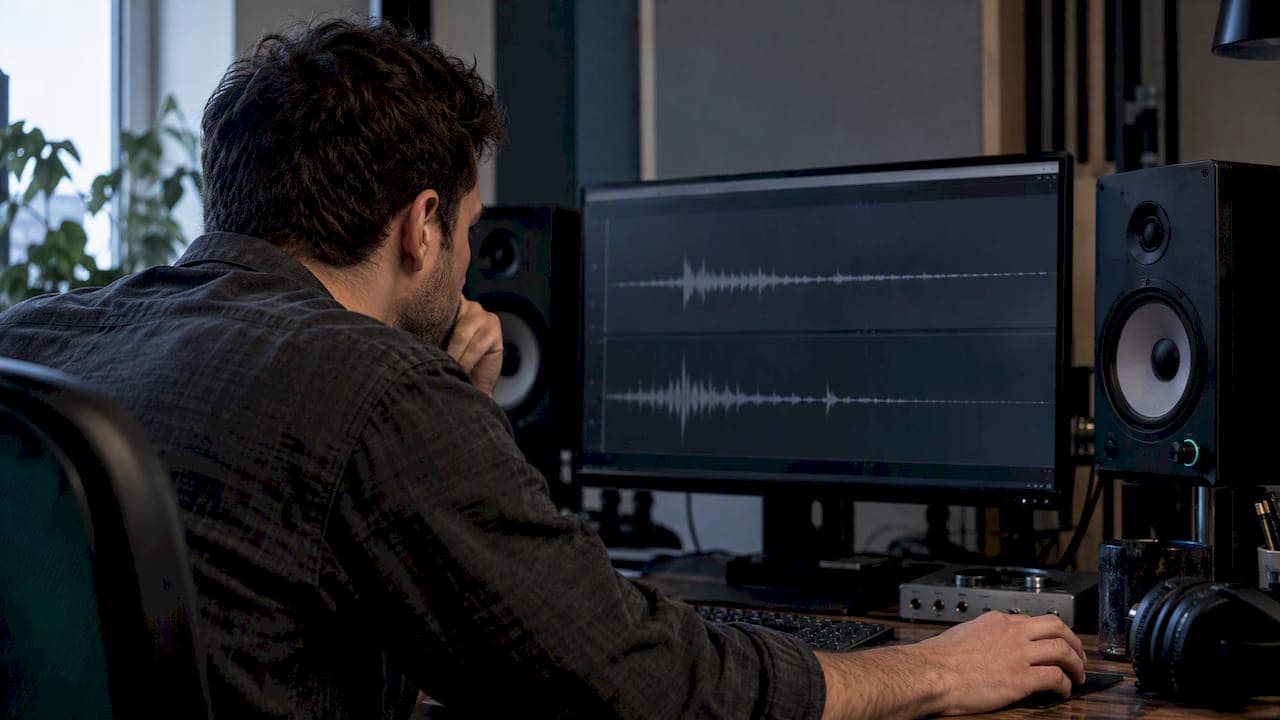
Phase rotation shifts the phase of each frequency component in a signal without touching the magnitude spectrum, so the waveform's shape changes while the tone stays put. We reach for it when digital peaks are eating our headroom, when a kick or snare looks lopsided on the waveform, or when a mastering chain needs a little more room before the limiter. Measure before you touch anything, and try polarity flips or short delays first.
TL;DR:
- For an outright 180 degree mismatch between microphones, flip polarity; use a short delay for consistent timing offsets before trying rotation.
- Keep an all pass section’s decay time constant below roughly 0.8 milliseconds; above that, impulsive sounds can ring, while stereo images may shift.
- Loudness match before and after, then check transient attack, ringing, waveform shape, and peak levels; otherwise, level differences can mislead the comparison.
- For a bass DI blended with a miked cabinet, a delay of a few hundred microseconds often corrects timing more effectively than EQ.
Table of Contents
- Phase rotation explained in the frequency and time domains
- Phase rotation versus phase shift, phase delay and polarity inversion
- What causes phase rotation and which processors create it
- Audible effects and the thresholds worth watching
- Practical workflows that use or fix phase rotation
- A quick DAW workflow to test and verify phase rotation
- How automated analysis flags phase rotation issues for you
- Phase rotation deserves respect, not shortcuts
- Let AubioMix help you diagnose and fix phase-rotation problems
- FAQ
- Sources
Phase rotation explained in the frequency and time domains
Phase describes the angular relationship between a signal's harmonics, the position of each sine wave relative to the others at a given moment. When we rotate phase, we're nudging those angular positions around the complex plane, frequency by frequency, without changing how loud each harmonic is. The spectrum (the balance of highs, mids and lows) stays identical. Only the shape of the waveform in time changes, because the harmonics now line up differently when they're summed.
This is different from a straight-time delay, which shifts everything by the same number of milliseconds regardless of frequency. Phase rotation is frequency-dependent: some harmonics move more than others.
A couple of examples make this concrete:
- Two sine waves at the same frequency but opposite phase cancel completely when summed, which is the simplest possible case of phase interaction.
- An asymmetric vocal waveform, louder on the push than the pull, can become far more symmetrical after rotation, with no change to how it sounds tonally.
That second case is exactly why mastering engineers use the technique: a more symmetrical wave often has a lower peak for the same perceived loudness.
Phase rotation versus phase shift, phase delay and polarity inversion
These four terms get used loosely, but they mean different things, and picking the wrong one wastes time.
- Phase shift describes the angular offset in degrees at a specific frequency, and it varies across the spectrum rather than applying uniformly.
- Phase delay expresses that same offset as a time value in milliseconds, useful when you're thinking in terms of arrival time rather than angle.
- Polarity inversion flips the signal 180 degrees at every frequency simultaneously, which is the one case where the shift is flat across the whole spectrum.
- Phase rotation (our main subject here) applies a frequency-dependent shift using an all-pass structure, changing waveform shape while leaving the magnitude response untouched.
If two mic signals are simply out of polarity, a flip solves it instantly, no need for anything more elaborate. If they're offset by a consistent time gap, a short delay is the right tool. Phase rotation earns its place when neither of those fixes the asymmetry on its own.
What causes phase rotation and which processors create it
Most phase rotation in a mix arrives uninvited, through gear and processing choices rather than deliberate creative decisions.
All-pass filters are the purest example. They're built specifically to rotate phase from 0 degrees at low frequencies toward 180 degrees at higher ones, while leaving the magnitude response flat, which is precisely why engineers use them for phase correction without touching tone. The centre point of that rotation, often called f90, and the steepness of the Q setting determine how aggressive the effect feels.
Minimum-phase EQ is a quieter culprit. Any time you boost or cut with a minimum-phase filter, phase shift comes along for the ride, it's baked into how that filter type works. Linear-phase EQ avoids this, at the cost of pre-ringing and added latency.
Beyond filters, phase rotation creeps in through analogue signal chains, AD/DA converters, timing differences between multiple microphones on one source, and non-linear processing like certain saturation or clipping stages.
- All-pass filters: deliberate, frequency-targeted phase rotation with no tonal change.
- Minimum-phase EQ: phase shift as an automatic side-effect of magnitude changes.
- Multi-mic setups: arrival-time differences that mimic phase rotation when summed.
- Analogue gear and converters: small, cumulative phase shifts across a chain.
Pro Tip: When a multi-mic source sounds thin or hollow, check polarity and timing before reaching for an EQ, since the EQ won't fix a timing problem.
Audible effects and the thresholds worth watching
Phase rotation changes transient shape well before it changes anything you'd call tonal. A snare hit that looked spiky and asymmetric on the waveform can come out rounder and lower in peak level, which is useful, but push an all-pass filter too hard on percussive material and you risk audible smearing instead of a clean correction.

Listening research gives us a concrete line not to cross: all-pass sections can produce audible ringing on impulsive sounds once the decay time constant passes roughly 0.8 milliseconds, corresponding to a peak group delay near 1.6 milliseconds. Stay under that and rotation tends to read as transparent; go over it and transients start to smear or ring.
The same research notes that low-Q all-pass sections can shift stereo image laterally when low-frequency group delay climbs too high, which matters for anything panned off-centre.
A few practical ways to check what's happening:
- Look at an impulse response or oscilloscope trace before and after processing to see the waveform shape change directly.
- Check a group-delay plot to confirm which frequency range is carrying the heaviest phase shift.
- Compare peak levels at matched loudness to see whether rotation actually bought you headroom.
Practical workflows that use or fix phase rotation
Most phase problems respond to a short, ordered process rather than a big EQ move.
- Try a polarity invert first. It costs nothing and fixes outright 180 degree mismatches between mics or DI and amp signals instantly.
- Move to a short delay if the issue is clearly a timing offset rather than a polarity flip, nudging in fractions of a millisecond and listening each time.
- Apply a small all-pass rotation only if asymmetry or peak shape is still the problem, keeping the Q gentle and checking against the ringing threshold above.
- Reach for linear-phase EQ as a last resort, since it avoids added phase shift but introduces pre-ringing and latency that aren't free either.
Pro Tip: Loudness-normalise before any A/B comparison, otherwise a quieter "after" version will sound duller purely because it's quieter, not because the processing failed.
Common scenarios where this comes up: a multi-mic drum kit where top and bottom snare mics need a polarity check before anything else; a bass DI blended with a mic'd cab, where a few hundred microseconds of delay usually solves more than an EQ ever will; and mastering, where gentle phase rotation on a loud asymmetric mix can lower peaks enough to ease limiter gain reduction without squashing the transients underneath.
A quick DAW workflow to test and verify phase rotation
Run this in order and you'll know within minutes whether rotation is helping or just moving the problem around.
- Capture a baseline: screenshot the waveform, note peak and RMS levels, and if you can, grab an impulse response or oscilloscope trace for later comparison.
- Apply one small change at a time, polarity first, then a short delay in fractions of a millisecond, then a gentle all-pass rotation, documenting every setting as you go.
- Loudness-match the before and after so your ears aren't fooled by level differences.
- Listen on headphones at a sensible volume, focusing on transient attack and any new ringing or smear.
- Recheck peak and RMS levels, and compare the waveform screenshot against your baseline to confirm the shape actually changed the way you intended.
For a faster version of this same sequence, our guide on fixing phase and polarity in five steps walks through it with specific DAW moves, and our piece on quick moves for phase alignment covers the same ground from a slightly different angle.
How automated analysis flags phase rotation issues for you
When we built our mix analysis checks, waveform asymmetry, group-delay anomalies and transient misplacement were three of the first things we wanted flagged automatically, because they're exactly the signs that something upstream has introduced unwanted phase rotation. An uploaded mix gets scanned against those markers, and where something looks off, the report suggests a specific move: a polarity flip, a delay adjustment measured in milliseconds, or a small all-pass rotation, alongside a before and after snapshot so you can see the shape change rather than just read about it.
For the full reasoning behind each fix, our longer complete guide to phasing in audio and our phase issues fix guide go deeper than we can here.
Phase rotation deserves respect, not shortcuts
Phase rotation is a genuinely useful mastering tool when a mix is asymmetric and peak-limited, but it's not a substitute for addressing why a transient looks the way it does in the first place. Used on impulsive material without care, it smears the very punch you're trying to protect. Our stance: treat it as a measured correction, applied in small steps with documentation, not a shortcut to squeeze more loudness out of a mix that needed better gain staging to begin with.
— AubioMix
Let AubioMix help you diagnose and fix phase-rotation problems
We built our mix review to catch exactly the kind of asymmetry and timing issues that phase rotation is meant to solve, and to tell you which fix to try first instead of leaving you guessing. Upload a track and you'll get visual snapshots of the waveform and group delay, a suggested corrective step (polarity, a millisecond value, or a gentle all-pass rotation), and a measurable before and after comparison you can hold onto.

- See exactly where asymmetry or ringing shows up in your waveform, with a visual snapshot rather than guesswork.
- Get a specific suggested fix, not just a flag, whether that's a polarity flip, a delay value or a small rotation.
- Keep your before and after files so you can confirm the change actually helped once it's loudness-matched.
If you're working through phase issues on a real track, a single Mix Review for £4.99 is enough to validate your settings before you commit them to a final master. For ongoing work across a catalogue, our Professional plan runs £19.99 per month with a fixed number of reviews included each cycle. Hold onto your before and after exports either way, they're the fastest way to prove a fix actually worked.
FAQ
What should phase rotation be set to?
There's no single universal setting, since the right rotation depends on the source material and the asymmetry you're correcting. Start with a gentle all-pass adjustment, keep the decay time constant under roughly 0.8 milliseconds to avoid audible ringing, and judge the result by ear against a loudness-matched original.
What is a phase rotation?
Phase rotation is a frequency-dependent shift in the phase relationship between a signal's harmonics, applied without changing the magnitude spectrum. It changes how a waveform looks in time, often making an asymmetric wave more symmetrical, while the tone stays the same.
What is phase shifting in audio?
Phase shifting refers to the angular offset, measured in degrees, that a signal's frequency components undergo relative to their original position. It differs from polarity inversion, which flips the entire signal 180 degrees uniformly across all frequencies, and from phase delay, which expresses the same shift as a time value.
How do I know if my sounds are phasing correctly?
Compare the waveform and listen at matched loudness before and after any correction, checking for a cleaner transient shape without new smear or ringing. An impulse response or group-delay plot will confirm whether the change behaved as intended, and our benchmark data gives measured reference points for common genres.
How does automated analysis software detect phase problems?
Analysis tools typically look for waveform asymmetry, unusual group-delay readings and transients that sit in an unexpected position, the same markers engineers check by hand. Related audio-analysis approaches used elsewhere in music technology, such as the signal-matching techniques described by Playlist Pilot, show how automated feature detection extends well beyond mixing into areas like playlist curation.
Sources
- Phase correction system using delay, phase invert and an all-pass filter (University of Sydney)
- Audible effects of all-pass sections (AES paper)