
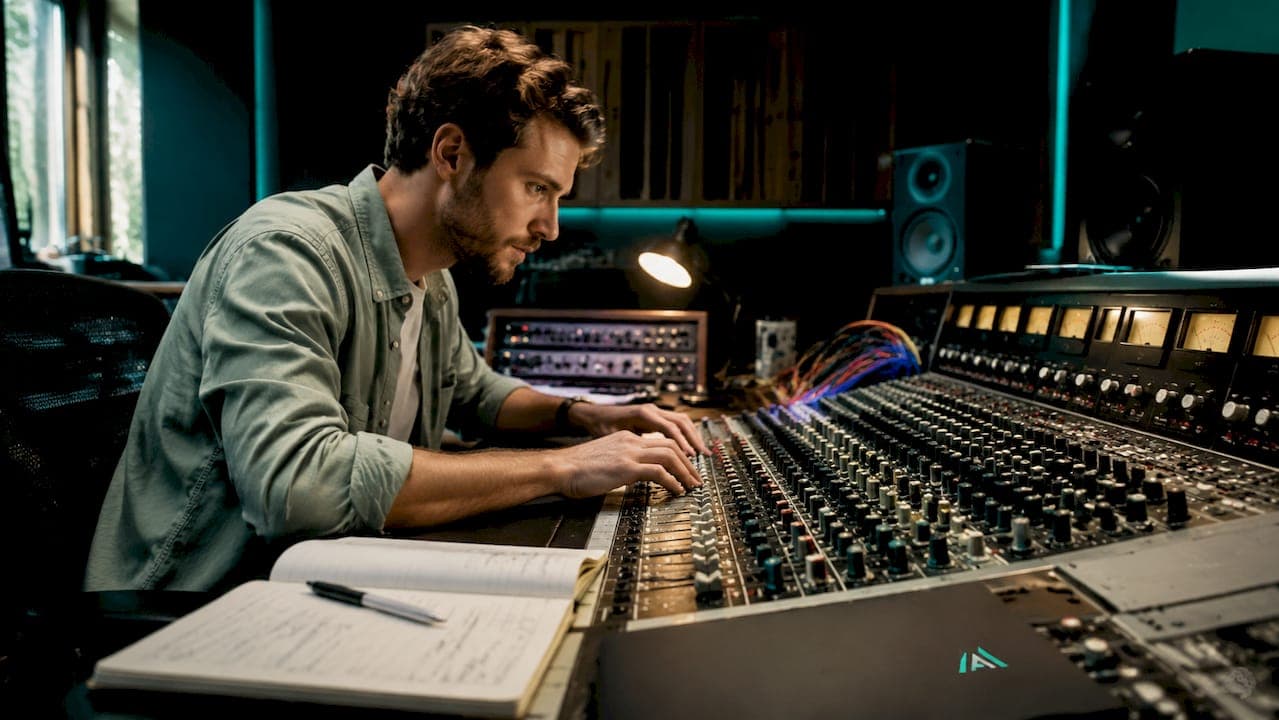
Phase issues are defined as destructive interference between two or more audio signals that are misaligned in time, causing them to cancel each other out rather than combine cleanly. Every music producer and mix engineer encounters them. They are one of the most common reasons a mix sounds thin, hollow, or loses its punch when played back in mono. The good news is that phase problems are diagnosable and fixable once you know what to listen for. This guide covers the causes, symptoms, and practical correction techniques you need to get your mixes sounding full and clear across every playback system.
What causes phase issues and how to recognise them
Phase issues manifest as a hollow or thin sound, a loss of low-end punch, and elements that seem to disappear when your mix is summed to mono. These symptoms are the clearest signal that something is wrong with your signal timing. The problem is that they can easily be mistaken for bad EQ or poor gain staging, which sends producers chasing the wrong fix.
The root cause is timing misalignment between signals. When two microphones capture the same source from different distances, the sound arrives at each capsule at slightly different times. That tiny delay creates a phase offset. When those signals are combined, certain frequencies cancel rather than reinforce. Phase issues are often misdiagnosed as bad gear or poor EQ, but even high-end equipment cannot prevent timing-based cancellation.
Common sources of phase problems in a mix:
- Multi-mic drum recordings, where the kick, snare, overheads, and room mics all capture the same transients at different distances
- Layered synth patches or sampled instruments that share overlapping frequency content with slight timing offsets
- Doubled or stacked vocal tracks recorded at different takes without careful alignment
- Room reflections captured by a second microphone interfering with the direct signal
- Parallel processing chains where a wet signal returns slightly late relative to the dry signal
Listening in mono is the most reliable first test. Collapse your stereo mix to mono and listen for elements that thin out, lose body, or vanish entirely. A correlation meter confirms what your ears suspect. Correlation meters read from -1 to +1. A reading of +1 means perfect mono compatibility. Sustained negative values indicate severe cancellation that needs immediate attention.
Pro Tip: Collapse to mono before you reach for EQ. If a track sounds thin in mono, EQ will not fix it. Phase alignment will.
Phase vs polarity: why the difference matters for correction
Polarity and phase are not the same thing. Confusing them leads to incomplete fixes and wasted time. Understanding the distinction is one of the clearest markers between a beginner and an experienced mix engineer.
Polarity refers to a 180-degree inversion of a waveform. Flip the polarity switch (the ø button in your DAW), and every positive peak becomes a negative peak. This is an instantaneous, frequency-independent flip. It corrects situations where two signals are perfectly out of phase by exactly 180 degrees, such as a snare bottom mic that is wired out of polarity relative to the top mic.
Phase shift, by contrast, is a time-based offset. One signal arrives a few milliseconds later than another. The offset is not uniform across all frequencies. Low frequencies have long wavelengths, so a small time delay creates a small phase angle at low frequencies but a much larger phase angle at high frequencies. Polarity flip corrects 180-degree conflicts, but time-based phase shifts need time alignment. These are distinct corrections that must be handled separately.
Here is the practical workflow for telling them apart and addressing each:
- Check polarity first. Hit the ø button on the suspect track and listen. If the mix immediately sounds fuller and more coherent, you had a polarity conflict. Leave it flipped.
- If polarity flip helps partially but not fully, you likely have both a polarity conflict and a time offset. Flip polarity and then move to time alignment.
- If polarity flip makes things worse, the issue is purely time-based. Revert the flip and proceed directly to nudging the track in your DAW timeline.
- Use your correlation meter throughout. Watch the reading shift as you make adjustments. You are aiming for a sustained positive reading.
- Avoid using panning as a workaround. Panning to mask phase problems is ineffective and unsafe. It hides the problem in stereo but causes it to resurface the moment your mix is played in mono.
Pro Tip: Think of polarity as a light switch and phase as a dimmer. One is binary, the other is a continuous variable. You need the right tool for each situation.
How to fix phase problems in your DAW
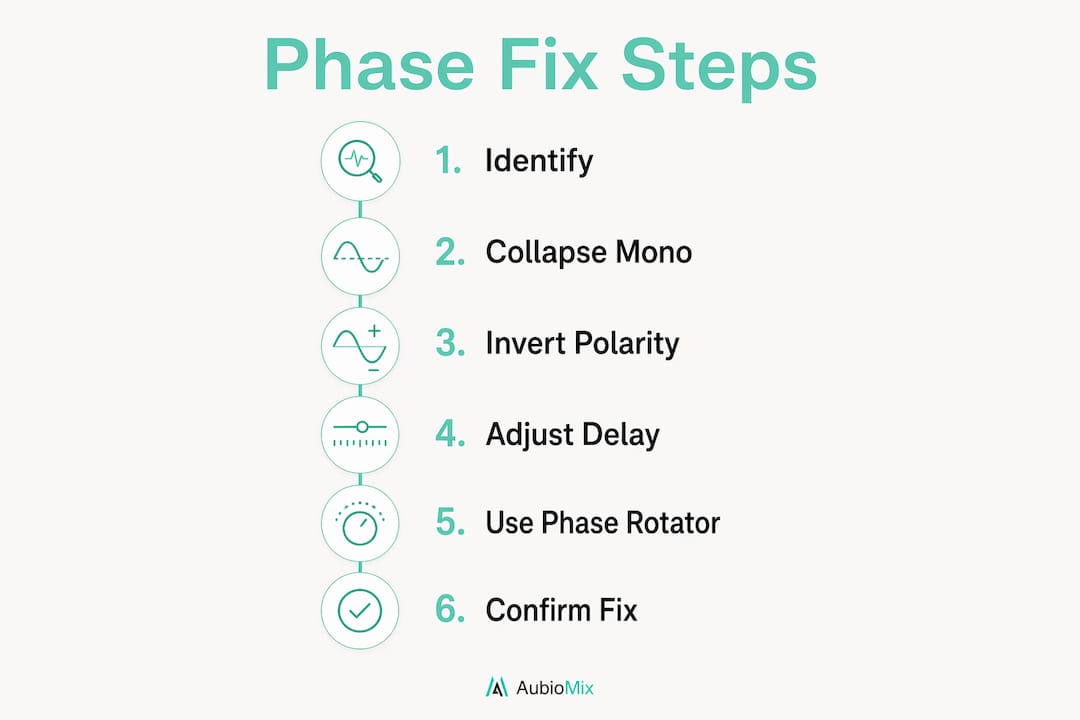
The standard phase correction workflow involves polarity reversal and manual time alignment of tracks by milliseconds using DAW tools. Correlation meters range from -1 for severe cancellation to +1 for perfect mono compatibility. Getting to +1 is the goal, and the following techniques get you there.
Core correction techniques:
- Timeline nudging. Zoom into your DAW timeline at the sample level. Select the misaligned track and nudge it forward or backward in small increments, typically 1–5 milliseconds, until the waveforms align visually and the correlation meter improves.
- Polarity inversion. Apply the ø button on any track where a 180-degree conflict exists. Always check this before applying any EQ or compression.
- Phase correlation meters. Most DAWs include a built-in correlation meter on the master bus. Third-party metering plug-ins offer more detail. Watch the meter in real time as you make adjustments.
- EQ carving. When two tracks share overlapping frequency content that creates interference, a narrow EQ cut on the offending frequency range can reduce the clash. This is a secondary tool, not a primary fix.
The order of operations matters enormously. In multi-mic drum processing, applying EQ or compression before checking phase relationships worsens the problem. Establish phase alignment first, then add processing. This preserves the punch and body that phase cancellation would otherwise strip away.
| Correction method | Best used for | Risk level |
|---|---|---|
| Polarity inversion | 180-degree conflicts between mics | Low |
| Timeline nudging | Time-based offsets between tracks | Low |
| EQ carving | Overlapping frequency interference | Medium |
| Phase rotators / all-pass filters | Frequency-dependent phase shifts | High |
Phase rotators and all-pass filters are advanced tools for frequency-dependent phase shifts but should be used sparingly. Overuse introduces new timing issues and causes sonic smearing. They are not a general solution. Use them only when polarity inversion and time alignment have already been applied and a residual frequency-specific problem remains.
How to prevent phasing difficulties before they start
Prevention is always faster than correction. The best time to address phase is during recording, not during the mix. Physical mic placement remains the most important factor impacting phase and should be the first consideration in any multi-mic setup.
Practical prevention strategies:
- Apply the 3:1 rule for microphone placement. When using two microphones on the same source, place the second mic at least three times the distance of the first mic from the source. This dramatically reduces phase cancellation between the two signals.
- Check in mono during tracking. Before committing a take, collapse to mono and listen. If the source sounds thin or hollow, reposition the microphone before recording.
- Manage your layers carefully. Stacking four or five similar synth patches on the same note creates phase chaos. Each additional layer adds potential for cancellation. Keep layering purposeful and check phase coherence after each addition.
- Control room acoustics. Reflections from hard surfaces arrive at the microphone slightly after the direct signal. Acoustic treatment reduces the level of these reflections and the phase problems they create.
- Monitor with a correlation meter throughout the session. Do not wait until the mix stage to check phase. Correlation meters provide real-time feedback about phase coherence, and sustained negative values indicate severe cancellation. Catching issues early saves significant time later.
For electronic music producers working entirely in the box, phase problems still occur through layered samples and parallel processing chains. The electronic music mixing best practices principle of checking phase on every layered element applies just as much to a stacked 808 as it does to a multi-mic drum kit. Phase is a physics problem, not a recording-only problem.
Pro Tip: Build a mono check into your session template. Place a utility plug-in set to mono on your master bus and toggle it on and off throughout the mix. Make it a habit, not an afterthought.
A well-structured mixing session workflow includes a dedicated phase check pass before any EQ or dynamics processing begins. Treating phase alignment as its own stage, rather than something you address reactively, keeps your mixes clean from the start.
Key takeaways
Phase issues cause destructive interference between misaligned audio signals, and fixing them requires polarity inversion, time alignment, and consistent mono monitoring before any EQ or compression is applied.
| Point | Details |
|---|---|
| Recognise the symptoms | Thin sound, low-end loss, and elements vanishing in mono all signal phase cancellation. |
| Polarity and phase are different | Polarity flip corrects 180-degree conflicts; time alignment corrects millisecond offsets. |
| Fix phase before processing | Apply polarity inversion and timeline nudging before EQ or compression on any multi-mic source. |
| Use correlation meters consistently | Aim for a sustained +1 reading on your master bus correlation meter throughout the mix. |
| Prevent issues at source | The 3:1 mic placement rule and mono checks during tracking stop most phase problems before they start. |
Why phase awareness separates good mixes from great ones
I have reviewed a lot of mixes, and phase problems are the single most common issue that producers overlook. Not because they do not care, but because phase cancellation is subtle. It does not announce itself with a harsh frequency spike or obvious distortion. It just quietly robs your mix of weight and clarity, and you end up wondering why your kick drum sounds thin or your layered synths feel flat.
The most common mistake I see is producers reaching for EQ the moment something sounds hollow. They boost the low end, add presence, and the mix still sounds weak. That is because you cannot EQ your way out of a phase problem. The energy is not missing because of a frequency imbalance. It is missing because two signals are cancelling each other out at the waveform level.
What changes everything is making mono checks and correlation meter readings a standard part of every session, not a last-minute check before export. Once you build that habit, you start hearing phase issues early, fixing them quickly, and your mixes gain a solidity and punch that no amount of EQ could have delivered. Phase awareness is not an advanced technique. It is a fundamental discipline that every serious producer should practise from day one.
— Aubiomix
Get detailed phase feedback on your mixes with Aubiomix
Identifying phase problems by ear takes practice, and even experienced engineers miss subtle cancellation issues until they hear the mix collapse on a different system.

Aubiomix gives music producers and mix engineers instant, professional feedback on their mixes, including detailed analysis of phase coherence, mono compatibility, and mix clarity. Upload your audio file and receive specific mix feedback with actionable steps covering phase alignment, frequency balance, and mastering readiness. No guesswork, no vague notes. Just clear, targeted guidance that tells you exactly where your mix needs attention and how to address it. If phase issues are quietly undermining your productions, Aubiomix shows you precisely where and why.
FAQ
What are phase issues in audio mixing?
Phase issues occur when two or more audio signals are misaligned in time, causing destructive interference that reduces clarity and punch. They are most common in multi-mic recordings and layered sample stacks.
How do I know if my mix has phase problems?
Collapse your mix to mono and listen for elements that thin out or disappear. A correlation meter reading below zero on your master bus confirms phase cancellation is present.
What is the difference between phase and polarity?
Polarity is a 180-degree waveform inversion corrected with the ø button. Phase is a time-based offset between signals that requires manual track alignment in your DAW timeline.
Can EQ fix phase issues?
EQ cannot fix phase cancellation. It can reduce interference from overlapping frequencies, but the underlying timing misalignment must be corrected with polarity inversion or time alignment first.
Does panning fix phase problems?
Panning does not fix phase problems. It masks cancellation in stereo but the issue returns whenever the mix is played in mono, which is how many streaming platforms and consumer devices reproduce audio.