

If you need a quick shortlist of ABmyMix.com alternatives right now, here it is. ABmyMix is a free, browser-based A/B comparison tool with automatic level-matching, blind-test modes, and client-side processing, so your files never leave your machine. It is excellent for fast, on-the-go checks. But depending on your workflow, you may want something that integrates with your DAW, runs formal ABX tests, or delivers detailed, actionable feedback on your actual mix.
Quick verdict by category:
- Browser/web A/B tools: ABmyMix (free, client-side, drag and drop, mobile-friendly); ABX Comparator (free, open-source, for formal statistical listening tests)
- DAW plugins: MCompare by MeldaProduction (free tier, automatic loudness matching, spectrum metering); Magic AB by Sample Magic (paid, simple A/B referencing inside your DAW); Reference by Mastering The Mix (paid, visual metering and translation checks)
- Upload-for-feedback services: Aubiomix (paid, automated analysis across 15+ mixing and mastering areas, downloadable reports, progress tracking)
The free browser tools solve the speed problem. The plugins solve the integration and measurement problem. Aubiomix solves the feedback problem, giving you specific, written guidance on what to fix rather than just a comparison.
Table of Contents
- What are the best ABmyMix.com alternatives by category?
- How do you choose the right alternative for your workflow?
- A practical test protocol for any A/B tool
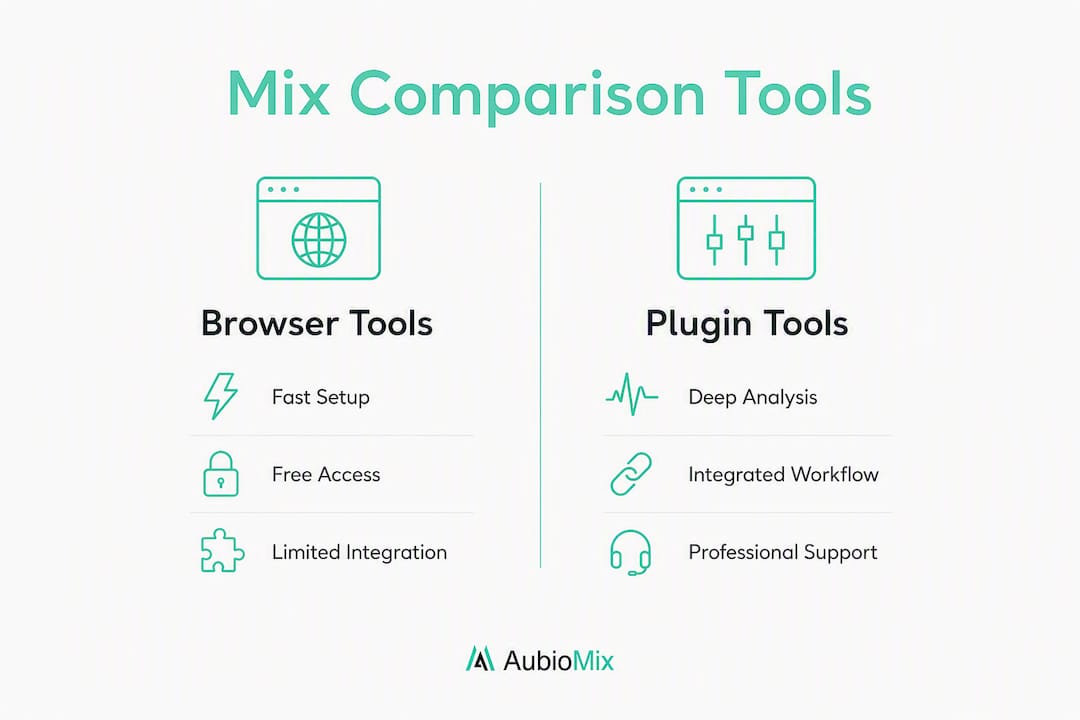
- Plugin-based vs browser-based A/B tools: when should you use each?
- Side-by-side feature comparison
- Key takeaways
- The honest truth about A/B tools that most producers miss
- Aubiomix: automated mix feedback that goes beyond A/B comparison
- Sources and further reading
What are the best ABmyMix.com alternatives by category?
Browser and web A/B tools
These are the closest sites like ABmyMix.com, built for quick subjective comparisons without opening a DAW.
- ABX Comparator (jaakkopasanen/ABX): — free, open-source, hosted on GitHub. Designed for formal ABX listening tests with statistical validation rather than casual A/B. Requires a little configuration to deploy. Community support via GitHub issues. Setup: a few minutes.
- Community-built free A/B web apps: several developer-built tools announced on forums like VI-Control and Reddit's r/mixingmastering offer drag and drop, Dropbox import, and no sign-up. Features vary; always verify whether audio is processed client-side before uploading unreleased material.
Estimated setup time for any browser tool: under five minutes. Community support: forum threads and developer GitHub pages.
DAW plugins
Plugins integrate directly into your session and add measurement-grade analysis that browser tools cannot match.
- MCompare (MeldaProduction): free tier available, automatic loudness matching, spectrum metering, phase correlation. A favourite in forum discussions for producers who want integrated loudness matching alongside their DAW workflow. Available as VST/AU/AAX. UK availability: yes, download direct. Setup: 5–15 minutes including DAW scan.
- Magic AB (Sample Magic): paid (one-off licence). Simple, low-CPU reference comparator. Loads up to nine references, switches instantly. No automatic level-matching built in, so you set levels manually. Widely used for quick in-session referencing. UK availability: yes.
- Reference (Mastering The Mix): paid. Visual metering, LUFS matching, frequency masking overlay, and translation checks across virtual playback devices. Aimed at mastering and final-stage mix checks. UK availability: yes.
Setup time for plugins: 5–15 minutes. Community support: developer forums, Gearspace threads, and YouTube tutorials.
Upload-for-feedback services
These go beyond comparison and tell you what to do with your mix.
- Aubiomix: paid (credit packs or monthly/annual subscription). Upload your audio file and receive automated, written analysis across 15+ areas including compression, EQ, frequency masking, stereo width, phase, loudness, noise, clipping, and mastering prep. Includes visual reports, a downloadable PDF, progress tracking, and leaderboard comparison. No DAW required. UK availability: yes. Setup: under three minutes.
For more upload-based alternatives, the audiomixr.com alternatives roundup covers similar platforms worth checking.
Compact comparison

| Option | Platform | Price | Level-matching | File input | Workflow fit | Mobile/browser | UK available |
|---|---|---|---|---|---|---|---|
| ABmyMix | Web app | Free | Automatic | Drag & drop, Dropbox, URL | Quick subjective A/B | Yes | Yes |
| ABX Comparator | Web app | Free | Manual | File upload | Formal ABX/statistical | Yes | Yes |
| Community web A/B apps | Web app | Free | Varies | Drag & drop, Dropbox | Quick subjective A/B | Yes | Yes |
| MCompare | DAW plugin | Free/paid | Automatic | DAW host | Measurement-grade | No | Yes |
| Magic AB | DAW plugin | Paid | Manual | DAW host | Quick in-session referencing | No | Yes |
| Reference | DAW plugin | Paid | Automatic | DAW host | Mastering/final checks | No | Yes |
| Aubiomix | Upload service | Paid | N/A | File upload | Detailed actionable feedback | Yes | Yes |

How do you choose the right alternative for your workflow?
Start with three diagnostic questions:
- Do you need DAW integration, or is a quick browser check enough?
- Are you working with unreleased material that must stay private?
- Do you need objective measurements (LUFS, phase, spectrum) or a subjective listening comparison?
Your answers map directly to a category. If you are on a mobile device between sessions, a browser tool is the right call. If you are at the mastering stage and need LUFS targets and frequency masking data, a plugin is the better fit. If you want written guidance on what to actually change, an upload-for-feedback service is the only option that delivers that.
Decision checklist:
- Speed: browser tools win for anything under five minutes
- DAW integration: plugins only
- Privacy: verify client-side processing for any browser tool; check the developer's privacy policy for upload services
- Analysis depth: plugins and upload services for LUFS, phase correlation, spectral analysis, and masking
- Blind testing: look for a dedicated blind mode (ABmyMix has one; not all tools do)
- Mobile support: browser tools only
- Cost: free browser tools and MCompare's free tier before committing to paid licences
Red flags to avoid:
- No automatic level-matching: without it, you are comparing loudness, not quality. Louder signals bias listeners, so any tool without level-matching is unreliable for objective checks.
- Forced server uploads with no privacy policy: a serious concern for unreleased tracks.
- No blind mode: if you can see which track is playing, your ears follow your eyes.
The difference between informal A/B testing and formal ABX testing matters here. A/B is a creative, subjective check. ABX, as implemented in tools like the open-source ABX Comparator, uses statistical validation to prove whether you can actually hear a difference. Use A/B for mixing decisions; use ABX when you need to verify a perceptual claim.
For a deeper look at selection criteria across similar tools, the CheckMyMix.com alternatives guide covers evaluation tips that apply here too.
A practical test protocol for any A/B tool
The single most important step: run a blind test with automatic level-matching before trusting any preference. Everything else builds on that.
- Prepare your files. Export two versions at the same sample rate and bit depth. Label them neutrally (Version A, Version B).
- Set a reference LUFS target. Aim for integrated loudness around -14 LUFS for streaming, or match the loudness of your reference track. Use your DAW's metering or a dedicated LUFS meter before loading files into the comparison tool.
- Enable automatic level-matching. If the tool does not offer it, manually match levels within 0.5 dB before comparing.
- Activate blind mode. Hide which track is playing. Make your judgement without visual cues.
- Loop critical sections. Focus on the chorus, the low-end build, or wherever the mix decision matters most. Do not compare full tracks in one pass.
- Run mono and side-channel checks. Collapse to mono to catch phase cancellation; solo the side channel to check stereo width decisions.
- Record timestamps and notes. Most browser tools support time-stamped annotations; use them so you can revisit specific moments.
Pro Tip: Before uploading any unreleased track to a browser tool or web service, check the developer's documentation to confirm audio is processed client-side. ABmyMix, for example, keeps files in your browser and never sends them to a server. Not every free tool does the same.
A quick single-section check takes roughly 5–10 minutes. A thorough multi-section blind test with mono checks and notes runs 20–30 minutes. If you find yourself wanting spectral overlays or masking data during that process, that is the signal to move into a plugin or upload the file to Aubiomix for a full analysis.
Plugin-based vs browser-based A/B tools: when should you use each?
Plugins for measurement-grade work; browser tools for fast, flexible checks. That is the short answer.
Browser tools like ABmyMix were built specifically to remove the friction of opening a DAW for quick comparisons. They shine on mobile, in client review sessions, and whenever you need a second opinion without disrupting your session. They support many formats, require no installation, and work on any device with a modern browser.
What they do not do is give you LUFS readouts, frequency masking overlays, phase correlation meters, or spectral analysis. For those, you need a plugin.
Browser tools: pros and cons
- ✓ Free or very low cost
- ✓ No installation, works on mobile and iPad
- ✓ Client-side processing available (privacy)
- ✓ Fast setup, no DAW required
- ✗ No spectral or phase analysis
- ✗ Limited metering depth
- ✗ No DAW automation or session recall
DAW plugins: pros and cons
- ✓ Full metering: LUFS, true peak, phase correlation, spectrum
- ✓ Integrated into your session; no file export needed
- ✓ Recall with project save
- ✗ Requires a DAW and a compatible plugin format
- ✗ No mobile use
- ✗ Paid licences for the best options
Forum discussions on Gearspace consistently show producers using Magic AB for simple in-session referencing and MCompare for automatic loudness matching when measurement accuracy matters. The two tools serve different moments in the same workflow, not the same moment.
"Browser utilities serve as a secondary auditing layer for quick subjective checks; for mastering-grade analysis, producers typically move to DAW plugins or professional upload-for-feedback services." The practical implication: keep a browser tool bookmarked for mobile and client sessions, and keep a plugin loaded in your mastering chain for final-stage decisions.
Side-by-side feature comparison
| Category | Platform | Price | Level-matching | Analysis depth | Workflow fit | Mobile support | UK available |
|---|---|---|---|---|---|---|---|
| Web A/B players | Browser | Free | Auto or manual | Subjective only | Quick checks, mobile, client sessions | Yes | Yes |
| DAW plugins | DAW host | Free to paid | Auto (best tools) | LUFS, phase, spectrum, masking | Final-stage, mastering, in-session | No | Yes |
| Upload-feedback services | Web/upload | Paid | N/A | 15+ areas: EQ, compression, masking, phase, loudness, translation | Detailed written feedback and reports | Yes | Yes |
Browser tools have one clear limitation: they cannot integrate with your plugin chain or read your session's routing. You are always working with exported files, which adds a step and removes context. Upload-for-feedback services share that limitation but compensate with analysis depth that no browser player can match. Aubiomix, for instance, covers frequency masking, stereo width, phase, noise, clipping, and mastering prep in a single upload, and delivers a downloadable PDF report you can act on immediately.
Key takeaways
The most effective approach to finding an ABmyMix.com alternative is to match the tool's category to your actual need: browser tools for speed, plugins for measurement, and upload-feedback services for written guidance.
| Point | Details |
|---|---|
| Browser tools for speed | ABmyMix and similar free web apps are the fastest option for quick, mobile-friendly A/B checks with no installation. |
| Plugins for measurement | MCompare and Reference provide LUFS matching, phase correlation, and spectral analysis that browser tools cannot offer. |
| Level-matching is non-negotiable | Any tool without automatic level-matching risks loudness bias; always verify this feature before relying on a comparison. |
| Privacy check first | Confirm client-side processing before loading unreleased material into any browser tool or web service. |
| Aubiomix for actionable feedback | Upload your mix to Aubiomix for written analysis across 15+ areas, including a downloadable PDF report and progress tracking. |
The honest truth about A/B tools that most producers miss
Most producers reach for an A/B tool when they are already doubting a mix decision. That is understandable, but it is also the moment when the tool is most likely to mislead you. If your levels are not matched, your ears will pick the louder version every time. If you are not in blind mode, you will pick the version you spent more time on. The tool is only as honest as the conditions you set for it.
What I find genuinely useful about the best browser tools is not the comparison itself but the discipline they impose. Forcing yourself to export two versions, load them into a neutral player, and listen blind is a workflow habit that catches mix decisions you would otherwise rationalise away. The tool is the ritual as much as the technology.
Plugins like MCompare and Reference add a layer of objectivity that subjective listening cannot replace, particularly at the mastering stage where a 1 dB shelf at 10 kHz is the difference between a mix that translates and one that does not. Community threads on Gearspace have shaped my view here: producers who use both a browser tool for quick checks and a plugin for final decisions consistently report fewer revision cycles with clients.
The gap most producers leave unfilled is the feedback layer. A/B tools tell you which version you prefer. They do not tell you why the rejected version fell short, or what to do about it. That is where a service like Aubiomix earns its place in the workflow.
Aubiomix: automated mix feedback that goes beyond A/B comparison
Quick A/B checks and plugin metering are genuinely useful, but they leave one question unanswered: what exactly needs fixing, and how? Aubiomix gives you that answer directly.
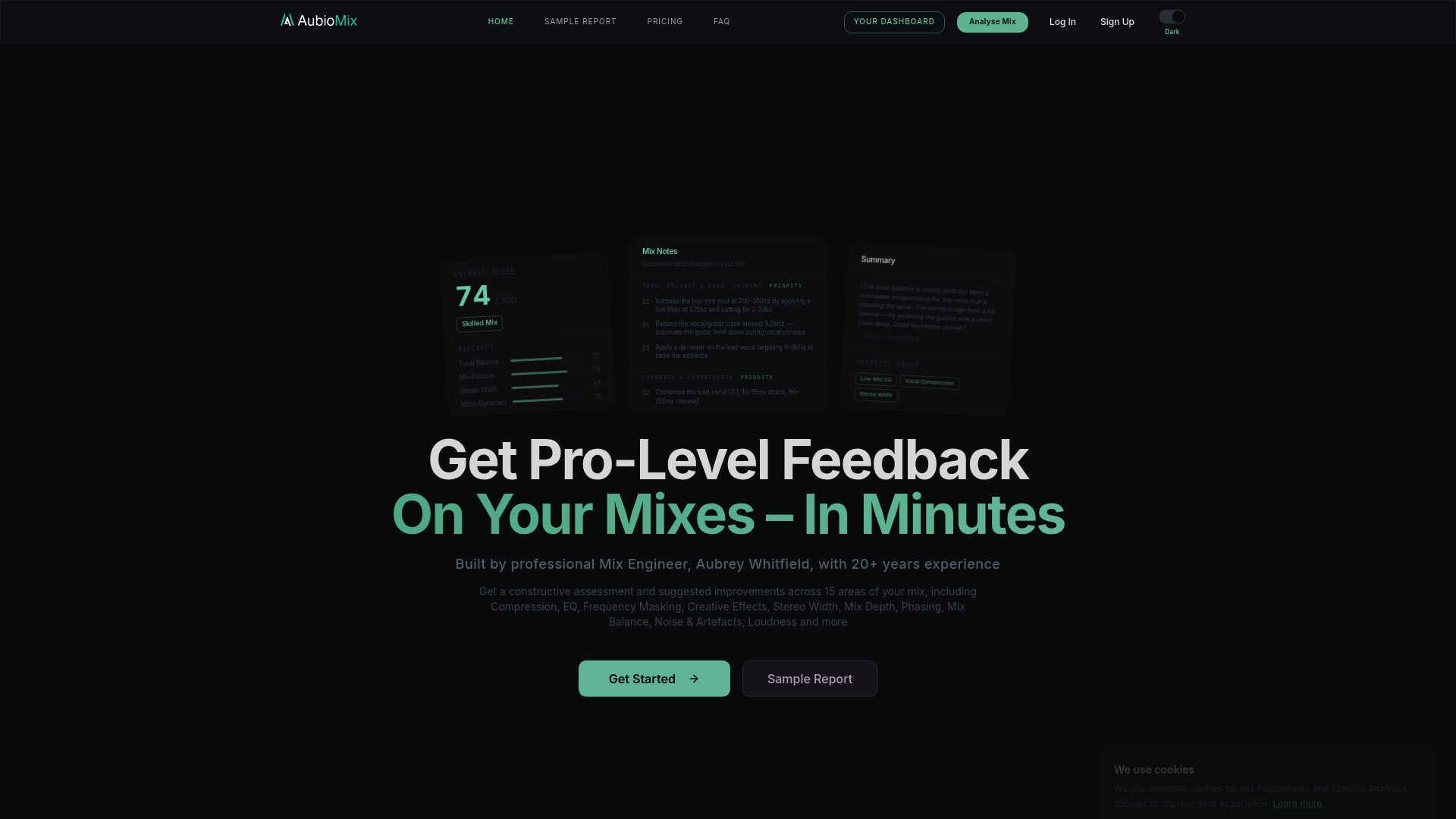
Upload your audio file and Aubiomix analyses your mix across 15+ areas, covering compression, EQ, frequency masking, stereo width, phase, loudness, noise, clipping, device translation, and mastering prep. You receive a visual and written report with specific, actionable steps, a downloadable PDF, and progress tracking so you can see improvement across versions. There is no DAW required and no plugin to install. It works in your browser, and results arrive in minutes.
Pricing runs on credit packs for one-off analyses or monthly and annual subscriptions for regular feedback; both options are available to producers in the United Kingdom. If you want to see what a report looks like before committing, the sample report shows exactly what you get.
Start your first mix analysis at Aubiomix and find out precisely what your mix needs, not just which version sounds louder.
Sources and further reading
The claims in this article draw on the following sources. If you spot an error or an update, please flag it in the comments.
Feature articles and developer documentation:
ABX testing and open-source tools:
- jaakkopasanen/ABX — GitHub: open-source ABX comparator for formal statistical listening tests
Community threads and forum discussion:
- I made a free A/B tool — VI-Control: community announcement of a developer-built browser A/B tool
- Is there a tool for A/B audio comparison? — Ask Ubuntu: overview of browser and desktop A/B options
Related roundups on the Aubiomix blog: