

What are the top UK alternatives to mixdownapp.com?
If you're hunting for mixdownapp.com alternatives that actually deliver professional mix feedback, four names come up consistently: Stemsy, MegaMix AI, iZotope Neutron, and Sonible AutoMix. All four are accessible from the UK, and each takes a genuinely different approach to the mixing and feedback workflow.
Here's a quick breakdown of what each one brings to the table:
- Stemsy — Cloud-native, browser-based platform. Upload your stems directly, no DAW required. Suited to producers who want fast turnaround without leaving their browser.
- MegaMix AI — Also cloud-native, supporting multi-stem uploads of up to 32 individual stems. Ideal if you're working without a DAW installed and need quick sharing and feedback cycles.
- iZotope Neutron — A DAW-integrated assistant that works inside your existing audio workstation. It automates gain riding, EQ recommendations, and processing chain presets, giving you in-depth control without leaving your session.
- Sonible AutoMix — Another DAW-integrated tool, focused on multitrack loudness balancing and automated mix suggestions within your preferred workstation.
Pricing across this segment typically follows a subscription or per-project model. UK-based producers can expect entry-level subscriptions around £19.99–£24.99 per month, with free trial tiers widely available. Most services also offer limited free usage to let you test before committing.
How do these mix feedback solutions compare on features and pricing?
Choosing between these tools comes down to more than price. Platform type, DAW compatibility, collaboration features, and privacy policies all shape the day-to-day experience.

| Tool | Platform type | Pricing model | Core features | Ease of use |
|---|---|---|---|---|
| Stemsy | Web (cloud-native) | Subscription / free tier | Cloud sharing, stem upload, feedback tools | Beginner-friendly |
| MegaMix AI | Web (cloud-native) | Subscription / per-project | Up to 32 stems, genre-tuned mixing, cloud workflow | Straightforward |
| iZotope Neutron | DAW plug-in | One-off purchase / subscription | Assistant mode, EQ suggestions, multitrack automation | Moderate learning curve |
| Sonible AutoMix | DAW plug-in | Subscription | Loudness balancing, automated mix actions, multitrack | Moderate |
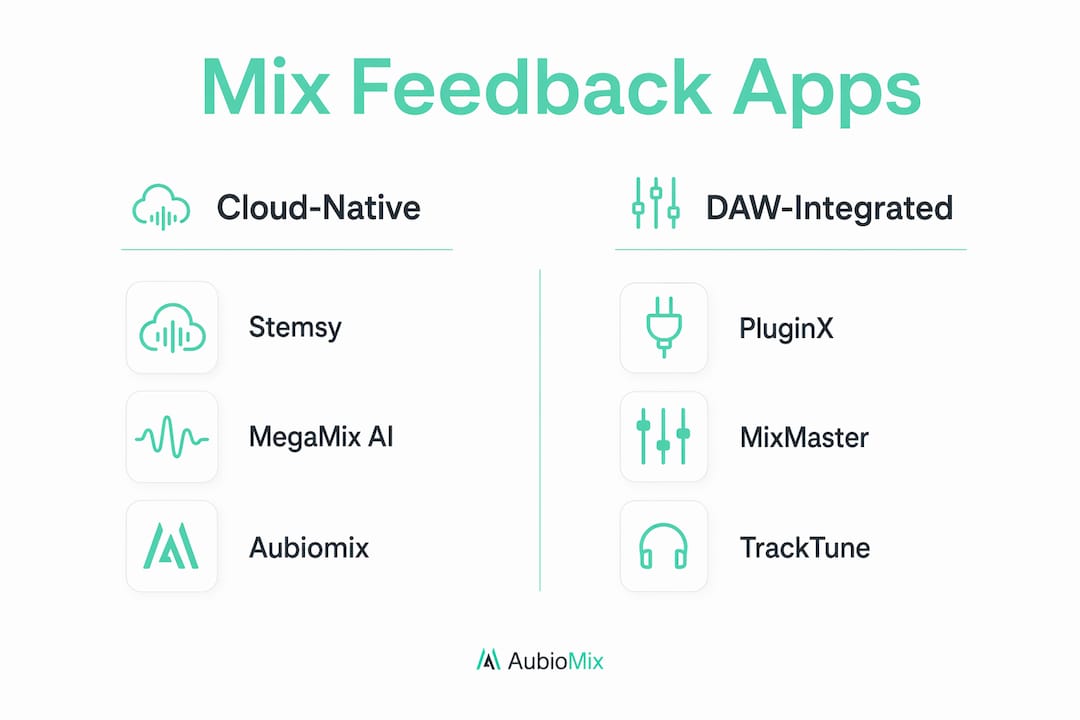
Collaboration tools vary considerably. Cloud-native platforms like Stemsy and MegaMix AI let you share mixes via browser links, which makes feedback loops with clients or bandmates genuinely painless. DAW-integrated tools like iZotope Neutron and Sonible AutoMix are built for solo engineers who want AI assistance within their session, not for sharing files externally.
On privacy, reputable platforms in this space process your audio on secure servers, retain full ownership with the producer, and delete files within 30 days of account deletion. None of the leading tools share your audio with third parties or use it to train AI models. That's a baseline you should verify before uploading anything commercially sensitive.
Community feedback on DAW-integrated tools tends to highlight the learning curve as the main friction point. Cloud-native options score higher for accessibility, particularly among independent artists working from home without a full studio setup.
How to choose the right mix feedback app for your needs
The honest answer is that the right tool depends entirely on how you work. A few questions cut through the noise quickly.
Start with your workflow environment. If you're already deep inside Ableton, Logic Pro, or Pro Tools, a DAW-integrated assistant like iZotope Neutron slots in without disrupting your session. If you mix on a laptop without a full DAW, a browser-based tool is the practical choice. You can read more about prepping stems for mixing before uploading to any cloud platform, which saves you time regardless of which tool you choose.
Evaluate these criteria before deciding:
- Workflow compatibility — does the tool fit inside your DAW or replace it entirely?
- Collaboration needs — do you need to share mixes with clients, bandmates, or a mixing engineer?
- Pricing affordability — subscription models suit regular users; per-project fees work better for occasional releases.
- Feature depth — multi-stem analysis, automated EQ, and mastering previews differ significantly between tools.
- Privacy policy — confirm file deletion timelines and data ownership terms before uploading unreleased material.
Pro Tip: Every tool on this list offers a free trial or limited free tier. Run the same stem set through two or three options before committing to a subscription. The difference in output quality and interface feel becomes obvious within a single session.
Transitioning from mixdownapp.com is straightforward if you export your project files and stems before switching. Most cloud-native platforms accept WAV, MP3, FLAC, and AAC, so format compatibility is rarely an issue.
Understanding AI-powered mixing and feedback workflows
AI mixing tools fall into two broad camps, and knowing which camp a tool belongs to tell you a lot about how it will fit your process.
Cloud-native platforms handle everything in the browser. You upload your stems, the AI analyses frequency balance, loudness, dynamic range, and stereo width, then returns a mix or a detailed feedback report. No installation, no plug-in authorisation, no exporting back and forth. For independent artists and beatmakers finalising tracks for release, this is often the fastest route from rough mix to radio-ready. You can explore mixing tricks for productions to get more from whatever platform you choose.
DAW-integrated assistants work differently. They sit inside your session as a plug-in and make suggestions in real time, things like gain riding across tracks, EQ curve recommendations, and processing chain presets. The control stays with you; the AI just flags what needs attention. This suits engineers who want a second opinion without leaving their workstation.
Common features across both types include:
- Multi-stem analysis covering drums, bass, vocals, and instruments separately
- Automated mastering with loudness targets for streaming, club, or CD
- Mix readiness scores and prioritised issue detection
- A/B comparison against previous mixes or reference tracks
- Genre-tuned engines covering hip-hop, pop, rock, EDM, and more
Privacy safeguards are now standard. Leading tools process audio on secure servers and never share files with third parties. Data ownership stays with the producer throughout.
Aubiomix gives you pro-level mix feedback without the wait
If the tools above feel like a lot to evaluate, Aubiomix cuts straight to what most producers actually need: honest, detailed feedback on their mix, fast.

Upload your track to Aubiomix and get a professional breakdown covering frequency balance, dynamics, stereo width, and mastering readiness, with specific steps to fix what's holding your mix back. No DAW plug-in to install, no steep learning curve. It's built for UK producers and mix engineers who want clarity, not complexity. If you're also curious how it stacks up against other web-based tools, our guide to mix-checker alternatives covers the wider field.
Key takeaways
The most effective approach to finding a mixdownapp.com alternative is matching the tool's platform type and feature depth to your actual workflow, not just its price.
| Point | Details |
|---|---|
| Cloud vs DAW | Stemsy and MegaMix AI suit browser-based workflows; iZotope Neutron and Sonible AutoMix integrate inside your DAW. |
| Pricing range | UK entry-level subscriptions typically range from £19.99–£24.99 per month, with free trial tiers widely available. |
| Privacy baseline | Leading platforms retain your file ownership and delete audio within 30 days of account deletion. |
| Choosing wisely | Trial the same stems across two or three tools before subscribing to spot real differences in output quality. |
| Aubiomix | Offers detailed, web-based mix feedback with specific fix steps, built for producers who want pro results quickly. |