
Panning is the technique of positioning audio signals within the stereo field using a pan pot (panoramic potentiometer) to create spatial direction and width in a music mix. Every sound you place in a mix occupies a point somewhere between hard left and hard right, and where you put it shapes how listeners experience the whole track. Get it right and your mix breathes. Get it wrong and it collapses into a muddy, fatiguing wall of sound. This guide covers the fundamentals, the best practices, the common mistakes, and the practical techniques that separate a flat mix from a genuinely immersive one.
What is panning and how does it work in a mix?
Panning distributes audio signals) between the left and right stereo channels via a pan pot, allowing you to position any sound anywhere across the stereo image. That positioning is what gives a mix its sense of space and separation. Without it, every instrument would compete for the same central space, and the result would be a cluttered, one-dimensional sound.
The pan pot itself is a simple control, but its effect is profound. Turn it left and the signal feeds more energy to the left speaker. Turn it right and the opposite happens. Centre means equal energy to both channels. Most DAWs, including Ableton Live, Logic Pro, and Pro Tools, display this as a knob or slider on every channel strip.
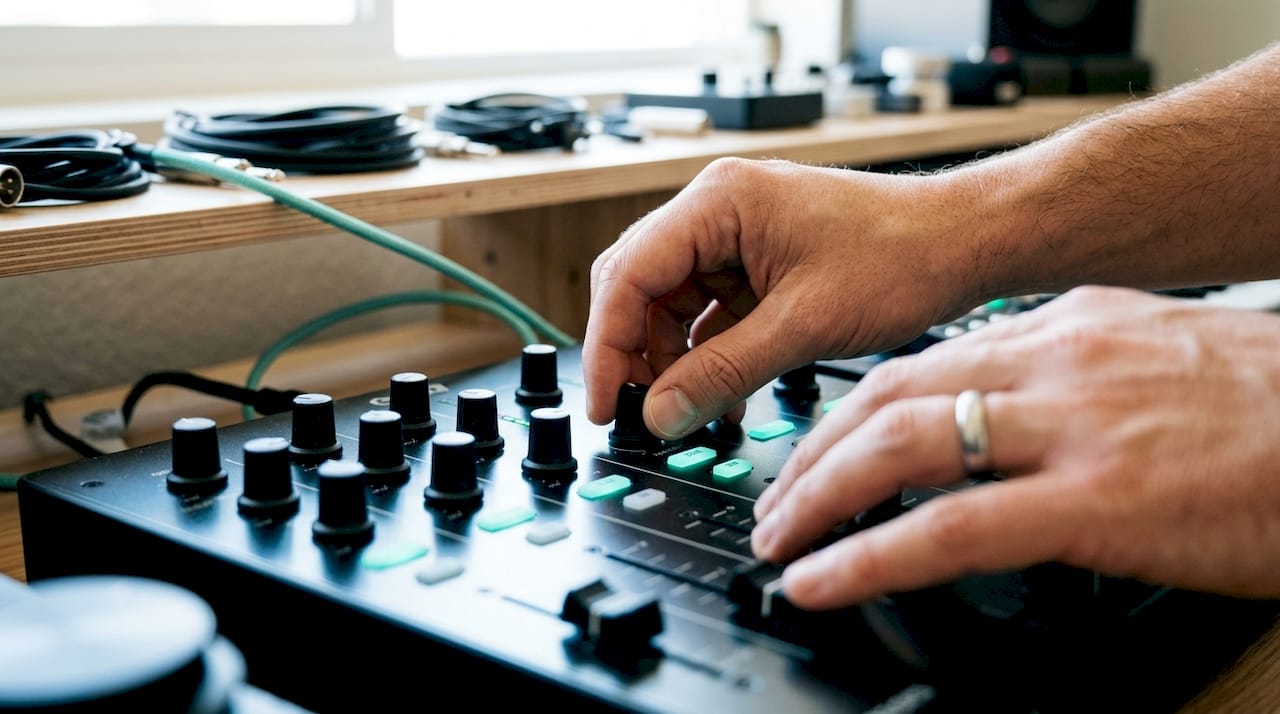
Kick drums, bass, and lead vocals) typically stay centred to preserve mono stability and energy. Mid and high-frequency instruments, such as rhythm guitars, synth pads, and percussion, get panned outward to create separation and width. This is the foundational logic behind every professional stereo mix.
How does panning create a three-dimensional perspective?
Panning controls horizontal width) in a mix, the left-to-right dimension. But a truly three-dimensional mix also has depth and height, and those come from different tools entirely. Understanding this distinction stops you from reaching for the pan pot when the real problem lies elsewhere.
Here is how the three dimensions break down:
- Width (left/right): Controlled by the pan pot. Placing a hi-hat at 30% right and a rhythm guitar at 60% left creates horizontal separation.
- Depth (front/back): Created by volume, reverb, and the brightness of high frequencies. A dry, loud signal sits at the front. A quiet, reverb-soaked signal recedes into the background.
- Height (up/down): Perceived through pitch and frequency content. High-frequency elements feel elevated; low-frequency elements feel grounded.
Trying to fix a depth problem with panning is one of the most common mistakes producers make. If a guitar sounds buried, adding reverb and adjusting its volume will bring it forward far more effectively than moving its pan position. Panning alone cannot solve depth or frequency masking issues.
Recreating natural listening perception) is the goal here. Think about how a live band sounds from the audience. The drummer sits behind the kit, the bassist stands to one side, the guitarist stands to the other. Your mix should mirror that spatial logic to feel engaging and believable.
Pro Tip: Try mixing from both an on-stage and an audience perspective. On-stage, the drummer's hi-hat (on their right) pans left from the audience's view. Decide which perspective serves your genre and stick to it consistently.
What are the best practices for panning in professional mixing?
Consistent, professional panning comes down to a handful of rules that experienced engineers apply on every session. These are not rigid laws, but they reflect how human hearing works and how mono playback systems behave.
-
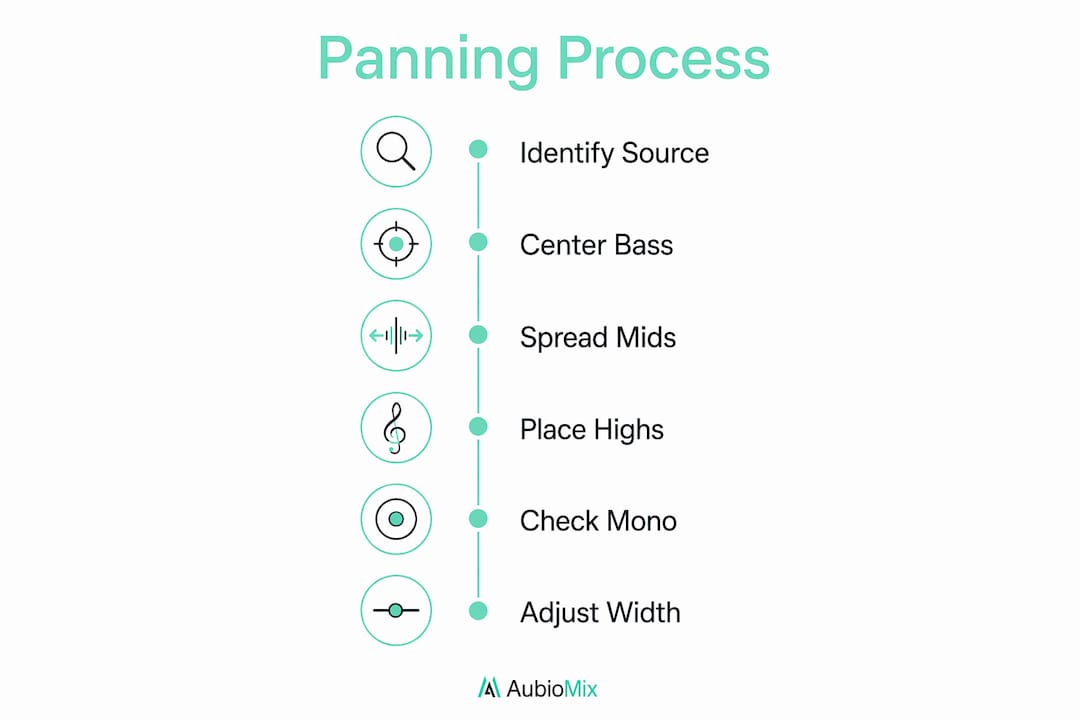
Keep low frequencies centred. Low-frequency sounds like kick and bass are difficult to localise and best kept at centre for mix stability. Panning a bass guitar hard left, for example, creates an unbalanced mix that falls apart on mono speakers and club sound systems.
-
Pan mid and high-frequency instruments for width. Rhythm guitars, synths, backing vocals, and percussion all benefit from being spread across the stereo field. This creates the sense of space and air that makes a mix feel wide and alive.
-
Check your mix in mono. Failing to check mixes in mono often causes phase cancellation and poor translation on mobile and Bluetooth devices. Flip your mix to mono regularly during the session, not just at the end. If key elements disappear or thin out, you have a phase problem that needs addressing.
-
Avoid extreme panning on critical elements. Lead vocals, snare drums, and lead instruments should stay near the centre or only slightly off it. Extreme panning can sound unsettling on headphones, and a lead vocal hard-panned to one side will feel unnatural and distracting.
-
Use asymmetric, subtle panning rather than perfect symmetry. Effective mixes use subtle and asymmetric panning) rather than mirroring every element perfectly. Placing one guitar at 40% left and another at 55% right sounds more natural than placing both at exactly 50% each side. Real stages are never perfectly symmetrical.
Pro Tip: Use your DAW's stereo width tools alongside panning for even more control. A mid-side processor lets you widen the stereo image without touching individual pan positions.
How to avoid common panning pitfalls
Even experienced producers fall into predictable traps with panning. The most damaging ones are frequency masking, overpanning, and phase issues. Here is how they compare and how to fix them.
| Problem | Cause | Fix |
|---|---|---|
| Frequency masking | Two instruments sharing the same frequency range and pan position | Apply EQ first to carve space, then use panning for separation |
| Overpanning | Instruments panned too wide, especially on headphones | Pull pan positions back toward centre; test on headphones throughout |
| Phase cancellation | Stereo signals collapsing when summed to mono | Check in mono regularly; use a phase correlation meter |
| Hollow mix | Too much energy at the sides, not enough in the centre | Anchor key elements centrally; balance side content with centred weight |
Relying on panning alone to fix frequency masking creates hollow spots in the mix. EQ is the primary tool for resolving frequency clashes. Pan the instruments apart only after you have carved out their individual frequency spaces with EQ. Doing it the other way round leaves sonic gaps that no amount of spatial placement can fill.
Overpanning is a subtler problem. A mix where every instrument is pushed to the extremes feels wide on paper but exhausting to listen to. The listener's ear has no anchor point. Keeping the kick, bass, lead vocal, and snare centred gives the mix a solid core that the wider elements can orbit around.
Pro Tip: Install a phase correlation meter on your master bus. A reading consistently below zero means your mix is losing energy in mono. Address this before you finalise any pan positions.
Practical techniques for mastering your pan placement
Once you have the fundamentals locked in, these techniques will take your spatial mixing to the next level. They are used by professional engineers across genres, from pop and hip-hop to rock and electronic music.
-
Use pan automation for movement. Pan automation alongside reverb and delay creates dynamic, three-dimensional movement that keeps listeners engaged. A synth pad that slowly drifts from left to right across a verse adds life without drawing attention to itself.
-
Apply the pitch-centred hierarchy. Instruments with lower pitches should be panned closer to centre; higher-pitched instruments can go wider. A cello sits closer to centre than a violin. A bass synth stays centred while a high-frequency arpeggio can spread wide. This mirrors how we hear sound in nature.
-
Layer tracks with complementary pan positions. If you have two rhythm guitar tracks, pan one to 40% left and the other to 40% right rather than both to 50%. The slight asymmetry creates a fuller, more organic stereo image. This technique is standard in rock and pop production.
-
Combine panning with reverb and delay for 3D depth. Pan a dry guitar to 30% right, then send it to a reverb return that sits slightly wider. The dry signal anchors the position; the reverb tail fills the space around it. This technique moves sounds not just horizontally but forward and backward in the mix.
-
Monitor in multiple environments. Check your pan placements on studio monitors, headphones, a laptop speaker, and a phone. Each playback system reveals different spatial issues. A mix that sounds wide on monitors can feel lopsided on earbuds.
-
Use reference tracks. Load a professionally mixed track in a similar genre into your DAW and compare pan positions. Tools like mix automation features in modern DAWs make this comparison straightforward.
Key takeaways
Effective panning requires anchoring low frequencies at centre, spreading mid and high-frequency elements with asymmetric placement, and always verifying the mix in mono to catch phase and balance issues.
| Point | Details |
|---|---|
| Centre low frequencies | Keep kick, bass, and lead vocals centred to preserve mono stability and energy. |
| Pan by pitch | Lower-pitched instruments sit near centre; higher-pitched ones can spread wider. |
| Avoid panning to fix masking | Apply EQ first to resolve frequency clashes before using pan for separation. |
| Check mono regularly | Mono monitoring catches phase cancellation before it ruins translation on small speakers. |
| Use asymmetric panning | Subtle, uneven pan positions sound more natural than perfectly mirrored placements. |
Panning in 2026: what I have learned from years of mixing
The biggest shift I have noticed in how producers approach panning over the past decade is the move away from rigid, symmetrical placement toward something far more instinctive and naturalistic. Early DAW culture encouraged a kind of mirror-image panning where every element on the left had a matching element on the right. It looked tidy on screen. It sounded sterile in practice.
Subtle, asymmetric panning results in more natural and appealing mixes) compared to rigid, symmetrical placements. I have found this to be true on every session I have worked on, regardless of genre. The moment you stop trying to balance the stereo field like a set of scales and start thinking about it like a stage, the mix opens up.
The other thing I want to push back on is the idea that panning is a finishing touch. Producers often leave pan decisions until the end of a session, treating them as a cosmetic adjustment. In reality, pan placement affects how EQ, compression, and reverb interact across the whole mix. Setting broad pan positions early in the session gives every other processing decision a spatial context to work within.
My honest recommendation is this: trust your ears over your eyes. The pan knob position on screen tells you nothing about how the mix actually sounds. Monitor on multiple systems, check mono obsessively, and resist the urge to push everything to the extremes just because the stereo field looks wide. A mix that translates everywhere is worth far more than one that impresses only on studio monitors.
— Aubiomix
How Aubiomix can help you nail your pan placement
Getting panning right is one of the most rewarding parts of mixing, but it is also one of the hardest to self-assess. When you have been listening to the same session for hours, your ears adjust and spatial issues become invisible to you.

Aubiomix gives you pro-level feedback on your mix in minutes. Upload your track and receive a detailed evaluation of your stereo image, pan balance, mono compatibility, and more. The platform identifies specific spatial issues and gives you clear, practical steps to fix them. You can also view a sample report to see exactly what the feedback looks like before you commit. If you want to understand how your panning decisions stack up against professional standards, Aubiomix is the fastest way to find out.
FAQ
What does panning mean in audio mixing?
Panning is the distribution of an audio signal across the left and right stereo channels using a pan pot. It controls where a sound sits horizontally in the stereo field, from hard left to hard right.
Why should bass and kick drums stay centred?
Low-frequency sounds are difficult to localise and panning them off-centre creates an unbalanced mix that loses energy when played back in mono. Keeping them centred preserves the foundation of the mix on all playback systems.
Can panning fix frequency masking?
No. Panning alone cannot fix frequency masking. EQ is the correct first step to carve out space for each instrument. Panning can then help with separation once the frequency clash is resolved.
How do I check if my panning is causing phase issues?
Flip your mix to mono using your DAW or a utility plugin and listen for elements that disappear or thin out significantly. A phase correlation meter on the master bus will also show you if your stereo signal is out of phase.
What is the pitch-centred hierarchy in panning?
The pitch-centred hierarchy means lower-pitched instruments pan closer to centre while higher-pitched instruments can spread wider. This mirrors natural hearing and keeps the low-end foundation solid and stable.