
Delay is defined as a time-based audio effect that creates discrete, timed repeats of a sound signal, and its role in mixing is to add width, depth, rhythm, and texture without obscuring the original source. Unlike reverb, which produces a continuous wash of reflections, delay places copies of your signal at precise rhythmic intervals. This distinction matters enormously in practice. Beat Kitchen frames delay as the tool for "rhythm and definition" and reverb as the tool for "wash and atmosphere," and that framing captures the functional difference perfectly. Understanding the role of delay in mixing means understanding how timing, feedback, filtering, and wet/dry balance work together to shape a mix's spatial character and clarity.
How does the Haas effect shape stereo width with delay?
The Haas effect, also called the precedence effect, is the psychoacoustic phenomenon that makes delays of 1 to 30 ms create perceived stereo width rather than distinct echoes. When your brain hears two nearly identical sounds within that window, it fuses them into a single, spatially wider image. The delayed copy is not perceived as a separate event. It is perceived as part of the original, but coming from a different direction.
This is why so many engineers pan a short delay hard opposite the dry signal. Feed a vocal to a delay set to around 15 to 25 ms, pan the dry signal left and the delayed signal right, and the result is a wide, natural-sounding stereo image that feels organic rather than processed. It is one of the most effective stereo widening techniques available, and it costs you almost nothing in terms of frequency space.
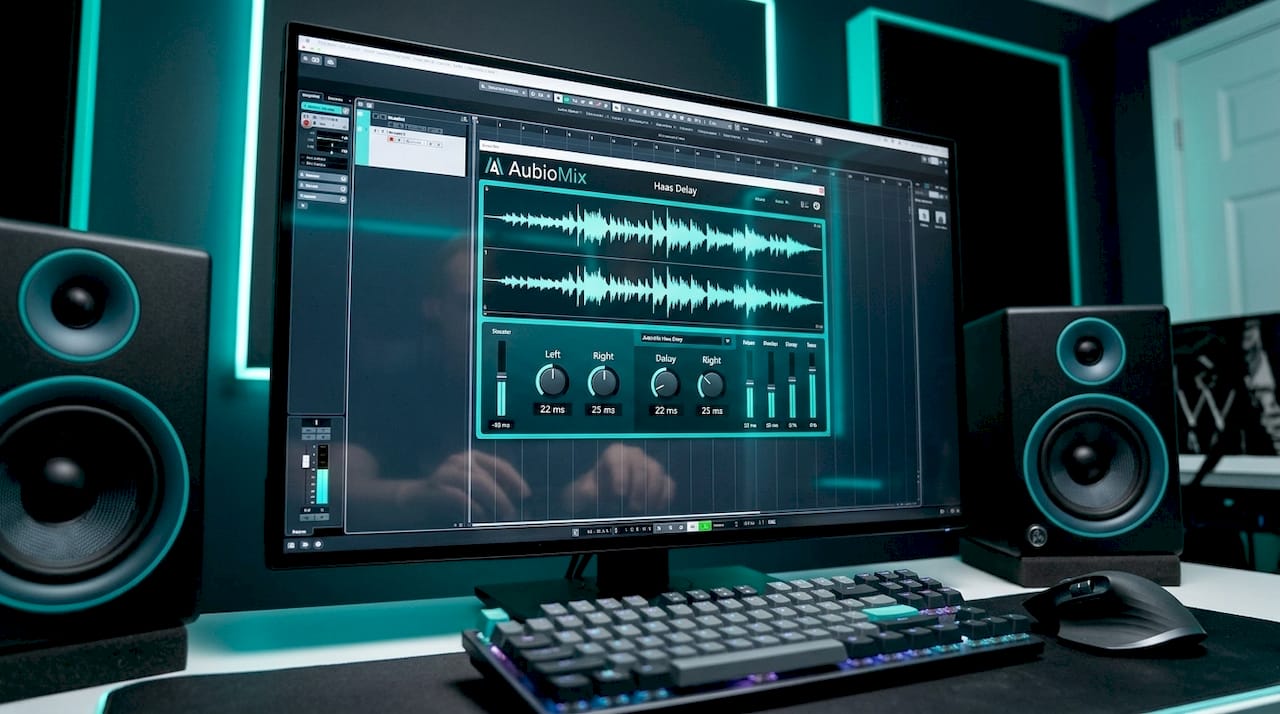
The catch is mono compatibility. Mono summing of Haas delays causes destructive interference and frequency cancellations, a phenomenon known as comb filtering. What sounds wide and lush on headphones can sound thin and hollow on a mono Bluetooth speaker. This is not a reason to avoid Haas delays. It is a reason to check your mix in mono before you commit.
Pro Tip: Set up a mono reference button on your master bus and toggle it every time you add a short delay for width. If the source sounds hollow or thin in mono, try nudging the delay time slightly or reducing the wet level until the mono image holds together.
Here is a quick checklist for setting up Haas-effect delays cleanly:
- Keep delay time between 15 and 30 ms for the widest perceived spread without obvious echo
- Pan dry signal and delayed signal to opposite sides of the stereo field
- Set feedback to zero; you want a single repeat, not multiple echoes
- Keep the delayed signal slightly lower in level than the dry signal to preserve the original's dominance
- Always check the result in mono before moving on
What are the main delay types and settings used in mixing?
Understanding delay settings is where the technical and the musical meet. The three most common delay types you will use in a mix are slapback, tempo-synced, and ambient delay, and each serves a distinct purpose.
-
Slapback delay uses a single repeat at roughly 80 to 120 ms with no feedback. Slapback is common on vocals and guitars, particularly in rockabilly, country, and classic rock contexts. It adds thickness and a sense of space without creating an obvious echo trail. Think of Elvis Presley's vocal sound or early Sun Records productions.
-
Tempo-synced delay locks the delay time to the song's BPM, typically at quarter notes, eighth notes, or dotted eighth notes. Musically timed delays reinforce groove and dynamic interest because the repeats land on rhythmically meaningful positions. The dotted eighth note delay is particularly popular on lead vocals and guitars in pop and rock because it creates a syncopated, driving feel without cluttering the beat.
-
Ambient delay uses longer times, moderate feedback, and heavy filtering to create a sense of space and movement rather than distinct echoes. This type blurs the line between delay and reverb territory and works well on pads, atmospheric elements, and sound design.
Feedback is the parameter that controls how many repeats you hear. High feedback settings cause endless repeats that build into noise and self-oscillation. Professional practice limits feedback to produce two to four audible repeats, which gives you rhythmic interest and space without cluttering the mix.
Pro Tip: To find the tempo-synced delay time in milliseconds for a dotted eighth note, divide 60,000 by the BPM and then multiply by 0.75. For a track at 120 BPM, that gives you 375 ms. Plug that into any delay plugin and your repeats will lock perfectly to the groove.
Filtering the delay repeats is equally important. Applying a high-pass filter to remove frequencies below around 600 Hz and a low-pass filter to remove frequencies above around 3 kHz on the repeat signal keeps the delay from competing with the dry source. This is the basis of the Abbey Road Delay Trick, a technique that has been used on countless major label recordings to keep delay repeats present but unobtrusive.
Delay vs reverb: when should you use each?
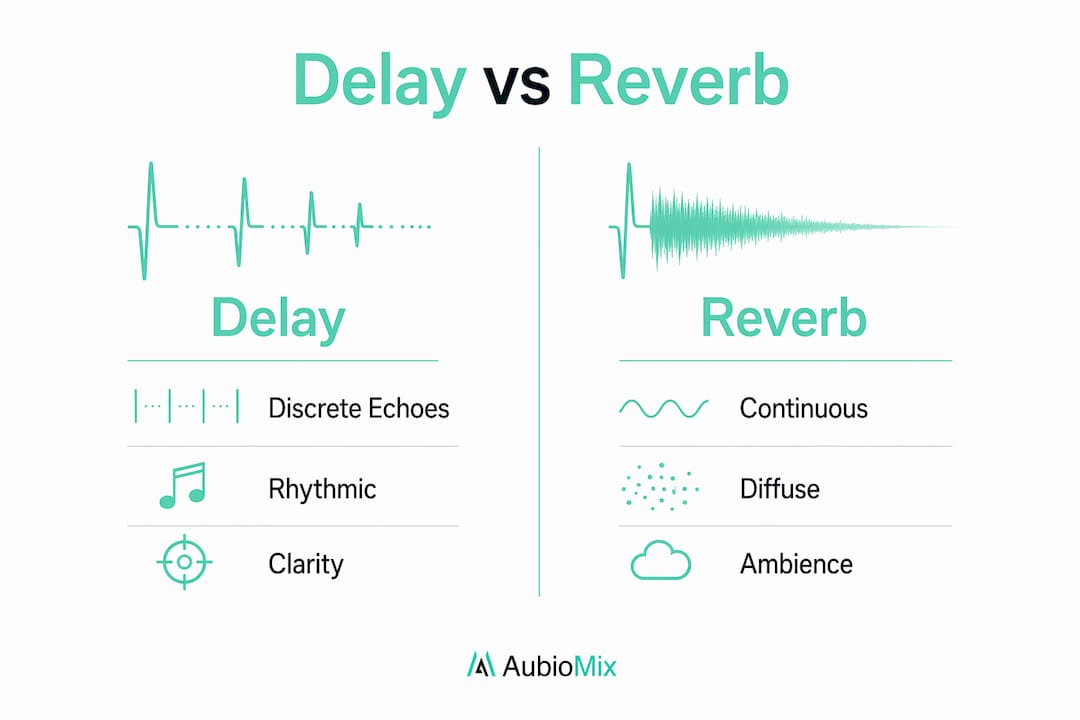
Delay and reverb both create a sense of space, but they do it in fundamentally different ways, and choosing between them shapes the character of your mix.
| Characteristic | Delay | Reverb |
|---|---|---|
| Repeat type | Discrete, rhythmic echoes | Continuous, diffuse reflections |
| Clarity impact | Preserves punch and articulation | Can wash out transients and lyrics |
| Rhythmic function | Reinforces groove and timing | Adds atmosphere and room character |
| Best use case | Vocals, guitars, synth leads | Drums, pads, orchestral elements |
| Mono compatibility | Requires careful phase management | Generally more mono-safe |
Delay is often preferred to reverb on vocals precisely because it preserves clarity and punch. Reverb creates a continuous wash that can clutter fast vocal passages and blur consonants. A well-placed dotted eighth delay on a lead vocal, by contrast, adds rhythmic spacing and sustain while keeping every word intelligible.
The most effective mixes use both effects in complementary roles. Delay handles rhythm and definition; reverb handles atmosphere and room. A common approach is to send a vocal to a short delay for rhythmic interest and then send the delay's output to a reverb, so the reverb only processes the repeats rather than the dry signal. This creates depth and space without washing out the source.
The pitfall to avoid is using both at full strength simultaneously. Stacking heavy reverb and heavy delay on the same source creates a muddy, indistinct sound where nothing sits clearly in the mix. Less is almost always more when combining the two.
Advanced delay techniques: avoiding comb filtering and phase issues
The most technically demanding aspect of working with delay is managing phase relationships, particularly when blending delayed and dry signals at similar levels. Delays below 1 ms cause phase interference that produces comb filtering, a series of frequency cancellations that make a signal sound hollow and unnatural. Even delays in the Haas range can cause problems in mono.
Here are the professional techniques that address these challenges:
- Use send/return setups. Send/return methods set the delay plugin to 100% wet and control the blend via the send level from an aux channel. This prevents the original signal from being doubled at equal levels with its delayed copy, which is the primary cause of comb filtering in insert-based delay setups.
- Check mono compatibility early. Fold your mix to mono during the delay-setting stage, not just at the end. Mono compatibility concerns recommend checking mixes in mono early to avoid surprises when Haas delay width effects collapse.
- Apply the Abbey Road Delay Trick. Place a high-pass filter at around 600 Hz and a low-pass filter at around 3 kHz on the delay return channel. Frequency bandlimiting on delay repeats prevents the build-up of low-mid energy that muddies mixes and keeps the delay effect clear and supportive.
- Automate delay sends. Rather than leaving delay at a fixed level throughout a track, use automation in mixing to bring the delay up during sustained notes or phrases and pull it back during busy passages. This keeps the mix clean without losing the spatial effect.
- Avoid equal-level blending. Keep the delayed signal noticeably quieter than the dry signal. The dry signal should always dominate; the delay is a supporting texture, not a co-lead.
Pro Tip: After setting up any delay for width or space, solo the track and listen in mono. If you hear a hollow, nasal quality, you have a comb filtering issue. Try nudging the delay time by a few milliseconds in either direction until the mono image sounds full and natural again.
Delay's biggest contribution to mix clarity is its discrete time placement, which preserves the punch of the dry signal while adding rhythmic spacing behind it. That is the quality worth protecting through all of these technical precautions.
Key takeaways
Delay shapes mix quality through timing precision, and managing its phase, feedback, and filtering is what separates a professional result from a muddy one.
| Point | Details |
|---|---|
| Haas effect for width | Use 15 to 30 ms delays panned opposite the dry signal for natural stereo spread. |
| Feedback control | Limit repeats to two to four to maintain rhythmic interest without cluttering the mix. |
| Filter your repeats | Apply high-pass at 600 Hz and low-pass at 3 kHz on delay returns to prevent low-mid build-up. |
| Delay over reverb on vocals | Delay preserves lyric clarity; reverb washes out consonants in fast vocal passages. |
| Send/return setup | Route delay as a send effect at 100% wet to avoid comb filtering from equal-level blending. |
Why delay deserves more creative intention in your mixes
Here is something I have noticed working with mixes across many genres: most producers treat delay as a finishing touch rather than a structural element. They add a dotted eighth on the vocal, maybe a slapback on the guitar, and call it done. But the mixes that genuinely stand out use delay as a compositional tool, not just a spatial one.
The most interesting delay choices I have heard are the ones that create rhythmic counterpoint. A delay set to a different note value than the main groove creates tension and movement that no amount of reverb can replicate. Think of the guitar delays in U2's "Where the Streets Have No Name," where the Edge's dotted eighth delay is not decoration. It is the rhythm.
The technical discipline matters enormously, and I would never downplay the importance of mono checks, send/return routing, and careful filtering. But the engineers who get the most out of delay are the ones who ask a musical question first: what should this repeat be doing rhythmically? Once you have a clear answer to that, the technical decisions follow naturally. If you want an honest assessment of how your delay choices are landing in a real mix context, tools like Aubiomix can give you specific, track-level feedback that goes well beyond what your ears alone can catch after hours in the same session. Understanding the role of arrangement in mixing also helps you decide where delay adds value and where it creates clutter.
— AubioMix
Get professional feedback on your delay and mix choices
If you want to know whether your delay settings are actually working in your mix, Aubiomix gives you detailed, track-level analysis in minutes. Upload your audio file and receive specific feedback on spatial effects, frequency balance, and mix clarity, including how your delay and reverb choices are affecting the overall sound.

Aubiomix's evaluation framework analyses your mix against professional standards and flags issues like comb filtering, muddy low-mids from unfiltered repeats, and mono compatibility problems before they reach the mastering stage. Whether you are fine-tuning a vocal delay or rethinking your entire spatial approach, get your mix analysed and find out exactly where your delay choices are helping and where they are holding you back.
FAQ
What is the role of delay in mixing?
Delay adds width, depth, rhythm, and texture to a mix by placing timed discrete repeats of a signal at precise intervals. Unlike reverb, it preserves the punch and clarity of the dry signal while creating spatial and rhythmic interest.
What is the Haas effect and how does it affect mixing?
The Haas effect describes how delays of 1 to 30 ms are perceived as stereo width rather than separate echoes, making it a powerful tool for widening sources in a mix. The main trade-off is that these delays can cause comb filtering when the mix is summed to mono.
When should you use delay instead of reverb?
Delay is the better choice when clarity and rhythmic definition matter, particularly on lead vocals and guitars. Reverb suits elements that benefit from continuous atmosphere, such as drums and pads, where some diffusion is desirable.
How do you prevent comb filtering when using delay?
Use a send/return setup with the delay set to 100% wet, keep the delayed signal lower in level than the dry signal, and check the mix in mono regularly. Nudging the delay time by a few milliseconds can also resolve phase cancellation issues.
What is the Abbey Road Delay Trick?
The Abbey Road Delay Trick applies a high-pass filter at around 600 Hz and a low-pass filter at around 3 kHz to the delay return channel. This removes low-mid energy from the repeats, keeping the delay effect present and clear without muddying the mix.