

If you're hunting for MixMaster Pro alternatives, here's the short answer: Aubiomix is the strongest pick for UK producers and mix engineers who need detailed, exportable feedback across 15+ mixing areas, transparent pricing, and reliable UK support. Beyond that, the market splits into a few useful categories worth knowing about.
- Aubiomix — best overall for professional mix analysis; covers compression, EQ, frequency masking, stereo width, phase, loudness, and more, with downloadable PDF reports and progress tracking. Suits both solo producers and client-facing engineers.
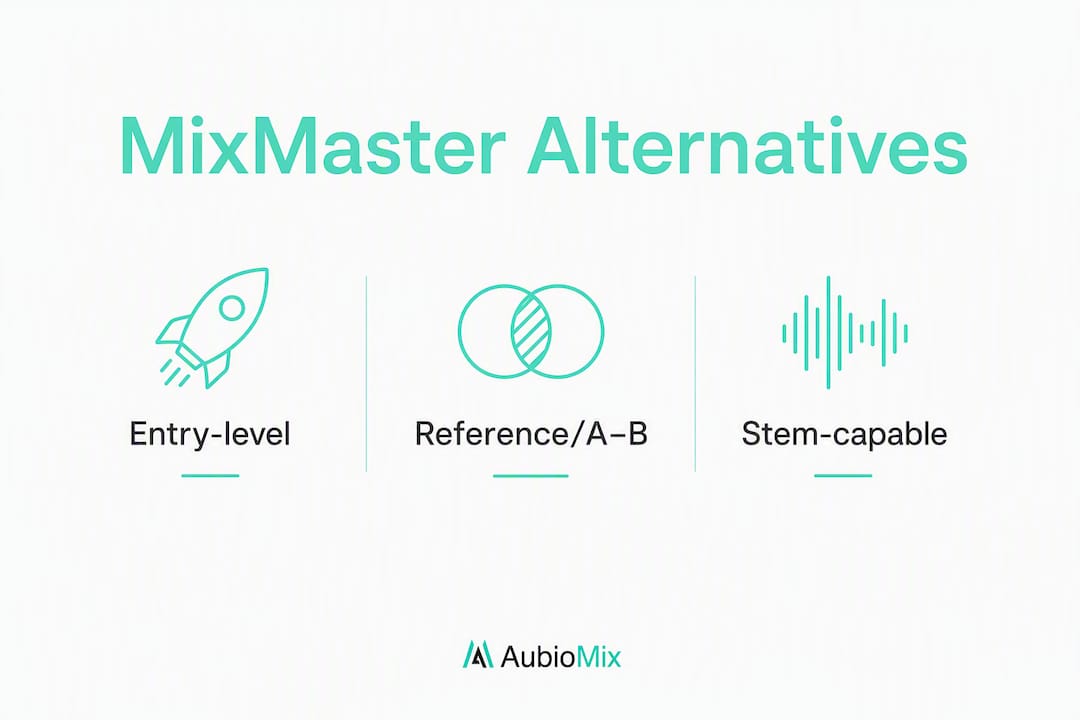
- Entry-level cloud checkers (e.g. CheckMyMix, Mix-Checker) — fast, lightweight LUFS and spectral snapshots; good for a quick sanity check before a release.
- Reference/A–B focused tools (e.g. Mixdown App, Audiomixr) — built around comparing your mix against commercial references; useful when tonal balance against a specific genre target is the priority.
- Stem-capable analysers — handle multi-stem uploads for masking and phase checks; better suited to engineers working with clients on full sessions.
All four categories offer some form of free trial or sample report, and transparent pricing is now the norm rather than the exception. UK support availability varies, so check before you commit.
Pro Tip: Before signing up for anything, request a sample report or run a free trial upload on the same 30–60 second chorus region you'd use as a reference. If the tool can't show you LUFS, a spectral balance view, and at least one prioritised fix, it's probably not worth your money.

Table of Contents
- How do the top MixMaster Pro alternatives compare?
- Profiles: what each alternative actually does
- How do you pick the right AI mix-analysis tool?
- What do AI mix-analysis tools actually do?
- Why we recommend Aubiomix for UK producers
- Key takeaways
- The honest take on AI mix analysis tools
- Try Aubiomix: pricing, trial, and how to get started
- Useful sources and further reading
How do the top MixMaster Pro alternatives compare?
Aggregator pages list anywhere from 4 to 20+ alternatives depending on whether you include broader AI audio tools or stick to pure mix analysis. The table below focuses on the tightest definition: tools that analyse a finished or near-finished mix and return actionable feedback.
| Dimension | Aubiomix | Entry-level cloud checker | Reference/A–B checker | Stem-capable analyser |
|---|---|---|---|---|
| Best for | Pro mix feedback, client workflows, UK producers | Quick pre-release LUFS/spectral check | Tonal balance vs commercial reference | Multi-stem masking and phase analysis |
| Pricing model | Pay-as-you-go credit packs + monthly/annual subscription | Freemium or low-cost pay-per-check | Freemium or subscription | Subscription or per-session credits |
| Free trial / demo | Sample report available | Free tier or trial credits | Free tier | Limited free tier |
| Upload types | Stereo mix (WAV, MP3) | Stereo only | Stereo only | Stereo + stems |
| Outputs / metrics | LUFS, spectrum, stereo imaging, phase, masking, 15+ areas, PDF report | LUFS, basic spectrum | Spectral overlay vs reference, LUFS | LUFS, masking map, phase, stem-level feedback |
| Revision history | Yes, with progress tracking | Rarely | Rarely | Sometimes |
| Reference A/B | Not the primary focus | No | Yes, core feature | Sometimes |
| Sharing / collaboration | Downloadable PDF, shareable links | Limited | Limited | Varies |
| DAW integration | Manual upload workflow | Manual | Manual or plugin | Manual or plugin |
| UK availability / support | Yes, UK support | Varies | Varies | Varies |
Legend: LUFS = Loudness Units relative to Full Scale (the broadcast/streaming loudness standard). "Freemium" = a permanently free tier with limited uploads or features.
Best fit by workflow:
- Solo producer finishing a track — an entry-level cloud checker gives you a fast LUFS and spectral read in under a minute; Aubiomix gives you the full picture if you want to act on specific problems.
- Mix engineer working with clients — Aubiomix's revision history, progress tracking, and downloadable PDF reports make client communication far cleaner.
- Mastering prep — a reference/A–B checker helps you match tonal balance to a commercial target; combine it with Aubiomix's 15+ area analysis for a thorough pre-master sign-off.
Profiles: what each alternative actually does
Aubiomix
Aubiomix is an online mix analysis app built specifically for producers and mix engineers who want professional-grade feedback without waiting for a human consultant. You upload your stereo mix, and the platform returns a detailed written and visual report covering 15+ areas: compression, EQ, frequency masking, effects, stereo width, phase, loudness, noise and clipping, mastering prep, and device translation, among others.
Reports include LUFS readings, spectral balance visuals, and stereo maps, plus a prioritised list of specific fixes rather than vague suggestions. Progress tracking lets you compare revisions over time, which is genuinely useful when you're iterating on a mix across multiple sessions. PDF reports are downloadable and shareable, so sending feedback to a client or collaborator takes seconds.
Pricing: pay-as-you-go credit packs for occasional users; monthly and annual subscriptions for higher-volume workflows. UK payment options and support are available.
Pros:
- 15+ analysis areas in a single report
- Downloadable PDF with visual outputs (LUFS, spectrum, stereo maps)
- Revision history and progress tracking
- Flexible pricing for both occasional and regular use
- UK support
Cons:
- Stereo mix upload focus (not a stem-separation service)
- No built-in reference A/B library (you bring your own reference)
Entry-level cloud checkers (e.g. CheckMyMix, Mix-Checker)
These tools are designed for speed. Upload a stereo mix, get a LUFS reading and a basic spectral snapshot in roughly 60 seconds, as vendor marketing for this category consistently highlights. They're excellent for a pre-release sanity check — confirming you're hitting streaming loudness targets and that nothing catastrophic is happening in the low-mids.
The trade-off is depth. Most entry-level checkers don't offer revision history, downloadable reports, or prioritised fix lists. They tell you what is off but rarely why or how to address it. For a deeper comparison of CheckMyMix alternatives, it's worth reading the dedicated roundup.
Pros: fast, often free or very cheap; low barrier to entry. Cons: limited depth; no revision tracking; minimal collaboration features.
Reference/A–B focused checkers (e.g. Mixdown App, Audiomixr)
The core proposition here is comparison: load your mix alongside a commercial reference and see where your spectral balance, stereo width, or loudness diverges. If you're producing in a specific genre and want to match the sonic character of a particular record, this workflow is hard to beat.
The limitation is that these tools measure difference, not cause. They'll show you that your low-end is 3 dB hotter than the reference, but they won't tell you whether that's a compression issue, an EQ problem, or a room acoustics artefact. For Mixdown App alternatives with more diagnostic depth, the linked guide covers the options in detail.
Pros: excellent for genre-matching and tonal balance checks; intuitive visual overlays. Cons: no actionable fix lists; no revision history; limited collaboration output.
Stem-capable analysers
These platforms accept multi-stem uploads and can flag masking between elements (kick vs bass, lead vocal vs guitar) and phase issues that only become visible at the stem level. Aggregator reviews consistently identify stem handling and revision history as the features most valued by mix engineers working with clients.
The catch is cost and complexity. Stem-capable tools tend to sit at the higher end of the pricing spectrum, and the workflow requires you to export and organise stems before uploading, which adds time.
Pros: masking and phase analysis at stem level; more granular feedback. Cons: higher cost; more complex upload workflow; turnaround times vary.
Pro Tip: If you're evaluating a stem-capable analyser, test it with a drums and lead vocal export from a track you know well. If the masking detection doesn't flag anything you'd already spotted by ear, the tool probably isn't adding enough value for the extra cost.
How do you pick the right AI mix-analysis tool?
The market is genuinely crowded. For strict mix analysis tools, there are 4 main alternatives to consider. Here's a practical checklist to cut through the noise.
Selection criteria:
- LUFS and loudness reporting — does the tool report integrated LUFS, short-term LUFS, and true peak? Streaming platforms have specific targets (Spotify normalises to around -14 LUFS integrated), so you need all three values.
- Spectrum and tonal balance — does it show a full-range spectral view, or just a simplified low/mid/high summary?
- Stereo and phase metering — does it flag mono compatibility issues and phase correlation problems?
- Stem handling — do you need stem-level analysis, or is stereo sufficient for your workflow?
- Reference A/B support — do you need to compare against a commercial reference, or do you primarily want diagnostic feedback on your own mix?
- Revision history — can you track changes across multiple uploads of the same project?
- Report export — does it produce a downloadable PDF or shareable link you can send to a client?
- DAW integration — is it a plugin, a web app, or a hybrid? Web apps are more flexible across DAWs.
- Turnaround time — stereo analysis typically returns in under two minutes; stem analysis may take longer.
- Data privacy and UK compliance — check the tool's privacy policy for GDPR compliance and data retention terms, particularly if you're uploading unreleased material.
Questions to ask before committing:
- What is the maximum file size for uploads?
- Can I see a sample report before paying?
- Does the tool produce specific, prioritised fix suggestions, or just measurements?
- Is there a free trial or a credit-based entry point?
- Is UK customer support available, and through which channel?
Pricing shapes for a mid-volume UK producer:
A producer uploading 8–10 mixes per month will typically find that pay-as-you-go credit packs work out more expensive per analysis than a monthly subscription, but carry no ongoing commitment. A monthly subscription makes sense once you're uploading consistently; an annual subscription usually offers the best per-analysis cost if you're confident in the tool. Always test with a free trial or sample report before subscribing annually.
What do AI mix-analysis tools actually do?
AI mix analysis is the automated equivalent of sending your mix to a mastering engineer for a pre-master check, minus the human ear and the invoice. Most tools perform a consistent set of automated measurements:
- Integrated and short-term LUFS — overall loudness and dynamic loudness across the track
- True peak — the highest inter-sample peak, critical for streaming delivery
- Spectral balance — how energy is distributed across the frequency spectrum (sub, bass, low-mids, mids, presence, air)
- Stereo imaging — width, mono compatibility, and left/right balance
- Phase correlation — whether the stereo signal collapses to mono without artefacts
- Masking detection — frequency clashes between elements (more common in stem-capable tools)
- Prioritised action items — specific suggested processing steps, ranked by impact
The typical workflow looks like this:
That loop is where the real value sits. A single analysis tells you what's wrong; revision history tells you whether your fixes are working.
What these tools don't do is equally worth understanding. Aggregators note that stem separation, AI mastering, and mix analysis are distinct capabilities — a tool that does one doesn't necessarily do the others. None of the pure analysis tools will automatically fix your mix. They measure, they advise, and then the work is yours.
Pro Tip: Treat the prioritised fix list as a checklist, not a recipe. Work through the highest-priority items first, re-upload, and see what changes. Applying every suggestion at once makes it impossible to hear what actually improved.
Why we recommend Aubiomix for UK producers
The recommendation isn't arbitrary. Aubiomix's landing page positions the product as a pro-level feedback app with quick reports and flexible pricing, and the feature set maps directly onto the selection criteria that matter most for professional workflows.
Here's how the proof points align:
- 15+ analysis areas — covers every dimension in the selection checklist above, from compression and EQ to mastering prep and device translation
- Visual and written reports — LUFS readings, spectral balance views, and stereo maps give you the evidence behind each suggestion
- Downloadable PDF reports — shareable reports and client review links are consistently flagged as differentiators for studio workflows; Aubiomix delivers both
- Revision history and progress tracking — revision history reduces back-and-forth time between engineer and client, which directly improves billable efficiency
- Pay-as-you-go and subscription options — flexible enough for both occasional and high-volume use
- UK support — available, which matters when you're uploading unreleased material and need a quick answer
Sample reports and transparent pricing are the fastest way to validate any tool for a professional workflow — they tell you more than any marketing copy. Aubiomix makes both available before you commit.
Key takeaways
Aubiomix is the strongest MixMaster Pro alternative for UK producers who need detailed, exportable mix feedback across 15+ areas with revision history and transparent pricing.
| Point | Details |
|---|---|
| Shortlist by use case | Aubiomix for full analysis; entry-level checkers for quick LUFS reads; A/B tools for genre-matching; stem analysers for masking work. |
| Free trial first | Always test with a sample report or trial upload before subscribing; check LUFS, spectrum, and whether fixes are prioritised. |
| Revision history matters | Progress tracking across uploads is the feature that separates professional tools from basic checkers. |
| UK data compliance | Check GDPR data retention terms before uploading unreleased material, regardless of which tool you choose. |
| Aubiomix recommendation | Covers 15+ analysis areas, delivers downloadable PDF reports, and offers both credit packs and subscriptions for UK producers. |
The honest take on AI mix analysis tools
There's a tendency in this space to treat AI mix analysis as either a magic bullet or a gimmick, and neither framing serves you well. The tools that genuinely earn their place in a professional workflow are the ones that give you specific feedback, not just measurements. Knowing your integrated LUFS is -9.2 is useful; knowing that your low-mid build-up between 250 Hz and 400 Hz is masking your snare and here's the processing chain to address it is transformative.
What most producers underestimate is the value of revision history. Running a single analysis is informative. Running five analyses across a mix revision cycle and watching the problem areas shrink is how you actually develop your ear and your technique. The feedback loop is the product, not the report.
We'd also push back on the idea that these tools replace the human element. They don't, and the best ones don't pretend to. What they do is compress the time between "something feels off" and "here's exactly what it is and how to fix it." For a solo producer without a trusted engineer in the room, that compression is worth a great deal.
Try Aubiomix: pricing, trial, and how to get started
If you've been comparing MixMaster Pro alternatives and want a tool that covers the full professional checklist, Aubiomix is the most direct path. Upload your stereo mix, get a detailed report across 15+ mixing and mastering areas, and download a PDF you can act on immediately or share with a client.

Pricing is designed for real workflows: credit packs for producers who upload occasionally, and monthly or annual subscriptions for engineers who need consistent volume. There's no long-term lock-in on the credit pack route, and a sample report is available so you can see exactly what you're getting before you spend anything.
On data privacy: Aubiomix handles uploads in line with UK GDPR requirements, which matters when you're submitting unreleased material. UK customer support is available if you have questions before or after your first upload.
Get your first mix analysis on Aubiomix and see the difference a detailed, prioritised report makes to your revision workflow.
Useful sources and further reading
A short list of the most helpful resources used in this comparison, plus internal guides for deeper dives on specific tools.
- Aubiomix — product landing page: the primary source for Aubiomix feature details, pricing shapes, and sample report availability.
- Toolerific — MixMaster Pro features, alternatives and FAQ: a useful aggregator rundown covering feature comparisons and trust signals across the category.
- HyperStore — best MixMaster Pro alternatives: lists 4–20 alternatives depending on category definition; helpful for understanding the breadth of the market.
- The Daily Workflow — MixMaster Pro alternatives: covers user commentary on stem handling and revision history as workflow-critical features.
- The best CheckMyMix alternatives for producers: deeper comparison of entry-level cloud checkers with alternative selection frameworks.
- Best Mixdown App alternatives for UK producers: region-specific guide covering reference/A–B tools and payment notes for UK users.
- Top 5 Mix-Checker alternatives: feature and pricing comparison for mix-checker-style tools.
- Mixing tricks that transform your productions: practical techniques to implement once you have your analysis report in hand.