
Phase cancellation is the reduction or elimination of sound caused by overlapping audio waves that interfere destructively due to timing or polarity differences. It is one of the most common and most misdiagnosed problems in mixing and recording. Left unchecked, it thins out your low end, hollows out your snare, and makes a technically correct mix sound weak and lifeless. Understanding how it works, how to spot it, and how to fix it is non-negotiable for any producer who wants professional results.
How does phase cancellation occur between audio signals?
Phase cancellation is the result of destructive interference between two or more audio waves. When two identical sine waves are perfectly in phase, their peaks and troughs align and they reinforce each other. When one wave is shifted by 180 degrees relative to the other, every peak meets a trough and the signals cancel completely. Most real-world scenarios fall somewhere between these two extremes.
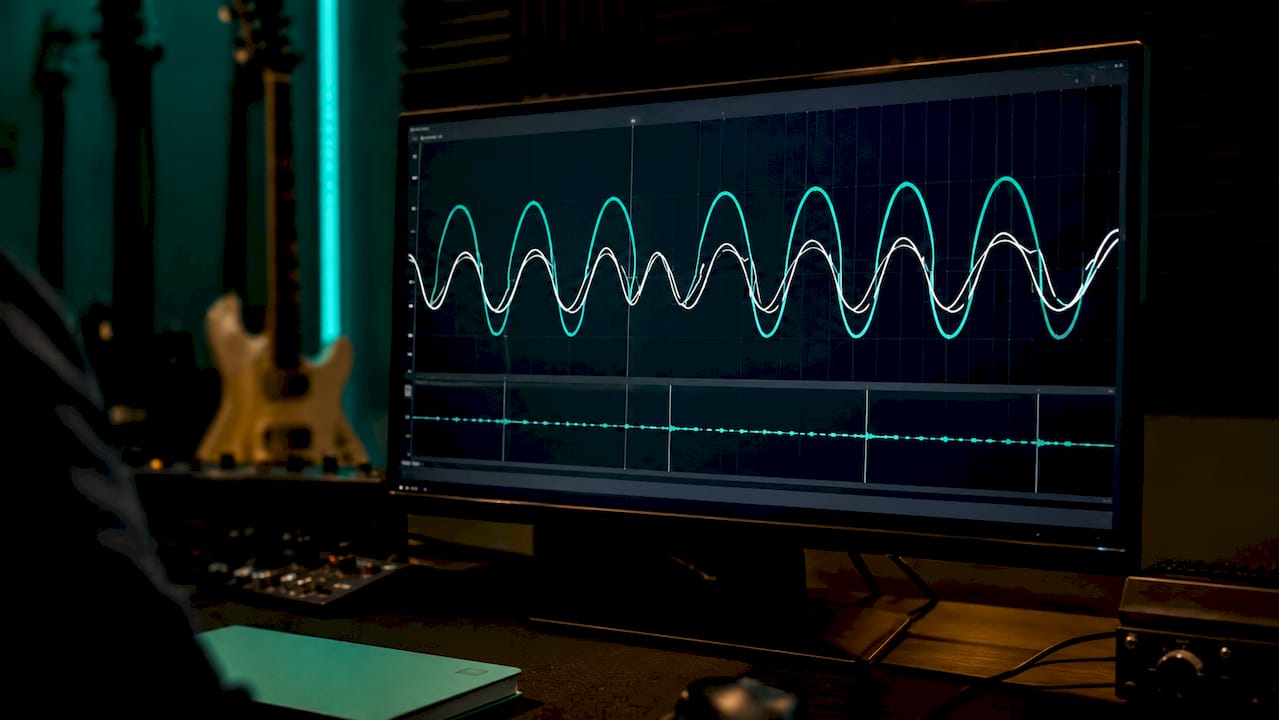
The key distinction every producer needs to understand is the difference between polarity inversion and phase shift. Polarity inversion flips a waveform 180 degrees instantaneously and equally across all frequencies. A phase shift caused by microphone distance, on the other hand, is time-based and frequency-dependent. That means different frequencies cancel by different amounts, which is why the result rarely sounds like silence but instead sounds like something is missing.
That frequency-selective cancellation produces what engineers call comb filtering. Comb filtering creates peaks and notches across the frequency response, giving audio a hollow, nasal, or thin character. The name comes from the way those notches look on a spectrum analyser: evenly spaced, like the teeth of a comb.
- In-phase signals: peaks align, amplitude increases, sound is full and punchy.
- Out-of-phase signals: peaks meet troughs, amplitude decreases or disappears entirely.
- Partially out-of-phase signals: selective frequency cancellation, comb filtering, thinned sound.
- Polarity inversion: instantaneous, frequency-independent 180-degree flip.
- Time-based phase shift: gradual, frequency-dependent, caused by mic distance or processing delay.
Pro Tip: Zoom into your waveforms in your DAW and look at two related tracks side by side. If the peaks of one track consistently align with the troughs of the other, you have a polarity problem. If the misalignment varies across the waveform, you are dealing with a time-based phase issue that requires nudging, not just a polarity flip.
What are the audible signs of phase cancellation in mixing?
The most telling sign of phase cancellation is a mix that sounds fine on headphones but thin and hollow on speakers, or one that loses body the moment you switch to mono. Partial phase cancellation is easily missed because the sound remains audible. Producers often compensate by boosting EQ or pushing volume, which makes the underlying imbalance worse rather than better.
Here are the most common scenarios where audio phase issues appear in real sessions:
- Snare top and bottom microphones. The bottom mic faces upward while the top mic faces downward. They capture the same source from opposite sides, which almost always requires a polarity flip on the bottom mic.
- Kick drum with inside and outside mics. The two capsules sit at different distances from the beater, creating a time delay that causes low-frequency cancellation and a thin, clicky kick.
- DI and amplifier bass signals. The DI captures the signal before it hits the amp, while the mic captures it after. The processing chain introduces a timing offset that can hollow out the low mids.
- Layered synthesiser patches. Two synth layers tuned to the same note but generated slightly differently can produce phase interference that makes the combined sound weaker than either layer alone.
- Stereo widening on mono sources. Stereo widening plugins can worsen phase issues and cause elements to disappear entirely when the mix is summed to mono.
Mono summing is your fastest diagnostic tool. If an element loses significant energy or disappears when you collapse the stereo field to mono, phase cancellation is almost certainly the cause. Do not reach for the EQ until you have ruled out phase as the culprit. Frequency masking and phase-related frequency interactions are often confused, and treating one as the other wastes time and damages the mix.
How to detect and measure phase cancellation in your DAW
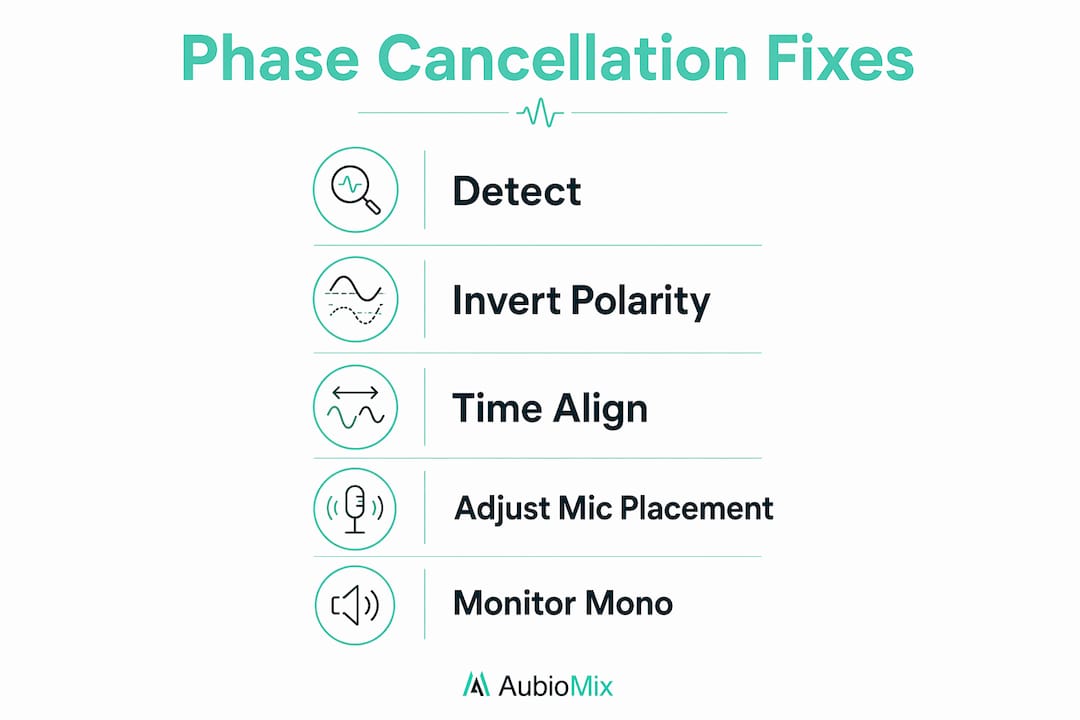
Detection starts with your ears and ends with your meters. Switching your monitor controller or master bus to mono is the single fastest check. Any element that noticeably thins out or disappears has a phase problem worth investigating.
For visual confirmation, the correlation meter is the industry standard tool. Correlation meters measure phase coherence on a scale from +1.0 (fully in phase) to -1.0 (fully out of phase), with negative values signalling active cancellation risk. A reading consistently below zero on your master bus means something in your mix is fighting itself. A reading hovering around zero suggests partial cancellation that will cause problems on mono playback systems.
| Tool | What it shows | When to use it |
|---|---|---|
| Correlation meter | Phase coherence from +1.0 to -1.0 | Continuously on the master bus |
| Vectorscope | Stereo width and phase relationship visually | When checking stereo sources and widened signals |
| Waveform zoom | Timing offset between two related tracks | When aligning multi-mic recordings |
| Spectrum analyser | Comb filtering notches in frequency response | When diagnosing hollow or thin-sounding sources |
Plugins such as Waves InPhase, Little Labs IBP, and Voxengo PHA-979 offer dedicated phase analysis and correction within your DAW. Most modern DAWs, including Ableton Live, Logic Pro, and Pro Tools, also include built-in correlation metering on the master channel.
Soloing microphone pairs and toggling polarity inversion exposes phase cancellation far more clearly than checking the full mix. Solo the top and bottom snare mics together, flip polarity on one, and listen for the version that sounds fuller and more natural.
Pro Tip: Build a phase check into your session template. Place a correlation meter on your master bus and a mono sum button on your monitor controller. Checking phase at the start of every session, not just at the end, catches problems before they compound across multiple tracks.
What practical techniques fix phase cancellation?
Prevention beats correction every time. Moving microphones at the recording stage is the most effective way to avoid phase problems. Post-processing fixes are always a compromise.
The 3:1 microphone placement rule
The 3:1 rule for microphone placement states that the distance between two microphones should be at least three times the distance from either mic to the source. This minimises the timing difference between the two signals and reduces comb filtering. If your close mic is 30 centimetres from the snare, the room mic should be at least 90 centimetres away.
Polarity inversion: useful but limited
The polarity inversion button on your channel strip is the first thing to try on any multi-mic source. It is fast and free. However, flipping polarity does not fix time-based phase problems and can sometimes worsen the frequency response. If the mix sounds better with polarity flipped, that is a good sign. If it sounds different but not clearly better, you need time alignment.
Manual time alignment and delay compensation
Manual nudging in your DAW and delay compensation are the most reliable corrective tools when combining multiple mic sources or layered tracks. Zoom into the waveforms, identify the transient peaks on both tracks, and nudge the later track back until the peaks align. Even a shift of a few milliseconds can restore significant low-end energy.
Here is a practical workflow for fixing phase issues in a multi-mic recording:
- Solo the two tracks you want to align.
- Switch your monitoring to mono.
- Zoom into the transient region of both waveforms.
- Nudge the delayed track backwards in small increments.
- Toggle polarity inversion after alignment to confirm which orientation sounds fuller.
- Check the result in mono and in stereo before moving on.
Stereo widening: use with caution
Stereo widening is one of the most common sources of introduced phase problems. Mid-side processing and widening plugins create phase differences between the left and right channels by design. This creates a wide stereo image but can destroy mono compatibility. Always check widened signals in mono before committing. For advice on avoiding common pitfalls with mid-side techniques, the guide on mid-side mixing mistakes covers the most frequent errors in detail.
Pro Tip: Use EQ to carve frequencies as a last resort, not a first response. If a source sounds thin after phase correction, a gentle low-mid boost may help. But if you are boosting to compensate for cancellation you have not fixed, you are building on a broken foundation.
Key takeaways
Phase cancellation is destructive interference between audio waves that thins and hollows your mix. Fixing it requires correct mic placement, time alignment, and continuous monitoring throughout production.
| Point | Details |
|---|---|
| Polarity vs phase shift | Polarity inversion is frequency-independent; time-based phase shift requires manual alignment, not just a flip. |
| Comb filtering is the symptom | Hollow, thin, or nasal sound on a source almost always points to partial phase cancellation. |
| Mono summing reveals problems | Collapsing to mono is the fastest way to expose phase cancellation hiding in a stereo mix. |
| Correlation meters guide detection | A reading below zero on a correlation meter signals active cancellation risk on the master bus. |
| Prevention beats correction | Applying the 3:1 mic rule at the recording stage avoids most phase problems before they reach the mix. |
Phase cancellation: what I have learned the hard way
The most expensive mistake I see producers make is treating phase as a one-time checkbox. You flip the polarity on the snare bottom, the kick sounds better, and you move on. But continuous phase monitoring throughout production is what separates a mix that holds up across playback systems from one that falls apart on a phone speaker.
The second mistake is reaching for stereo widening when a mix feels narrow. Width that comes from phase manipulation is borrowed width. It sounds impressive in stereo and disappears in mono. Real width comes from arrangement, panning, and reverb, not from artificially splitting phase relationships.
What I have found works consistently is this: check in mono early, check in mono often, and solo your mic pairs before you do anything else. The best mixes balance phase variation carefully rather than eliminating all phase differences. A completely phase-coherent mix can sound flat and lifeless. The goal is controlled phase relationships, not zero phase movement.
Phase correction is not glamorous work. It does not feel creative. But it is the foundation everything else sits on. Get it wrong and no amount of compression, EQ, or reverb will save the mix.
— Aubiomix
How Aubiomix can help you catch phase problems faster
Diagnosing phase cancellation by ear alone takes experience and time. Aubiomix gives you pro-level mix feedback the moment you upload your track, with visual scoring and specific, actionable mix analysis that flags phase coherence alongside every other element of your mix.

The Aubiomix evaluation framework analyses your mix across multiple dimensions, including stereo width, mono compatibility, and frequency balance, giving you a clear picture of where phase issues are affecting your sound. Upload your mix, get your feedback, and know exactly what to fix before you waste hours chasing a problem you cannot quite hear. It fits naturally into your workflow whether you are finishing a rough mix or preparing a final master.
FAQ
What is phase cancellation in audio?
Phase cancellation is destructive interference between two audio signals that are out of phase, causing certain frequencies to reduce in volume or disappear entirely. It results in a thin, hollow, or weak sound in the affected tracks.
What is the difference between polarity and phase?
Polarity inversion flips a waveform 180 degrees instantly and equally across all frequencies. Phase shift is time-based and frequency-dependent, caused by microphone distance or processing delay, and requires time alignment to correct.
How do I know if my mix has phase cancellation?
Switch your mix to mono and listen for elements that lose body, thin out, or disappear. A correlation meter reading below zero on your master bus also confirms active phase cancellation risk.
Does the polarity flip button fix phase cancellation?
Not always. Flipping polarity helps when two mics are capturing the same source from opposite sides, but it does not fix time-based phase problems caused by mic distance. Those require manual waveform nudging or a dedicated phase alignment plugin.
Can stereo widening cause phase cancellation?
Yes. Stereo widening plugins introduce phase differences between the left and right channels, which can cause elements to cancel when the mix is summed to mono. Always check widened signals in mono before committing to the effect.