
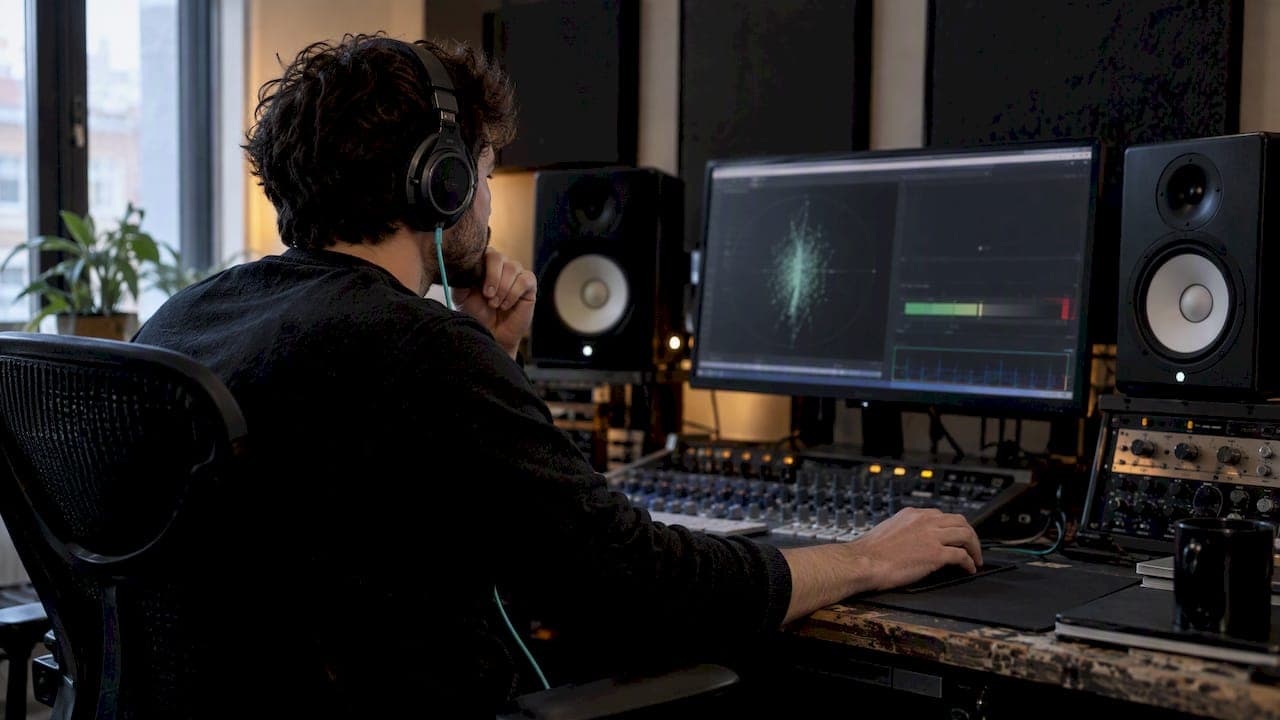
A phase scope shows you the real relationship between your left and right channels, and the correlation meter turns that image into a number you can actually act on. If that number drifts toward negative while the needle sits steady, your mix is at risk of cancelling itself out in mono. The fastest first move is a mono-sum check: fold the mix down, listen for disappearing elements, and flip polarity on any track that's the likely culprit while you watch the scope settle.
TL;DR:
- Flipping polarity on tracks with inverted phase often resolves immediate mono compatibility issues and should be your first diagnostic step.
- A correlation meter reading below zero across the entire mix signals a high risk of mono cancellation and warrants a mono-sum check.
- Widening effects like Haas delay can create stereo width but significantly increase mono phase problems, especially in mid frequencies.
- Consistently monitoring phase during recording, mixing, and just before bouncing helps catch problems early and avoid extensive rework.
- Using tools like AubioMix provides objective confirmation of phase issues and ensures your mix is mono-compatible without relying solely on listening.
Table of Contents
- How to read a phase scope, vectorscope and correlation meter
- Common phase-scope patterns and what they mean in a mix
- Practical diagnostic checks you should run when the scope looks wrong
- How to fix phase issues: methods and trade-offs
- Stereo widening techniques: Haas vs allpass decorrelation and mono-compatibility guidance
- When and where to check phase during the mix session
- AubioMix: how the app and blog help diagnose and fix phase problems
- Experienced engineer perspective: balancing meters with critical listening
- How AubioMix can help you verify your mix
- Sources
- FAQ
How to read a phase scope, vectorscope and correlation meter
A vectorscope plots left against right amplitude on a rotated axis, and once you know what you're looking at, the shapes start telling a story instead of just looking pretty. A vertical line means left and right are identical, which is mono. A fat, round ellipse or circle means a nicely spread stereo image with healthy decorrelation between channels. A messy, scattered cloud usually means something more chaotic is happening, often heavy processing or clashing stereo effects stacked on top of each other.

The correlation meter is the numeric companion to that picture, and Sound On Sound's explanation of phase-correlation meters lays out the scale clearly: +1 means the channels are identical (dual mono), 0 means they're fully decorrelated and spread wide, and anything dipping into negative territory signals anti-phase content that risks cancelling when summed to mono.
A few things change how that meter and scope actually look, and they're worth knowing before you panic over a reading:
- Integration time smooths the correlation reading over a window, so a fast transient dip isn't necessarily a real problem, just a momentary blip.
- AGC (automatic gain control) on some scopes rescales the display based on signal level, which can make a quiet passage look wilder than it is.
- Plotting density and frame rate affect how "busy" the Lissajous trace appears, with denser plotting showing more detail but also more visual noise.
Sound On Sound's guide to stereo metering notes that vectorscopes plot left versus right directly, and once rotated, a true mono signal always resolves to that familiar vertical line. If you see a narrow diagonal line leaning hard one way, that's usually a single panned element or a highly correlated source dominating the image, not a stereo problem in itself.
Common phase-scope patterns and what they mean in a mix
Once you've got the basics down, pattern recognition becomes fast. Here's what tends to show up and why:
- A tight vertical line means your signal is mono or near-mono, which is normal for a centred vocal or kick but worth questioning on a "stereo" synth pad.
- A wide, round ellipse is the shape you want for most full mixes, it means good width without the channels fighting each other.
- Diagonal excursions leaning into negative space suggest anti-phase content building up, often from a stereo widener pushed too far or a mic pair with a polarity mismatch.
- Diamond shapes with hard, flat edges often point to clipping or heavy limiting squashing the waveform rather than a phase problem at all.
- Thin, tightly packed diagonal lines usually mean a single tone or a highly correlated source, like a mono sample duplicated and barely detuned.
These patterns map to real sources you'll recognise from your own sessions: spaced mic pairs on drums or acoustic guitar, mid-side processing pushed too hard, aggressive stereo wideners on synths, and chorus, delay or reverb tails that decorrelate the channels more than you intended.
A correlation reading that sits persistently below zero across a full mix is the clearest sign of trouble, since Sound On Sound notes that mono compatibility depends on keeping core elements like vocals, kick and bass broadly in phase. That's the reading that should stop you and prompt a mono check before you move on.
Practical diagnostic checks you should run when the scope looks wrong
When the scope and meter are flagging something, work through these checks in order rather than guessing:
- Run a mono-sum check. Fold the mix to mono and listen specifically for elements that thin out, disappear, or develop a hollow, phasey quality.
- Flip polarity on suspect tracks one at a time. If a track was recorded with a mismatched mic pair or a reamped signal out of phase, flipping it often snaps the scope back to a healthy ellipse immediately.
- Check time-alignment. Use your DAW's delay compensation display or nudge tracks manually in small increments, since a few milliseconds of drift between doubled or mic'd sources can create comb filtering that reads as phase trouble.
- Solo the mid and side channels separately. If the side channel contains content that shouldn't be there, or the mid channel feels thin, you've isolated where the cancellation is happening.
- Use narrow-band soloing (a steep EQ sweep) to find the specific frequency range where the cancellation is worst, since phase problems are rarely broadband.
Pro Tip: Keep one ear on the mono sum during every rough mix pass, not just at the final bounce. Catching a phase problem early saves you from rebuilding a reverb bus three weeks later.
How to fix phase issues: methods and trade-offs
The fix depends on what caused the problem, and the order you try things in matters. Start with the cheapest, least destructive option and only move on if the scope doesn't settle.
- Flip polarity first. If two tracks capturing the same source are clearly inverted, a simple polarity flip is the fastest and most transparent fix available.
- Time-shift if polarity alone doesn't resolve it. Nudge one track by small amounts, checking the scope and listening at each step, until the comb-filtering artefacts disappear.
- Measure delay with cross-correlation or transient markers. Lining up kick hits or snare transients visually in the waveform editor is often enough to spot a drift of a few milliseconds that's causing trouble.
- Apply surgical EQ for frequency-localised cancellation. If only a narrow band is cancelling, a notch or dynamic filter on the offending track can resolve it without touching the rest of the signal.
- Redesign the stereo effect itself if it's the real source. Reducing a Haas delay's offset or swapping to allpass-based decorrelation often removes the problem at its root rather than patching around it.
Pro Tip: Always re-check the scope and mono sum after every fix, not just once at the end. A polarity flip that solves one problem can sometimes expose a smaller one hiding behind it.
For deeper troubleshooting on recovering elements lost to anti-phase processing, our guide on phase cancellation walks through recovery techniques in more detail.
Stereo widening techniques: Haas vs allpass decorrelation and mono-compatibility guidance
Stereo widening is one of the most common sources of phase trouble, and the two dominant techniques behave very differently when summed to mono. According to KERN Audio's guide to Haas and allpass decorrelation, Haas delay widening creates obvious width by offsetting one channel in time, but that same offset produces comb-filtering notches once the signal is folded to mono. Allpass decorrelation, by contrast, spreads the stereo image while preserving the magnitude response, which means it sums far more gracefully.
That same guide points out that mid frequencies, roughly 400 to 2,000 Hz, are the most sensitive to phase differences, which is exactly the range where vocals, guitars and lead synths tend to live. It's worth being conservative with any widener in that band specifically.
- Haas delay is effective for dramatic, obvious width on pads or background elements that rarely dominate the mono sum.
- Allpass decorrelation is the safer default for anything central to the arrangement, since it's built to be mono-friendly by design.
- Combine wideners cautiously and re-check the scope after each one, since stacking several at once compounds their mono risk.
A full mix correlation reading that stays above roughly +0.2 to +0.3 is a reasonable safety margin for mono compatibility, giving you width without gambling on a collapsed fold-down. Research on channel decorrelation for echo cancellation, published on arXiv, describes shaped comb-allpass filtering combined with psychoacoustically masked noise as a way to reduce inter-channel coherence while limiting audible degradation, a technique built around the same principle: decorrelate without destroying mono playback.
For a full walkthrough on applying width safely, see our piece on stereo widening for a pro mix.
When and where to check phase during the mix session
Building phase checks into your routine at the right moments means they never slow you down. Here's a workflow that fits naturally into most sessions:
- At the record stage, check mic placement and polarity before you commit to a take, since fixing a spaced pair after the fact is always harder than catching it live.
- At the track stage, glance at the scope after balancing levels and again after any significant stereo processing, like doubling, chorus or a widener plugin.
- At the bus and master stage, do a final correlation glance and a full mono sum before you bounce, since this is your last chance to catch anything that slipped through.
- Budget your time accordingly, a quick glance takes seconds, but a deep diagnostic session, tracing a specific cancellation to its source, deserves a dedicated pass rather than a rushed one squeezed between other tasks.
AubioMix: how the app and blog help diagnose and fix phase problems
AubioMix's mix analysis covers mono-compatibility, correlation checks and mid-side balance as part of its broader feedback on a mix, giving you a second pass after you've worked through your own scope and listening checks. The blog's practical guides, including a five-step walkthrough for fixing phase and polarity and a complete guide to phasing in audio, pair well with the diagnostic steps above. Running a mix through AubioMix after your own checks gives you a written, objective confirmation that what you fixed by ear actually holds up.
Experienced engineer perspective: balancing meters with critical listening
Meters tell you what's measurable, not what's musical. A reading that dips slightly negative on a wide pad might sound fine in context, while a technically "correct" correlation score can still mask a dull, lifeless mix. Use the scope to flag where to listen more closely, not as a pass or fail grade, and stay conservative with corrective processing until your ears confirm the fix actually improved the record.
— AubioMix
How AubioMix can help you verify your mix
Once you've worked through your own phase checks by ear and by eye, running the mix through AubioMix gives you a written second opinion built on correlation and mono-compatibility measurement alongside subjective feedback from a trained engineer's ear.

- Spot lingering mono-compatibility issues that are easy to miss after hours of listening to the same mix.
- Get specific, actionable notes rather than a pass or fail score with nothing to act on.
- Compare your results against genre benchmarks to see how your stereo image stacks up.
A single Mix Review costs £4.99 and gives you a targeted check before you commit to a final bounce. For producers submitting regularly, the Professional plan at £19.99 per month includes a set number of reviews each month, which works out cheaper per mix than paying one at a time.
Sources
- Q. What are my phase-correlation meters telling me? — Sound On Sound
- Haas effect and allpass decorrelation | KERN Audio guides
- Channel decorrelation for stereo acoustic echo cancellation — arXiv
FAQ
What is phase mixing?
Phase mixing refers to managing how left and right channel signals relate to each other across time, so they reinforce rather than cancel one another. Engineers use phase scopes and correlation meters to visualise and measure that relationship throughout a mix.
How do I fix phasing in a mix?
Start by flipping polarity on any track that looks clearly inverted on the scope, since that's the fastest and most transparent fix. If the problem persists, check for small timing offsets between related tracks and consider surgical EQ or redesigning a stereo effect if it's the source.
How do you tell if you have phase issues?
Fold your mix to mono and listen for elements that thin out or disappear, then check the correlation meter for a reading that sits persistently below zero. A scope showing a scattered cloud or heavy diagonal excursions toward negative space backs up what you're hearing.
How do I read a phase meter?
A correlation meter reads from +1 to -1, where +1 means the channels are identical, 0 means they're fully decorrelated, and negative values warn of anti-phase content that risks mono cancellation, according to Sound On Sound. Keeping a full mix reading safely positive, generally above +0.2 to +0.3, is a sensible working target for mono compatibility.