
Correlation metering is the process of measuring the phase relationship between the left and right channels of a stereo audio signal, expressed as a value from +1 to -1. Every mix engineer and producer working in stereo needs to understand what those numbers mean, because a mix that sounds wide and lush in your studio headphones can fall apart completely on a mono Bluetooth speaker. Tools like the SSL Meter, Swiss Army Meter, and AudioNodes all include correlation meters precisely because phase compatibility is not optional. It is a fundamental part of professional mixing and mastering.
What does a correlation meter actually measure?
A correlation meter quantifies how similar the left and right channels of your stereo mix are at any given moment. The scale runs from -1 to +1, and each point on that scale tells you something specific about the phase relationship between your channels.
At +1, both channels are identical. This is called dual mono. There is no stereo width at all, which is rarely what you want in a finished mix. At 0, the channels are completely unrelated, giving you the widest possible stereo image. At -1, the channels are perfectly out of phase, meaning they will cancel each other out entirely when summed to mono.
The table below maps the key readings to their real-world audio conditions:
| Meter value | Phase status | Audio condition |
|---|---|---|
| +1.0 | Identical channels | Dual mono, no stereo width |
| +0.5 to +0.8 | High correlation | Wide but mono-compatible |
| +0.3 to +0.5 | Moderate correlation | Healthy stereo spread |
| 0 | Unrelated channels | Very wide, mono risk increases |
| Below 0 | Partial phase reversal | Elements may thin or disappear in mono |
| -1.0 | Perfect phase reversal | Full cancellation in mono |
The ideal range for most mixes sits between +0.3 and +0.8. That window gives you genuine stereo width while keeping your mix intact when it gets summed to mono. Readings that dip below zero and stay there are a warning sign. Elements like bass, kick, and lead vocals can disappear almost entirely on mono playback systems when correlation stays negative.
What metering techniques and tools do pro producers use?
Professional producers treat correlation metering as a continuous monitoring habit, not a one-off check. The tools they reach for most often include the SSL Meter, the Swiss Army Meter for Ableton Live by Noir Labs, and the Phase Correlation Meter node in AudioNodes. Each of these gives you real-time visual feedback on phase relationships alongside other metering data.
One feature worth knowing about is the adjustable update interval. The SSL Meter supports update intervals ranging from 16ms all the way up to 16,384ms. Shorter intervals catch fast transient behaviour. Longer intervals give you a smoothed average that reflects the overall character of your mix. Most engineers use a medium setting during mixing and switch to a longer average during mastering review.
Here is how to position and use these tools effectively in your signal chain:
- Place the correlation meter on your master bus at all times during mixing. This gives you a constant read on the overall stereo image of your full mix.
- Use a second instance on individual stereo buses such as drum overheads, synth pads, or reverb returns. Phase problems often originate on individual tracks before they compound at the master.
- Toggle between real-time and averaged modes depending on what you are checking. Real-time mode reveals transient behaviour. Averaged mode shows the sustained character of your stereo image.
- Check correlation alongside loudness and true peak meters. Viewing multiple metrics together gives you a complete picture of mix health rather than a single data point.
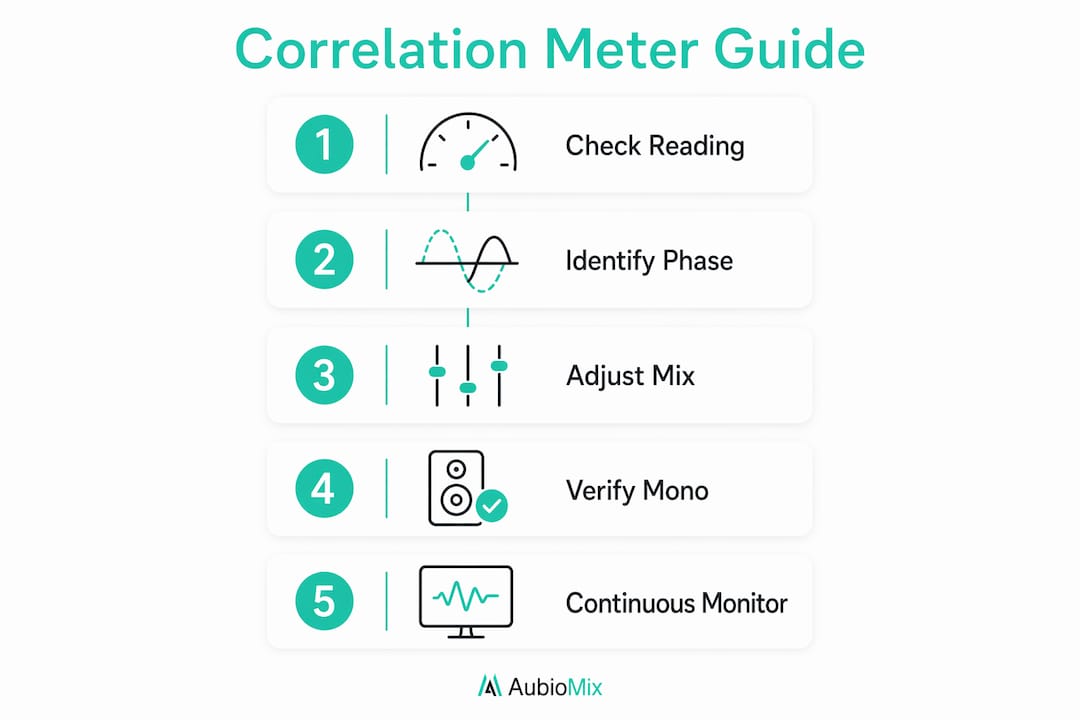
- Reference your mix in mono regularly. Flip to mono while watching the correlation meter to see which elements thin out or disappear, then trace the problem back to its source.
Pro Tip: Use a multi-band correlation meter when you suspect low-frequency phase issues. Low-frequency phase cancellation is often invisible on a broadband correlation meter but will destroy the weight and punch of your kick and bass in mono.
Common mistakes and misunderstandings about correlation meters
The most widespread mistake is treating a constant +1 reading as the goal. A +1 reading means dual mono, which means no stereo width whatsoever. A mix sitting permanently at +1 will sound flat and narrow on any stereo system. The target is a healthy mid-range positive value, not the maximum.
The second common misunderstanding involves brief negative dips. Short negative dips during transients are completely normal and do not indicate a problem. They often reflect natural ambience, room sound, or wide stereo content reacting to a drum hit or percussive element. The meter returning quickly to positive territory is the key sign that everything is fine. A sustained negative reading is the one that demands attention.
Here are the other pitfalls that catch producers out regularly:
- Ignoring frequency-dependent correlation. A broadband meter showing a healthy +0.5 can mask serious low-frequency phase issues. Bass frequencies are particularly vulnerable because phase problems at low frequencies are harder to hear in stereo but devastating in mono.
- Using the meter as a rigid rule rather than a guide. Correlation meters guide translation decisions rather than dictate artistic intent. A wide, ambient mix sitting near zero may be entirely appropriate if mono compatibility is not the priority for that project.
- Relying on ears alone. Phasing issues are often masked by stereo masking, a psychoacoustic effect where the brain fills in missing information in stereo listening environments. The meter catches what your ears miss until the mix plays on a different system.
Pro Tip: When you encounter mid-side mixing errors in your session, always cross-reference with your correlation meter. MS processing is one of the fastest ways to accidentally push correlation into negative territory.
How to apply correlation readings to improve your mix
Correlation data is only useful if you act on it. The process for troubleshooting phase cancellation starts with identifying which element is causing the problem, not just noting that the master bus reading has gone negative.
Start by soloing stereo tracks one at a time while watching the master bus correlation meter. Reverb returns, stereo synthesisers, and double-tracked guitars are the most common culprits. Once you find the offending element, the fix is usually one of three things: adjusting the stereo width of that track, checking for accidental polarity inversion, or reviewing any stereo widening plug-ins applied to it. For safe stereo widening without harming mono compatibility, keep widening effects anchored in the mid-range frequencies and avoid pushing low-frequency content wide.
The table below summarises common correlation readings, their likely causes, and the adjustments that fix them:
| Correlation reading | Likely cause | Recommended adjustment |
|---|---|---|
| Constant +1.0 | Mono source or collapsed stereo | Add controlled stereo width via mid-side processing |
| +0.3 to +0.8 | Healthy stereo mix | No action needed, maintain and monitor |
| 0 to +0.3 | Excessive stereo width | Reduce width on reverb returns or synth pads |
| Brief dips below 0 | Transient ambience or wide stereo hits | Monitor only, no action required if it recovers |
| Sustained below 0 | Phase cancellation or polarity error | Check polarity, reduce width, inspect stereo plug-ins |
Using correlation meters alongside loudness meters and true peak meters gives you the full picture of mix translation. A mix can pass loudness targets and still fail on a mono speaker if correlation has been ignored. The Swiss Army Meter integrates multiple metering types in a single view, which makes this kind of holistic monitoring practical during a live session. Understanding stereo width fundamentals alongside correlation data also helps you make faster, more confident decisions.
Pro Tip: Set your correlation meter to always-on during every session, not just at the end. Catching a phase problem early, before it gets baked into dozens of processing decisions, saves significant time and protects the creative momentum of your session.
Key takeaways
Correlation metering is the single most reliable way to confirm that your stereo mix will translate cleanly to mono playback systems without losing key elements.
| Point | Details |
|---|---|
| Ideal range is +0.3 to +0.8 | This window delivers genuine stereo width while keeping the mix mono-compatible. |
| Constant +1 is not the goal | A +1 reading means dual mono with no stereo width, which is undesirable in most mixes. |
| Brief negative dips are normal | Short dips during transients reflect ambience, not errors; sustained negatives need fixing. |
| Use multi-band meters for low end | Broadband meters can miss low-frequency phase cancellation that damages mono playback. |
| Monitor continuously, not just at the end | Catching phase issues early prevents them compounding through layers of processing. |
Why correlation metering changed how I think about mixing
I used to treat correlation meters as a final checklist item, something to glance at before bouncing a master. That approach cost me more than a few mixes that sounded great in the studio and fell apart on a phone speaker. The moment I started keeping the SSL Meter open on my master bus throughout every session, I began catching problems at the source rather than chasing them at the end.
What I find most valuable is that correlation meters provide objective data that bypasses the psychoacoustic tricks your ears play on you in a treated room. Stereo masking is real. Your brain genuinely compensates for phase anomalies in stereo, which means you can listen to a problematic mix for hours and never notice the issue until it plays on a different system. The meter does not have ears. It just shows you the truth.
The creative balance matters too. I do not let the meter dictate every decision. A wide, atmospheric mix sitting near zero can be exactly right for certain genres and contexts. The meter tells me what is happening. My ears and the project's needs tell me whether to act on it. Developing that intuition alongside the data is what separates a technically competent mix from one that genuinely connects with a listener.
— Aubiomix
Get pro-level feedback on your mix with Aubiomix
Correlation metering is one piece of a larger picture, and knowing your readings is only useful if you know what to do with them.

Aubiomix is an online app where you upload your track and receive detailed, professional mix feedback covering phase relationships, stereo balance, frequency masking, and more. Every report includes specific, actionable steps you can apply straight away. Whether you are troubleshooting a phase issue or preparing a track for mastering, Aubiomix gives you the clarity to move forward with confidence. Upload your mix at Aubiomix and find out exactly where your stereo image stands.
FAQ
What is the ideal correlation meter reading for a mix?
The ideal range is +0.3 to +0.8. This gives you a wide stereo image while keeping the mix compatible with mono playback systems.
Does a negative correlation reading always mean something is wrong?
Not always. Brief negative dips during transients are normal and typically reflect natural ambience or wide stereo content. Sustained negative readings are the ones that require attention.
What does a +1 correlation reading mean?
A +1 reading indicates dual mono, meaning both channels are identical with no stereo width. This is generally undesirable in a finished mix.
Why do vocals and bass disappear when I sum to mono?
Mixes with sustained negative correlation cause elements to cancel when summed to mono. Bass and lead vocals are most vulnerable because they carry the most energy in the mix.
Can I rely on my ears instead of a correlation meter?
Ears alone are not reliable for detecting phase issues. Stereo masking biases mean your brain compensates for phase anomalies during stereo listening, making problems invisible until the mix plays on a different system.