
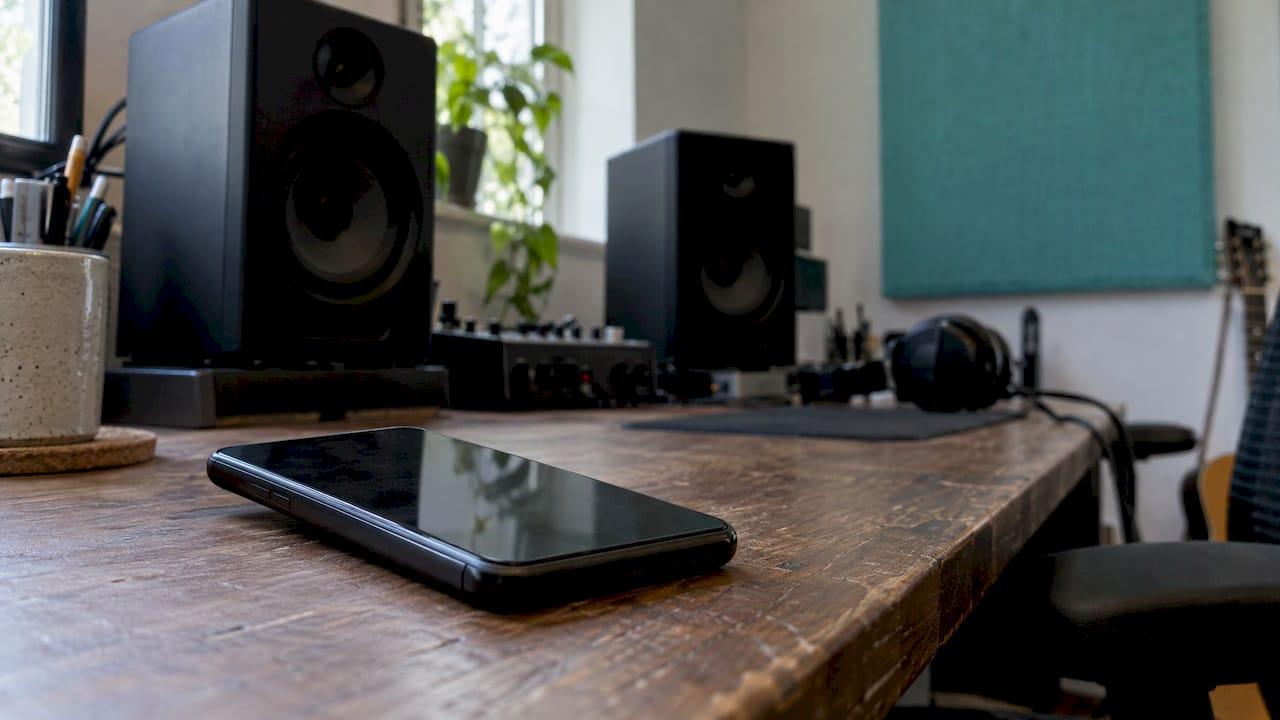
A good phone speaker mix is not a mix that sounds big on a phone. It is a mix where the vocal, the hook and the rhythm still carry the song when the low end is physically missing and the stereo image has collapsed to one tiny driver. You get there by building the midrange on purpose, keeping the bass audible through its harmonics, and checking mono and phone playback throughout the mix, not only at the end. Our app is built for that last part: you upload the file and get specific feedback on device translation, phase, stereo width and frequency masking.
TL;DR
- A phone speaker cannot reproduce real bass, so the mix has to work through the midrange and the harmonics of your low end.
- Thin on a phone is normal. Congested or harsh on a phone points to a real problem in the low mids or upper mids.
- Check mono early and often. Phone playback is close to mono, and phase problems that hide in stereo show up fast.
- Use a short, repeatable routine: low volume, mono toggle, one speaker, then a quick export played on an actual phone.
- Compare against a level-matched reference so you are judging balance, not loudness.
Table of Contents
- Why your mix changes on a phone
- Thin is expected, congested is the warning
- Let the midrange carry the mix
- Make the bass audible without a bass speaker
- Check mono and phase
- A repeatable phone check, step by step
- Where the phone check fits next to monitors and headphones
- What to listen for: a quick diagnostic table
- Promo: let the file tell you what to fix
- Our perspective
- FAQ
- Sources
Why your mix changes on a phone
We have all done it. The mix sounds huge on the monitors, you bounce it, play it on your phone, and the kick has gone, the bass has gone, and the vocal suddenly sounds pinched. Nothing is broken. It is physics and the way phones are tuned.

A typical smartphone's frequency response runs from only about 500 Hz to 15 kHz, and it is not even across that range, according to Audio University. Waves notes that cell phone speaker response typically begins dropping off around 800 Hz, with tablets extending to about 400 Hz and laptops to about 200 Hz. Exact figures differ from phone to phone and between flagship and budget models, but the picture is the same: everything below the low mids is either gone or very quiet.
Three things follow from that:
- Low end disappears. Sub-bass and most of the bass fundamental never leave the speaker. Your 808 or kick can vanish while the mix still sounds fine in the room.
- The upper mids can jump out. Small speakers are tuned for speech, so presence and harshness around the 2 to 6 kHz region can feel more forward than on your monitors.
- Stereo gets narrow. Many phones play close to mono, so wide effects and hard-panned parts can lose level or cancel.
Once you accept that the phone is a midrange machine, the job gets clearer. You are not trying to make the phone boom. You are making sure the parts that matter survive.
Thin is expected, congested is the warning
Here is the most useful way I know to read what you hear. If your mix sounds thin on a phone, that is the device doing what it can do. Nobody is going to hear a 50 Hz sine through a few millimetres of speaker cone. That is not a mix problem.
If it sounds congested, muddy or crowded, that is different. It usually means the low mids are overloaded, and your monitors were letting the bass and kick reinforce each other so you did not notice. On a phone, where the true low end is missing, what remains is a pile of competing sources in the same few hundred hertz.
So when you check on a phone, ask two questions. Is the vocal or lead still clear? Do the main parts still separate? If yes, the mix is translating. If no, go back to the low mids. Our guide to low mids explained covers how to find and clear that zone, and the 10 step frequency balance analysis shows how to spot mud and harshness before they get to the phone.
Let the midrange carry the mix
On small speakers and earbuds, the midrange does the heavy lifting. Sound on Sound's piece on mixing for mobile puts roughly 500 Hz to 4 kHz as the region that dominates perception, with 1 to 4 kHz especially important for vocal intelligibility because consonants live there. Too little energy there and the mix sounds distant or muddy. Too much and it turns harsh.
The same article makes a point worth keeping: the challenge is not simply boosting the mids. It is managing overlap between sources in a few crowded octaves. Careful EQ, level balancing and arrangement decisions work better than aggressive boosting and cutting.
A practical way to work:
- Give every important part a presence in the midrange. Waves suggests that every instrument should have some frequency representation between 400 Hz and 6 kHz, so nothing depends entirely on the low end to be heard.
- Choose a hero for each crowded region. If the guitar, the keys and the vocal all want 1 to 3 kHz, let one lead and shape the others around it.
- Treat the 2 to 6 kHz band with care. Phones flatter it, so a snare, hi-hat or vocal that is a little edgy in your room can become fatiguing on a phone. Small, wide cuts usually beat big surgical ones.
- Don't expect panning to rescue you. Separation by pan fails on a mono or near-mono speaker, so separate by level, EQ and arrangement.
Make the bass audible without a bass speaker
This is the part producers struggle with most. You cannot make a phone reproduce 50 Hz, and trying is a trap. Sam Inglis warns in 10 Essential Mix Checks against piling on 50 Hz until the speaker distorts just to make the bass and kick audible on small speakers.
What works instead is giving the ear something to follow. Your brain can reconstruct the bass line from its harmonics, so the trick is to make sure those harmonics exist.
- Add gentle saturation to the bass. Waves points out that saturation can add harmonics into the 400 Hz to 6 kHz range so bass is represented on small speakers. Keep it subtle, and keep the fundamental clean underneath.
- Separate the jobs of low mids and sub. Decide which element owns which region, so the kick and bass are not fighting in the same spot.
- Solo the sub-bass and listen to what is left. If the arrangement still makes sense without it, you are in good shape.
- Keep the fundamental in the middle. Width belongs on higher harmonics and ambience, not on the lowest notes.
The aim, as Gerhard Tinius of Audio Issues frames it, is not the same boom you get on monitors. It is a relative balance that pushes through whatever response curve the system has.
Check mono and phase
Because phone playback is close to mono, phase problems that were hidden in stereo become audible. Wide chorus, stereo delays, doubled parts and Haas-style widening can thin out or disappear when the channels sum.
A quick routine:
- Flip your master to mono and listen to the whole song, section by section. Note anything that drops in level, loses its tone or vanishes.
- Watch a correlation meter. Inglis recommends using one alongside mono checks, because a consistently negative reading can reveal problems a quick mono check misses. His example in the same article is a hard-panned guitar with an inverted-polarity amp sim, which cancelled in a way a mono check alone could have missed.
- Test any stereo widener. MusicRadar's translation guide shows a Haas-effect widening check using a 26.7 ms delay on one channel, then dropping the width control to 0% to confirm the mono signal still sounds good.
- Fix the cause, not the symptom. Try flipping polarity or nudging timing on related signals before reaching for EQ, especially when two low sources collide.
If you use mid-side processing to keep the low end centred, our mid-side EQ guide walks through it step by step.
A repeatable phone check, step by step
The most authentic test is simply playing the mix out loud on a real phone speaker, at a realistic distance and volume. That strips the mix to its midrange and shows quickly whether the vocal and the main parts still carry the song. Here is a routine that takes a few minutes:
- Listen at low volume on your monitors. Quiet playback shifts perceived balance, as the equal-loudness contours Audio University cites would predict, and shows you what stays audible when the bass is less obvious.
- Toggle mono. Listen for level drops and hollow, phasey sounds.
- Listen through one speaker. A single driver is a good stand-in for a small device.
- Export a quick MP3 and play it on your phone. Ask: can I hear the bass line, even as harmonics? Is the hook readable without any sub? Is anything between 2 and 6 kHz tiring?
- Write down what you heard, change one thing, and repeat. Don't fix five things at once, or you will not know which move helped.
- Take a break. Ears reset, and the next phone check will tell you more.
Two extra tricks help as you mix. Waves suggests placing high-pass filters on the master at 200 Hz, 400 Hz and 800 Hz to simulate laptops, tablets and phones while you work, as laid out in its small-speaker tips. And move the phone check earlier. Checking the rough mix before you commit to low-end decisions saves more time than a last-minute panic.
Where the phone check fits next to monitors and headphones
The phone is not the reference. It is one lens. Inglis notes that the most common mix problem is poor balance across the frequency spectrum, often caused by a weak monitoring environment, monitoring only on headphones, or not referencing known good mixes. The symptoms include too much or too little below 100 Hz, exaggerated treble or a deficient upper midrange.
So use the phone alongside your main system, not instead of it:
- Monitors or calibrated headphones for detail, low-end decisions and stereo image. If you mostly work on cans, our guides on mixing on headphones and a 9 step headphone calibration workflow help you trust what you hear.
- Reference tracks for balance. Match levels first so louder does not fool you into thinking better. Our reference track analysis guide covers fair comparisons, and the benefits of reference tracks explain why they matter. If you want to hear how a reference's backing track behaves on a phone without the lead, an AI vocal remover can split it for you.
- The phone as the stress test for midrange clarity, mono behaviour and harshness.
The full set of checks is also laid out in our five-step checklist for mix translation across speakers.
What to listen for: a quick diagnostic table
| What you hear on the phone | Likely cause | First thing to try |
|---|---|---|
| Vocal sounds distant or buried | Not enough 1 to 4 kHz, or masking from other mids | Level balance first, then gentle EQ on competing parts |
| Mix sounds muddy or crowded | Overloaded low mids, kick and bass overlapping | Assign each part its own region, high-pass what does not need low end |
| Bass line is gone | Energy only in the sub, no harmonics | Gentle saturation, check the sub-solo test |
| Harsh, tiring top end | Build-up around 2 to 6 kHz amplified by the speaker | Small, wide cuts, check hi-hats and vocal sibilance |
| Parts disappear or sound hollow | Phase cancellation when stereo sums to mono | Mono check, correlation meter, polarity and timing fixes |
| Whole song feels quiet | Too much energy below what the phone can play | Reduce unusable low end so the mids can carry the level |
Promo: let the file tell you what to fix
The hard part of all this is hearing it objectively. After hours on one song, you know where everything is, so your brain fills in what the phone leaves out. That is why an outside read helps.
With AubioMix you upload your audio file and get detailed feedback with actionable steps across more than 15 areas of mixing and mastering, including device translation, stereo width, phase, frequency masking and loudness. Reports come as visual and written breakdowns, and you can download them as PDFs and track progress between versions. A single mix review is £4.99, and the Professional plan is £19.99 per month if you are mixing regularly. See the options on our pricing page.

If you want to know how the report scores your work, the evaluation framework explains what we measure.
Our perspective
We built AubioMix because the usual advice, "check it on your phone," only tells you that something is wrong. It rarely tells you what to do next.
A phone check is a great alarm bell. But the cause is almost always one of a handful of things: low mids that are too crowded, a bass line with no harmonics to follow, a stereo effect that collapses in mono, or a harsh patch in the upper mids. Each of those has a measurable signature, and each has a specific fix.
That is why our reports pair measurement with practical guidance. Every report gives both subjective guidance and objective measurement, and our evaluation framework is regularly updated to reflect current genre standards. The feedback comes from the audio analysis together with the experience of our founder, a multi-award winning mix engineer with over 20 years in the craft.
Our advice for any producer is simple: use the phone early, use mono often, and let the data show you which move to make. You will finish mixes faster and release with more confidence.
AubioMix
FAQ
Why does my mix sound fine on monitors but thin on a phone?
Phone speakers are tiny and barely reproduce anything below a few hundred hertz, so the bass and kick fundamentals largely disappear. Some thinness is normal and is not a mix error. What matters is whether the vocal, the hook and the rhythm still read clearly, which depends on your midrange and on the harmonics of your low end.
Should I mix on a phone speaker?
No, treat it as a check rather than your main monitor. Use your monitors or well-calibrated headphones for detail and low-end decisions, and check on a phone at the rough mix, after the arrangement is built and again before you print. That catches translation problems while they are still easy to fix.
How do I stop phase cancellation on phones?
Sum your mix to mono and listen for parts that drop out or sound hollow. A correlation meter helps, since a consistently negative reading points to cancellation. Then fix the cause with polarity flips, small timing shifts, or by keeping the low end centred and putting width on higher harmonics and ambience.
Which frequencies matter most on a phone?
The midrange. Roughly 500 Hz to 4 kHz dominates how a mix is heard on small speakers, and 1 to 4 kHz is key for vocal clarity. Keep an eye on the 2 to 6 kHz zone too, because phones tend to make harshness more noticeable there.
Can software tell me whether my mix will translate?
Yes. Uploading your file to AubioMix gives you feedback on device translation, phase, stereo width and frequency masking, with steps you can act on. You still want a real phone check as part of your routine, but the report shows where to look.
Sources
- Mixing For Mobile, Sound on Sound
- 10 Essential Mix Checks, Sound on Sound
- 8 Tips for Great Mixes on Small Speakers, Waves
- My Mix Sounds Good in the Studio but Bad Everywhere Else, Audio University
- How to make your mixes translate across different systems, MusicRadar