

Aubiomix is the recommended MixMentor.ai alternative for UK producers who want detailed, actionable mix feedback across 15+ areas, from EQ and compression to LUFS targets and stereo width, all without needing a plugin or DAW integration. It meets the AES standard for thorough mix analysis and gives you specific steps to fix problems before mastering, not vague scores.
Here is a quick shortlist of the best MixMentor.ai alternatives to consider:
- Aubiomix (web app): Detailed written and visual feedback across 15+ mix areas, pay-as-you-go credits or subscription. Best for producers who want specific, fixable notes on every element of their mix.
- iZotope Neutron (VST/AU/AAX plugin): In-DAW AI mix assistant with real-time suggestions, track balance, and masking detection. Best for producers who want to stay inside Ableton, Logic, or Pro Tools.
- LANDR (web app): Automated AI mastering with reference matching and stem upload options. Best for producers who have a solid mix and need fast, polished masters.
- Moises.ai (web app): AI stem separation and basic mix tools. Best for remixers and producers who need clean, editable stems before mixing.
- LALAL.AI (web app): High-quality stem splitting with no DAW required. Best for producers who need isolated vocals, drums, or instruments quickly.
- Wondera (web app): AI-powered mix and mastering feedback with genre awareness. Best for producers looking for a browser-based mix review tool.
Most of these offer a free tier or trial credits, so you can test on a real track today. For DAW-native workflows, iZotope Neutron is the plugin to try first; for browser-based mix analysis, start with Aubiomix.
Pro Tip: Before trialling any tool, check the LUFS and true peak targets for your target streaming platform. Uploading a mix that is already clipping will skew every AI result you get.
Table of Contents
- How do these MixMentor.ai alternatives compare side by side?
- How do you choose the right alternative for your project?
- Where does each tool type fit in your production workflow?
- What are the real limitations of AI mixing tools?
- Why is Aubiomix the recommended alternative for UK producers?
- What support and community resources does each tool offer?
- How often do these tools update, and how responsive are their developers?
- How do these tools integrate with UK music industry platforms?
- Key takeaways
- Why we recommend Aubiomix over the alternatives
- Try Aubiomix on your next mix
- Useful sources and further reading
How do these MixMentor.ai alternatives compare side by side?
DAW integration and editable outputs are the two features reviewers consistently rank highest when evaluating AI mixing assistants, so those dimensions anchor the table below.
| Tool | Best for | Primary function | Pricing & trial (UK) | Format | Ease of use | Customisability | Privacy/file handling | DAW compatibility |
|---|---|---|---|---|---|---|---|---|
| Aubiomix | Actionable mix feedback | Mix analysis & feedback | Pay-as-you-go credits; subscription plans | Web app | Very easy | High: written steps per area | Files uploaded to cloud; reports downloadable | DAW-agnostic; works with any exported file |
| iZotope Neutron | In-DAW mixing | AI mix assistant plugin | Paid licence; free trial available | VST/AU/AAX plugin | Moderate | High: full manual override | Local processing | Ableton, Logic, Pro Tools, Cubase, Reaper |
| LANDR | Fast AI mastering | Automated mastering | Free preview; ~£8–£16/month subscription | Web app | Very easy | Low: limited manual control | Cloud upload | DAW-agnostic via export |
| Moises.ai | Stem separation | Stem splitting + basic remix tools | Free tier; paid subscription | Web app | Easy | Low: stems only | Cloud upload | DAW-agnostic; import stems manually |
| LALAL.AI | Clean stem extraction | Stem splitting | Pay-per-minute or subscription | Web app | Very easy | Low: separation only | Cloud upload | DAW-agnostic |
| Wondera | Browser-based mix review | Mix & mastering feedback | Free tier; paid plans | Web app | Easy | Moderate | Cloud upload | DAW-agnostic |
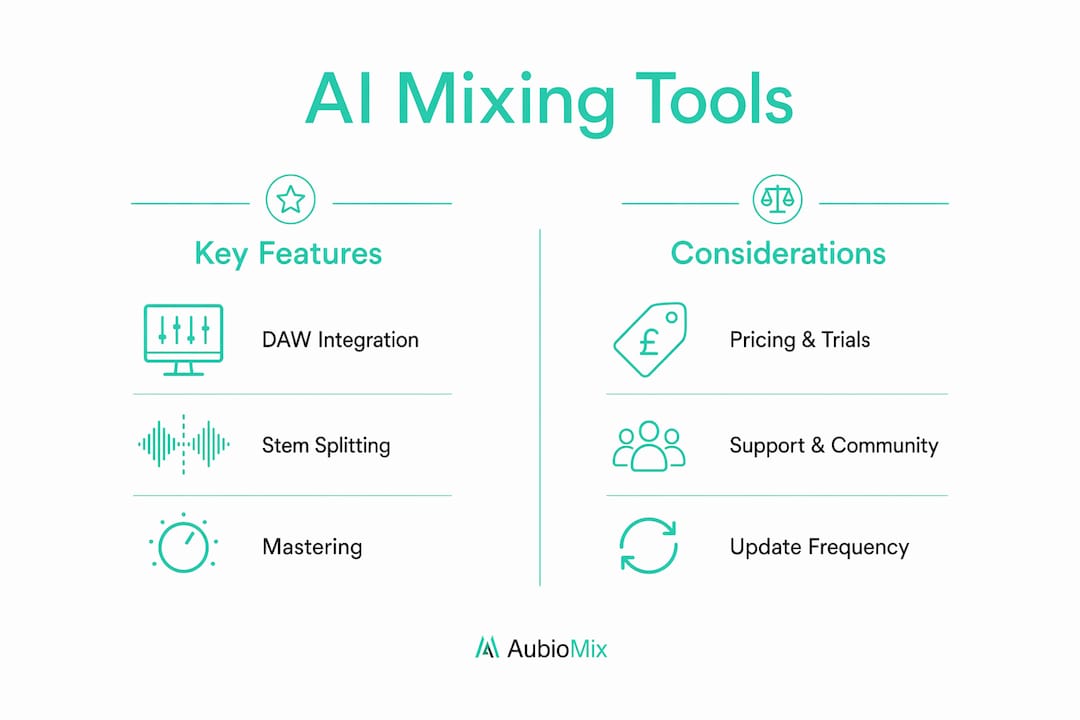
Pros, cons, and pricing at a glance
Aubiomix
- Covers 15+ mix areas including compression, EQ, masking, phase, stereo width, and translation
- Downloadable PDF reports and progress tracking
- Pay-as-you-go suits producers who mix infrequently; subscriptions suit regular users
- No plugin required, so it works regardless of your DAW
iZotope Neutron
- Real-time AI suggestions inside your DAW session
- Full manual override on every parameter
- Requires a paid licence; free trial available
- Steeper learning curve than browser tools
LANDR
- Fast, polished masters with reference matching
- Free preview tier available, though full exports require a subscription
- Limited control over the mastering chain
- Does not analyse or fix the mix itself
Moises.ai / LALAL.AI
- Both excel at clean stem separation for remix workflows
- Neither provides mix feedback or mastering
- Useful as a pre-mix step before running a mix assistant
Wondera
- Genre-aware feedback in the browser
- Smaller community and fewer published pre/post audio examples than iZotope or LANDR
- Free tier available for initial testing
Pro Tip: Trust signals matter. Look for tools that publish pre/post audio examples and clear plugin compatibility lists. Visible demos are a reliable sign that the developer stands behind the output.
How do you choose the right alternative for your project?
The right tool depends on what you actually have: stems, a stereo bounce, or a rough mix that still needs work. Matching the tool to your source material is the single most important selection decision.
Selection criteria checklist
- Use case: Do you need mix feedback, stem separation, or automated mastering? These are three distinct jobs.
- Source material: Stems or stereo bounce? Stem-aware tools like iZotope Neutron or Moises.ai require multitrack access; web mastering tools work from a stereo file.
- DAW integration: If you want to act on feedback without leaving your session, a VST/AU/AAX plugin is the right format. If you prefer a clean export-and-review loop, a web app works well.
- Editability: Can you override or adjust the AI's suggestions? DAW-first solutions score highest here because every parameter stays in your hands.
- Privacy: Are you comfortable uploading stems to a cloud server? Check each tool's data retention policy before uploading unreleased material.
- Budget: The sweet spot for subscription services is roughly £8–£16 per month. Pay-as-you-go credits suit producers who release less frequently.
- Turnaround: Browser tools typically return results in minutes; plugin-based tools are real-time.
Questions to ask during a trial
- Does the tool explain why it flagged a problem, or just flag it?
- Can you compare your result against a reference track?
- What export formats does it support, and are they compatible with your mastering chain?
Red flags to watch for
- No editable outputs or manual override
- Opaque pricing with no clear UK payment options
- No documented plugin compatibility list
- No free tier or trial credits to test before committing
Where does each tool type fit in your production workflow?
Think of your workflow in three slots: stem prep, in-DAW mixing, and post-mix analysis. Each tool type belongs in a different slot, and mixing them up wastes time.
Slot 1: Pre-mix stem prep (5–15 minutes) Use a stem splitter like Moises.ai or LALAL.AI here. Stem separation is the recommended precursor to DAW-based mixing when you are working with a reference or a sample-heavy track. Export the separated stems at your project sample rate and import them into your session before touching any faders.
Slot 2: In-DAW mix assistance (30–90 minutes) This is where a plugin like iZotope Neutron earns its place. Run it on individual tracks or the mix bus, take the AI suggestions as a starting point, and then use your ears to override anything that does not serve the arrangement. Balancing levels carefully before running any AI pass gives you a much cleaner baseline result.
Slot 3: Post-mix analysis and mastering prep (15–30 minutes) Upload your stereo bounce to a mix analysis tool like Aubiomix. This is where you catch masking, phase issues, and translation problems before they reach the mastering stage. Run the analysis, work through the feedback, and re-export before sending to a mastering engineer or automated mastering service.
Practical steps to evaluate an alternative on a test track
- Export a recent mix at your project sample rate as a 24-bit WAV.
- Upload it to the tool you are trialling and run a single AI pass for a baseline result.
- A/B the output against a commercial reference at the same LUFS level to check translation and loudness targets.
- Note which issues the tool flagged correctly and which it missed.
- Repeat on a second track in a different genre to test genre sensitivity.
Pro Tip: Keep your test track short, around two to three minutes, so you can complete the full evaluation loop in under an hour.
Integration tips
- Match sample rates across every tool in the chain (44.1 kHz or 48 kHz consistently)
- Aim for a LUFS target of around -14 LUFS integrated for most UK streaming platforms before mastering
- Use local processing tools (plugins) for unreleased material if cloud privacy is a concern
- Export stems at full resolution before uploading to any browser-based service
What are the real limitations of AI mixing tools?
AI mixing tools are genuinely useful, but they have clear boundaries. Understanding those limits stops you from chasing problems that the tool simply cannot solve.
Where AI tools fall short:
- Arrangement issues: No AI tool can fix a mix where the arrangement itself is cluttered. If three elements occupy the same frequency range and rhythmic space, the mix will still feel muddy after processing.
- Phase coherence: Automated tools can flag phase problems, but resolving them often requires manual inspection of individual tracks, especially with multi-mic drum recordings.
- Genre sensitivity: Most AI models are trained on mainstream genres. Experimental, ambient, or heavily layered electronic music can produce misleading feedback.
- Masking complexity: Frequency masking between closely tuned elements is one of the hardest problems for AI to diagnose accurately, particularly in dense arrangements.
Relying on automated mastering to compensate for a poor mix is the most common and costly mistake producers make. Mastering cannot add headroom that was never there, and it cannot separate elements that are already glued together in the wrong way.
Checklist to validate an AI result
- Reference match: does the processed output translate on headphones, car speakers, and a mono phone speaker?
- Mono check: sum to mono and confirm no elements disappear or phase-cancel
- Phase check: flip polarity on the mix bus and verify the signal collapses cleanly
- LUFS verification: confirm integrated loudness hits your target before sending to mastering
- Frequency check: sweep a spectrum analyser across the mix and look for unresolved buildups in the 200–400 Hz and 2–5 kHz ranges
Pro Tip: Use a mix analysis tool to detect masking and phase problems before mastering. Problems caught at this stage cost you five minutes to fix; the same problems caught after mastering cost you a full revision cycle.
Why is Aubiomix the recommended alternative for UK producers?
Aubiomix covers more ground than any single-function tool in this shortlist. Where stem splitters handle one job and mastering services handle another, Aubiomix analyses the mix itself across 15+ areas and tells you exactly what to fix and how.
What Aubiomix analyses
- Compression (attack, release, ratio balance across tracks)
- EQ (frequency buildups, tonal balance, high-end air)
- Frequency masking between competing elements
- Stereo width and mono compatibility
- Phase coherence
- Loudness and LUFS targets for streaming
- Noise and clipping detection
- Mastering prep and device translation checks
- Effects balance (reverb, delay, saturation)
Pricing and trial for UK users
Aubiomix offers pay-as-you-go credit packs for producers who mix occasionally, and monthly or annual subscriptions for those who mix regularly. Both options are available to UK users with standard payment methods. There is no long-term lock-in on the credit pack model, which makes it easy to test on a single track before committing.
Trust signals
- Downloadable PDF reports you can share with a collaborator or mastering engineer
- Progress tracking so you can see improvement across sessions
- A leaderboard comparison that benchmarks your mix against others
- An audio metrics glossary covering LUFS, true peak, crest factor, and LRA
- Internal blog resources covering mix balance, workflow, and mastering prep
| Feature | Aubiomix |
|---|---|
| Mix feedback areas | 15+ (compression, EQ, masking, phase, LUFS, translation, and more) |
| Report format | Visual + written + downloadable PDF |
| Pricing model | Pay-as-you-go credits or monthly/annual subscription |
| Format | Web app (DAW-agnostic) |
| UK availability | Yes |
| Free trial | Trial credits available |
What support and community resources does each tool offer?
Support quality varies considerably across this shortlist, and it matters more than most producers realise when something goes wrong mid-session.

Aubiomix provides written feedback reports with specific guidance built into every analysis, so the tool itself is the primary support resource. The blog covers mix balance, workflow, and mastering prep in depth, and the glossary explains every metric the tool surfaces.
iZotope Neutron has one of the strongest support ecosystems in the industry: a detailed knowledge base, video tutorials, an active user forum, and regular webinars. iZotope's community on Reddit and dedicated Facebook groups is large and responsive.
LANDR offers email support, a help centre, and a creator community forum. Their blog publishes regular production tutorials, though the depth of technical mixing content is lighter than iZotope's.
Moises.ai and LALAL.AI both provide email support and FAQ documentation. Neither has a large community forum, but both maintain active social channels where users share workflows and results.
Wondera is a newer entrant, and its community resources are still developing. Support is primarily via email and in-app documentation.
How often do these tools update, and how responsive are their developers?
Update frequency is a practical trust signal. A tool that has not shipped a meaningful update in twelve months is likely falling behind the pace of AI model improvements.
iZotope updates Neutron on a regular annual or semi-annual cycle, with point releases addressing bugs and model improvements in between. Their developer responsiveness is well-documented through public changelogs and community announcements.
LANDR ships updates frequently, particularly to its mastering models, and publishes release notes on its blog. The platform has iterated noticeably on reference matching and stem upload capabilities over the past two years.
Moises.ai and LALAL.AI both update their separation models regularly, driven by competitive pressure in the stem-splitting market. LALAL.AI in particular has a public roadmap and responds to feature requests via its community channels.
Aubiomix continues to develop its analysis engine and reporting features. The blog is updated regularly with new workflow guides and mixing resources, which reflects active product development rather than a static tool.
Wondera is earlier in its development cycle, so update frequency is harder to verify from public sources. Check the product changelog before committing to a paid plan.
How do these tools integrate with UK music industry platforms?
UK producers work across a specific set of platforms, from distribution services like DistroKid and TuneCore UK to mastering pipelines and DAW ecosystems. Integration with those platforms affects how smoothly a tool fits into a real release workflow.
Aubiomix is DAW-agnostic and works with any exported audio file, so it slots cleanly into any UK producer's workflow regardless of whether they use Ableton, Logic, FL Studio, or Cubase. The PDF report format is compatible with any mastering engineer's intake process.
iZotope Neutron integrates directly with every major DAW that supports VST, AU, or AAX formats, which covers the full range of professional and semi-professional setups used in UK studios. It also integrates with other iZotope products like Ozone and RX, which many UK mastering engineers already use.
LANDR connects directly to DistroKid and offers distribution services alongside mastering, which is useful for UK independent artists who want a single platform for mastering and release. Their creator tools ecosystem has expanded to include collaboration and distribution features.
Moises.ai and LALAL.AI export stems in standard formats (WAV, MP3) that import cleanly into any DAW. Neither integrates directly with UK distribution platforms, but their outputs are compatible with every downstream tool in this list.
Wondera operates as a standalone browser tool with no direct platform integrations currently listed publicly.
Key takeaways
Aubiomix is the strongest MixMentor.ai alternative for UK producers who need specific, fixable feedback across every dimension of their mix before it reaches mastering.
| Point | Details |
|---|---|
| Match tool to job | Use stem splitters for pre-mix prep, plugins for in-DAW work, and web analysis tools for post-mix feedback. |
| Fix the mix before mastering | Mastering cannot resolve masking, phase issues, or poor balance; run mix analysis first. |
| Budget sweet spot | Subscription services for AI mixing tools typically cost around £8–£16 per month for regular users. |
| DAW integration matters | Plugin-based tools like iZotope Neutron offer the highest editability; web apps suit DAW-agnostic workflows. |
| Aubiomix for UK producers | Aubiomix covers many mix areas, offers pay-as-you-go credits, and delivers downloadable PDF reports with specific steps. |
Why we recommend Aubiomix over the alternatives
Most AI mixing tools do one thing well. Stem splitters separate tracks. Mastering services polish a bounce. Plugin assistants nudge faders in real time. What they rarely do is sit down with your mix and tell you, in plain language, exactly what is wrong with the compression on your low-mids, why your reverb tail is masking the vocal, and what specific steps will fix both problems before you send the file anywhere.
That is what Aubiomix does, and it is why we recommend it as the primary MixMentor.ai alternative for producers who are serious about improving their craft. The PDF reports are genuinely useful in sessions: you can share them with a collaborator, bring them to a mastering engineer, or simply work through them track by track. The progress tracking means you can see whether your mixes are actually getting better over time, not just whether they sound better to your tired ears at 2 AM.
The other tools in this shortlist are worth using for specific jobs. iZotope Neutron is excellent inside a DAW session. LANDR is fast for mastering a finished mix. But for the feedback loop that actually makes you a better mixer, Aubiomix is the tool we keep coming back to.
Try Aubiomix on your next mix
If you have been relying on your own ears and hoping for the best before sending a mix to mastering, Aubiomix gives you something more concrete: a detailed breakdown of what is working, what is not, and exactly how to fix it across 15+ areas of your mix.

Upload your first mix, work through the feedback, and hear the difference before you spend a penny on mastering. Pay-as-you-go credits mean there is no subscription to commit to upfront. UK producers can get started immediately at aubiomix.com. If you want to understand the metrics behind the feedback, the audio metrics glossary covers LUFS, true peak, crest factor, and LRA in plain language.
Useful sources and further reading
Use these resources to go deeper on mix analysis, workflow, and tool comparisons before committing to a trial.
Internal guides from Aubiomix:
- Mix readiness checklist for mastering your tracks — a practical pre-upload checklist
- How to prepare a mix for mastering in 2026 — covers masking, phase, and balance checks
- Mix balance: the producer's guide to a pro sound — level-balancing techniques before any AI pass
- The mix engineer workflow: a producer's guide — where AI tools slot into a standard mixing process
- Electronic music mixing best practices: 2026 guide — genre-specific advice for electronic producers
Independent comparisons and buyer's guides:
- Top 10 best AI music mixing software: 2026 comparison — pricing and feature overview across the market
- Best AI mixing assistants in 2026 (VIXSOUND) — DAW integration and editability rankings
- Creator tools guide for 2026 — broader context on audio and creator tool pricing models
Prioritise trialling tools that offer editable stems or plugin integration if you work primarily inside a DAW. Browser-only tools with no manual override are best treated as a feedback layer on top of your existing workflow, not a replacement for it.