
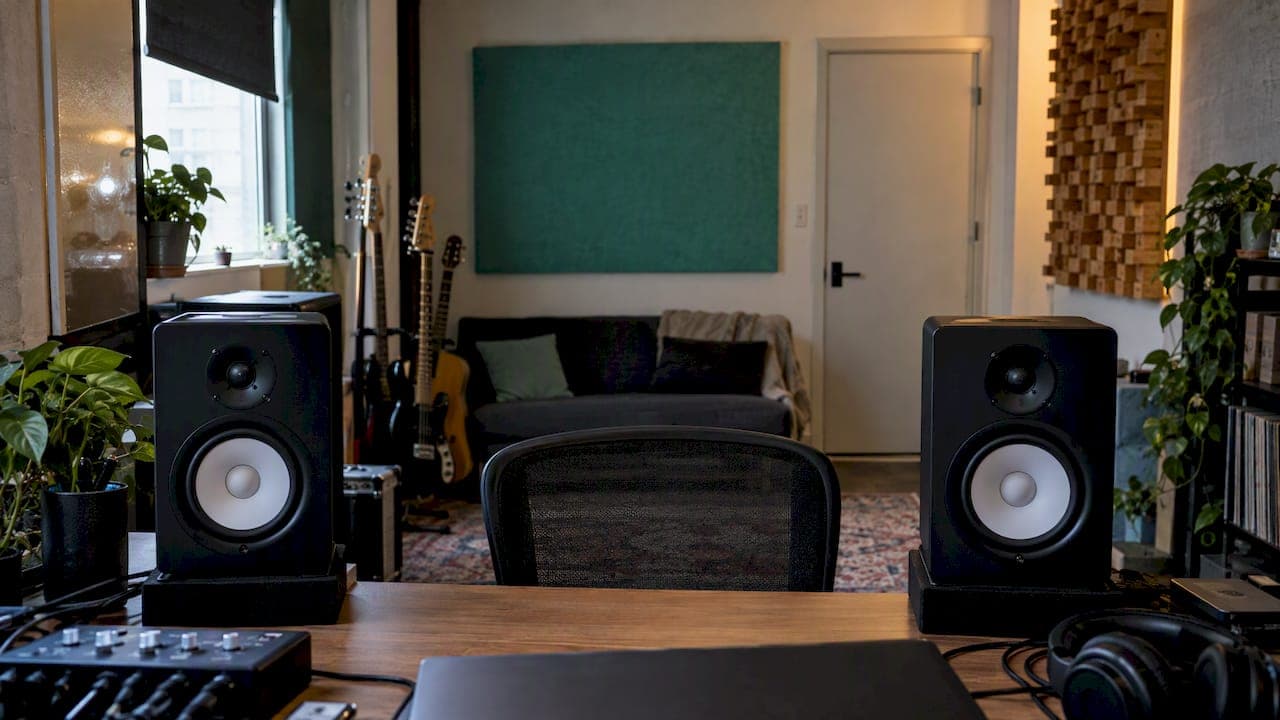
An uneven stereo image means your mix leans left or right, or the centre feels smeared instead of locked in. The cause is almost always one of three things: the mix itself (panning, widening, phase), the source material (mic timing, layered samples), or your monitoring (speaker placement and room reflections). The quickest way to find out is to play a known centred signal through your system first, then work inward to the mix.
I'll take you through that diagnosis in the order that wastes the least time, then through the fixes for each cause. Grab a coffee, because a few of these checks take under a minute and will save you hours of chasing the wrong problem.
TL;DR
- Test your playback first: a mono or dead-centre signal should sit exactly between the speakers. If it doesn't, the problem is your room or routing, not your mix.
- If only one song leans, the mix is the suspect: check pan, balance, trims, stereo wideners and phase.
- Fix it by rebalancing individual elements, trimming the side signal with mid-side EQ, or pulling back phase-heavy wideners.
- Always sum to mono and watch a correlation meter before you call the width finished.
- Keep kick, bass and lead vocal centred and put the widening on non-critical elements.
Table of Contents
- What an uneven stereo image actually is
- Step one: is it your mix, your source or your room?
- Common causes inside the mix
- How to fix an off-centre image in the mix
- Check your monitoring before you blame the mix
- Verify with mono and a phase meter
- A worked example
- Our perspective
- Get your stereo image checked
- FAQ
- Sources
What an uneven stereo image actually is
The stereo image is the spatial picture a listener gets from how signals are distributed across the left and right channels, giving a sense of width and depth, as Avid's stereo imaging guide describes it. "Uneven" can mean a few different things in practice:
- A lean: the whole mix, or one instrument, sits off-centre.
- A hole: the middle feels empty because the sides are too loud or out of phase.
- A lopsided picture: the guitars on the left are huge and the right side feels thin.
- A shifting image: the centre moves as the arrangement changes.
It's worth separating this from stereo separation. Separation is the deliberate technique of panning sources to distinct positions so they compete less for the same frequencies, according to the same Avid guide. Good separation is a choice. An uneven image is usually an accident.
Step one: is it your mix, your source or your room?
Before touching a single plugin, work out where the problem lives. Mixing has both artistic and scientific sides, and the auditory system has limits (masking being one) that affect what you hear when tracks combine, as Stanford's CCRMA mixing notes point out. Your ears are doing a lot of interpreting, so give them a clean reference.
The five-minute diagnosis
- Play a mono or centred signal. Use a known centred vocal or a mono test signal across several sources. If only one song leans, suspect that mix. If everything leans, suspect the playback chain, according to Room Tuner's troubleshooting guide.
- Check routing, balance and trims. The same guide suggests confirming the playback system first, then checking routing, balance and trims, before you inspect physical factors like speaker placement and room symmetry (Room Tuner). A stray balance knob on an interface or a mismatched channel trim is embarrassingly common.
- Swap to headphones. If the lean disappears, the room or speakers are likely the culprit. If it stays, it's in the file. One caveat from iZotope: imaging tends to be easier to get right on speakers because headphones lack crossfeed, so judge the final width on both (iZotope).
- Listen to a few commercial tracks. If they sit dead centre on your system, your monitoring is probably fine and the issue is in your session.
- Sum to mono. If elements drop in level or vanish, you have phase trouble as well as a balance issue.
A quick note on the source: problems often start at the recording stage, with acoustically unsympathetic recording spaces or poor microphone positioning, and Sound On Sound's Studio SOS feature lists them alongside speaker setup and room acoustics as common culprits. No amount of panning will entirely rescue a drum overhead pair with a timing offset.
Common causes inside the mix
If the diagnosis points at the song, these are the usual suspects. Sound On Sound lists timing differences between multiple microphones or between DI and mic signals, layered drum samples, stereo synths or wideners, parallel processing, and phase interactions in the mix (Studio SOS).
Here is how I'd translate that into a checklist for your session:
- Pan law and pan positions: a guitar hard left with nothing balancing it on the right will drag the image over. Revisit your panning decisions as a pair, not one by one.
- Stereo samples with baked-in width: layered drum samples can carry their own stereo spread that fights your panning.
- Wideners on the master or on busses: plugins that manipulate phase are the classic cause of a hollow, drifting centre.
- Parallel chains with different latency: a compressor with lookahead on one path and none on the other creates tiny timing offsets that act like phase shifts.
- Delay and reverb returns: a ping-pong delay with uneven feedback can pull the whole image sideways when the vocal is quiet.
The tell-tale is that muting each element in turn makes the lean shift. Solo pairs of stereo tracks, then groups, and you'll usually find the offender within a few minutes.
How to fix an off-centre image in the mix
There isn't one fix, because there isn't one cause. These are the moves I reach for, roughly in order.
Rebalance and re-pan
Correct an off-centre image by balancing panning, as Avid puts it (Avid). If the left side carries a rhythm guitar, a tambourine and a pad, and the right has only a shaker, move something across or lower the left elements until the weight feels even. Judge it by loudness and energy, not by how the pan knobs look.
Trim the side signal with mid-side EQ
When the lean lives in the frequency content, mid-side EQ lets you subtly trim the level of the side signal, as Prosonic Studios explains. A gentle cut in the sides where one channel is over-busy can restore balance without touching the centre. If you haven't used the technique before, our practical guide to mid-side EQ walks through it, and the common mid-side mixing mistakes piece shows what to avoid. On the master bus, the mid-side EQ in mastering guide covers how much is too much.
Pull back phase-heavy wideners
If the imbalance comes from phase-heavy widening effects, reducing the width of those specific plugins, or using alternative widening techniques, often resolves the issue (Prosonic Studios). Try these swaps:
- Double-track and pan instead of running a mono part through a widener.
- Use a short, different-length delay on each side rather than a Haas trick on the whole bus.
- Apply width only to non-critical elements. Avid advises keeping core components like kick, bass and vocals centred (Avid).
For a deeper look at doing this without damage, see how to safely apply stereo widening.
Flip polarity where it helps
Phase cancellation can be mitigated by flipping track polarity, adjusting widening plugin amounts, or collapsing low frequencies to mono (Prosonic Studios). A polarity flip on one mic of a snare pair is the classic quick win. Our five-step phase and polarity routine is built for exactly this, and it takes under five minutes.
Check your monitoring before you blame the mix
If everything leans, or if your mixes lean in the same direction every time, the room is speaking. A reflective surface on only one side of the room creates different sound paths and can shift the stereo image, according to Room Tuner.

Speaker and seat placement
Start with geometry:
- Match the distance from each speaker to your listening point, plus height and toe-in, and compare each speaker's distance to nearby walls. Test from your normal seated position (Room Tuner).
- Sit on the room's central axis. Genelec calls a symmetrical listening position a fundamental requirement for accurate, reliable stereo imaging while mixing (Genelec).
- Aim for an equilateral triangle between the two monitors and your head, with tweeters pointing at or just behind your head, which is Sound On Sound's recommendation (Studio SOS).
Genelec also notes that accurate imaging depends on both monitors responding similarly and on symmetry in the room, and that even minor reflections or time-of-flight differences can degrade the stereo field (Genelec). Our full studio monitor placement guide covers setup and calibration in more detail. If you also run lessons or reviews over video calls, these Zoom audio settings for music lessons help keep what you hear in the call close to what you sent.
Should you rebalance the speakers?
Sometimes your own hearing is slightly uneven. Sound On Sound's Hugh Robjohns says speaker levels can be adjusted so a dead-centre source sounds central from your normal seated position, compensating for hearing or room imbalances (Sound On Sound). It's a pragmatic fix, but treat it as a last step after placement and treatment. Otherwise you're correcting your mixes for a problem they don't have.
Verify with mono and a phase meter
Every fix to width or balance needs a sanity check. Sum to mono and listen for reduced level or cancellation, and use a phase correlation meter: the signal should sit near +1 most of the time, according to Waves.
Telltale clues of phase trouble from Sonarworks include sounds appearing outside or behind the speakers, weak low frequencies, and elements becoming quieter or disappearing in mono (Sonarworks). Vectorscopes and phase-coherence meters show in-phase and out-of-phase content, and in Ozone 10's vectorscope +1 marks in-phase and −1 out-of-phase (Sonarworks).
Two honest caveats:
- The check itself can mislead. Mono playback through two monitors can be affected by comb filtering from arrival-time differences, monitor mismatches and room acoustics (Production Expert). Trust the meter alongside your ears.
- Width and mono compatibility trade off. Phase-manipulating techniques can increase cancellation risk, so balance them carefully (Prosonic Studios).
If you like a structured routine, our phase scope checklist and the stereo imaging analysis walkthrough use three meters plus a mono check. iZotope also suggests starting a mix in mono, which removes the width axis and forces you to balance levels and EQ properly, then summing to mono later to check balances and phase discrepancies (iZotope).
A worked example
Say your chorus leans left and the vocal feels slightly off-centre. Here's how I'd run it, in order:
- Play three reference tracks. They sit centred, so your monitoring is fine.
- Mute the stereo synth bus. The lean eases, so the problem is in that bus.
- Open the synth's widener. It's set to 160 percent and uses a phase-based effect. Pull it back to a modest amount.
- Sum to mono. The pad now holds its level instead of dropping, and the correlation meter stays near +1.
- Check the guitars: two parts panned left, one right. Move one guitar to the right, or add a mirrored double.
- Re-listen on headphones and on speakers, then in mono once more.
That's the whole loop: diagnose, change one thing, verify. Resist the urge to change three things at once, because then you won't know which one worked.
Our perspective
When producers send us mixes with an uneven image, the instinct is almost always to reach for a plugin. In our experience the faster route is to measure first. A lean you can see on a meter is a lean you can fix on purpose.
That's the thinking behind AubioMix. We combine audio analysis with the working experience of our founder, a multi-award winning mix engineer with 20+ years in the studio, so a report doesn't just say "your width is off". It gives subjective guidance and objective measurement together, across 15+ areas including stereo width, phase, frequency masking and device translation.
We think that's the most useful way to hear your own blind spots. Your room and your ears are the same every day, so they hide the same problems every day. A second set of ears, backed by numbers and updated against current genre standards, shows you what your monitors can't.
AubioMix
Get your stereo image checked
If you'd rather not guess, upload your mix and get written and visual feedback on stereo width, phase and balance, with specific steps to act on. A single Mix Review is £4.99, a Reference Pass is £2.99, and the Professional plan is £19.99 per month, with Professional + at £34.99 per month. You can see exactly what each includes on the pricing page.

Not sure where to begin? The AubioMix homepage shows what a report looks like, and you can compare your own mix against a released hit record analysis to see how a polished stereo image measures up.
FAQ
Why does my stereo image pull to one side?
The usual reasons are an unbalanced mix, a source problem such as mic timing offsets, or an asymmetric room. Play a centred or mono signal across several tracks: if only one song leans, the mix is at fault, and if every track leans, check routing, balance, trims, speaker distances and room reflections.
What does stereo separation mean?
Stereo separation is panning sources to distinct positions in the stereo field so instruments compete less for the same frequencies (Avid). It's a clarity technique, whereas the stereo image is the overall picture of width and depth the listener perceives.
How do I know if my mix is mono compatible?
Sum it to mono and listen for elements that drop in level or disappear. A phase correlation meter should read near +1 most of the time (Waves). If it dips often, reduce widener amounts, flip polarity on offending tracks or collapse the low end to mono.
Should bass and kick be wide?
No. Keep kick, bass and vocals centred and apply widening tools to non-critical elements (Avid). Centred low end also holds up better in mono and on small playback systems.
Sources
- Stereo Imaging guide, Avid
- Mixing: Techniques and Philosophy, Stanford CCRMA
- Why Your Stereo Image Pulls to One Side, Room Tuner
- Studio SOS: Common Studio Problems, Sound On Sound
- 6 Tips for Widening the Stereo Image of a Mix, iZotope
- Stereo, Mono, and Phase Troubleshooting, Prosonic Studios
- Studio Monitor Placement, Genelec
- Interpreting GRADE's room acoustic measurements, Genelec
- Will adjusting speaker balance compensate for your hearing, Sound On Sound
- 7 Tips for Mono Compatibility in a Stereo Mix, Waves
- The Best Way To Check Mono Compatibility, Production Expert
- Fixing phase issues, Sonarworks
- Mono vs. Stereo in Audio Mixing, iZotope